Account Contact
Your Cart
Pay the courier with no extra fees.
Need help? DistriNode AI can handle any task on our site.

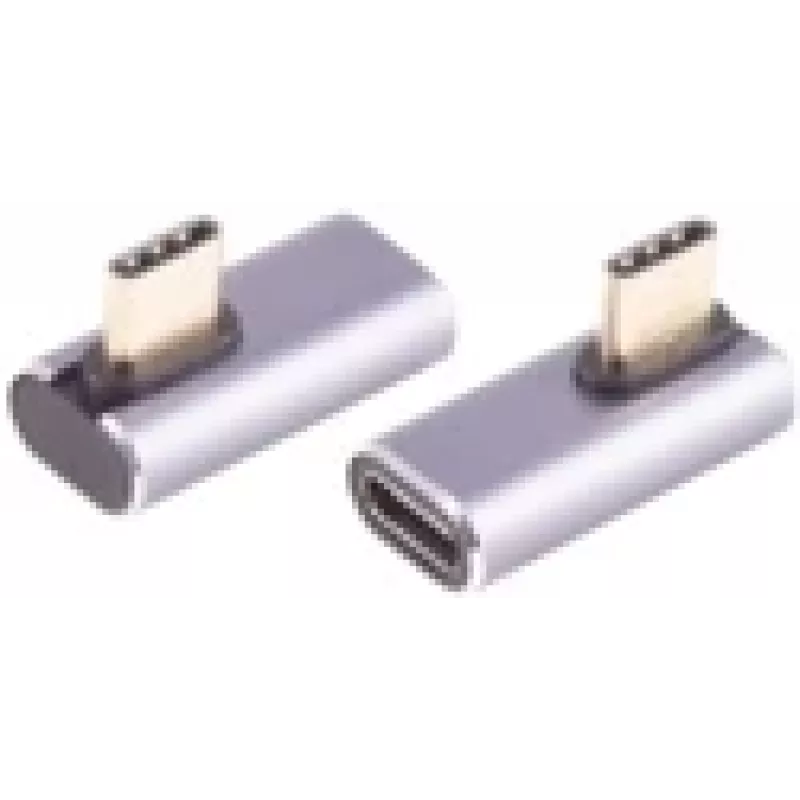
Cable Gender Changer ShiverPeaks BS14-05036 USB C to USB C Grey

Cable Gender Changer ShiverPeaks BS14-05036 USB C to USB C Grey
R348
The ShiverPeaks BS14-05036 USB C to USB C gender changer is a compact adapter designed to join two USB‑C cables or devices with USB4 Gen 3x2 compatibility. Finished in grey, the adapter provides a neutral look for office or home setups while maintaining the physical USB‑C form factor. It is intended... Read More
Stock 175 Code 2253765 Brand SHIVERPEAKS Model BS14-05036 Warranty 2 Years

Shipping & Returns

Estimated delivery Tuesday, October 6
You will be kept updated through our detailed tracking system
Payment options
EFTPayFastBank CardSnapScanZapperGoogle PayApple PayMobicredMoreTymePay on Arrival

The ShiverPeaks BS14-05036 USB C to USB C gender changer is a compact adapter designed to join two USB‑C cables or devices with USB4 Gen 3x2 compatibility. Finished in grey, the adapter provides a neutral look for office or home setups while maintaining the physical USB‑C form factor. It is intended to enable direct connection between USB‑C plugs when a gender change is required, supporting high‑speed data and device interoperability consistent with the USB4 Gen 3x2 specification.

Advantages

The adapter offers a simple and space‑saving solution to connect two USB‑C connectors without requiring additional cables or hubs. Built to preserve the reversible orientation and compact dimensions of USB‑C, it supports the electrical and data signaling defined by USB4 Gen 3x2. Its grey housing provides a discreet appearance that integrates easily with modern devices and peripherals. The device is plug‑and‑play and does not require software drivers for basic physical connectivity.

Suitable for

  • Connecting two USB‑C cables or devices when a gender change is needed
  • Temporary adapter use in workspace or travel setups
  • Linking peripherals such as displays, storage, or docks that use USB‑C connectors

Key specifications

  • Connector type: USB‑C to USB‑C
  • USB standard: USB4 Gen 3x2 compatible
  • Colour: Grey
  • Form factor: Inline gender changer adapter

How to use

Insert the USB‑C male plug of the first cable or device into one side of the gender changer and insert the USB‑C male plug of the second cable or device into the opposite side. Ensure both connections are fully seated. The adapter is intended for direct physical connection and will pass through the electrical and data signals provided by the connected cables and devices. Check that connected devices and cables meet the same USB4 Gen 3x2 or compatible specifications to achieve expected performance.

Recommendations

Use the adapter for short‑term or occasional connections rather than as a permanent inline replacement for a single continuous cable. To maintain signal integrity, use high‑quality USB‑C cables rated for USB4 Gen 3x2 and avoid subjecting the adapter to excessive bending, pulling, or exposure to liquids and extreme temperatures.

Key Highlights
  • Connecting two USB‑C cables or devices when a gender change is needed
  • Temporary adapter use in workspace or travel setups
  • Linking peripherals such as displays, storage, or docks that use USB‑C connectors
  • Connector type: USB‑C to USB‑C
  • USB standard: USB4 Gen 3x2 compatible
  • Colour: Grey
  • Form factor: Inline gender changer adapter
Specifications
Connector 1
USB C
Connector 1 form factor
Straight
Connector 2
USB C
Connector 2 form factor
Angled
Data transfer rate
40 Gbit/s
Housing material
Aluminium
Product colour
Grey
Quantity per pack
1 pc(s)
USB version
USB4 Gen 3x2
Price history over the last 6 months
Cable Gender Changer ShiverPeaks BS14-05036 USB C to USB C Grey
Current
R348
Lowest
R337
Highest
R348
Change 24H
+R10   +3%
Week
—   
Month
—   

Popular products in this category

WhatsApp
Hi, I’m DistriNode’s AI assistant. I can help you find products, compare options, create quote PDFs, or open support requests.