Account Contact
Your Cart
Pay the courier with no extra fees.
Need help? DistriNode AI can handle any task on our site.

Brother TZE-241CIV label-making tape TZ

Brother TZE-241CIV label-making tape TZ
R441
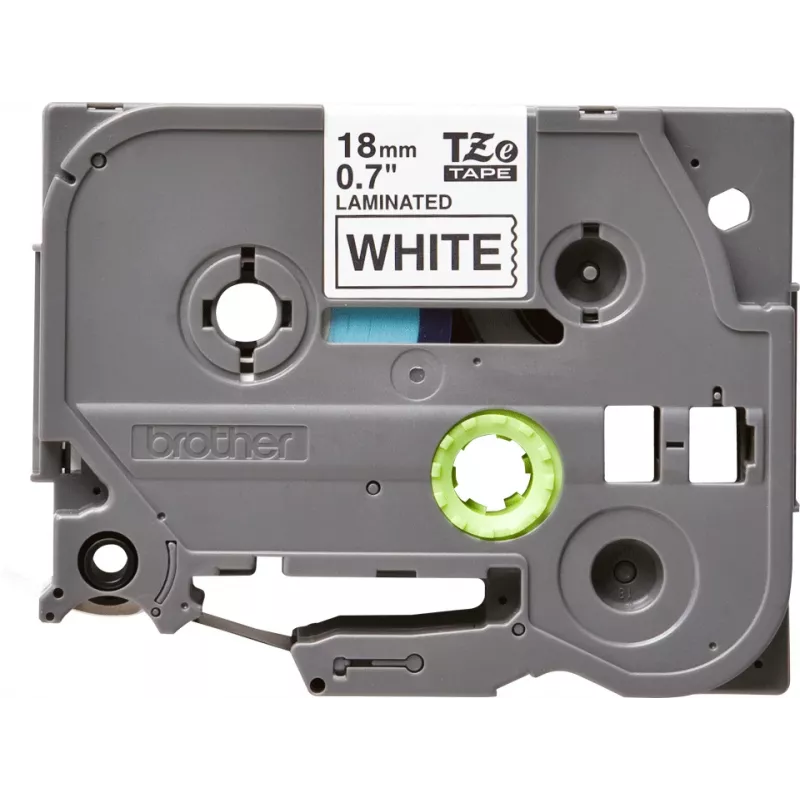
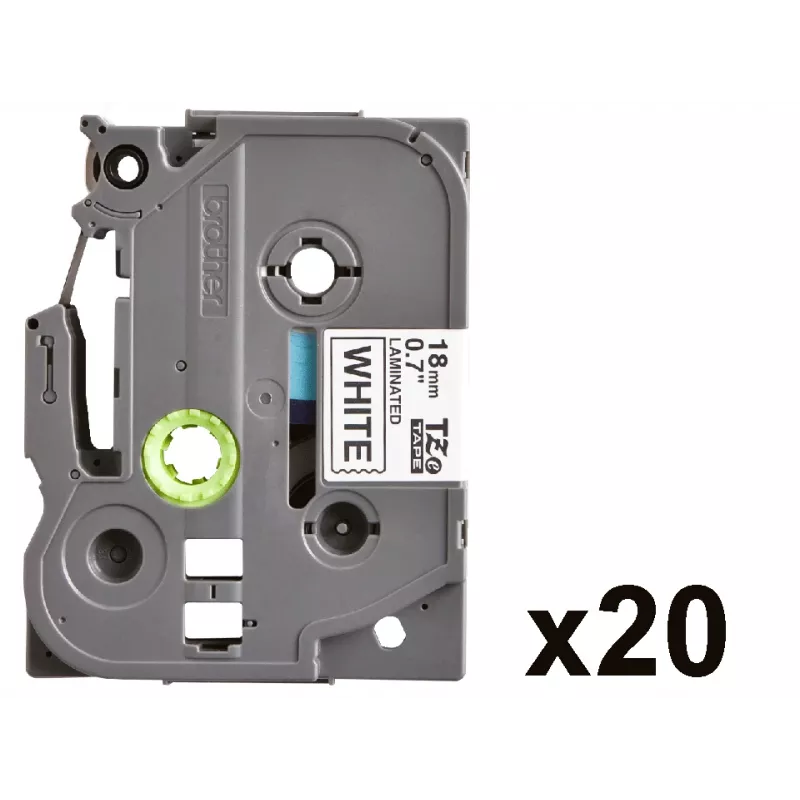
The Brother TZE-241CIV label-making tape is a durable TZ series tape intended for consistent, long-lasting labels. Each pack contains 20 individual rolls, each 8 meters long and 18 mm wide, producing clear, edge-to-edge printed text suitable for a variety of surfaces. The tape is compatible with Bro... Read More
Stock 54 Code 2445883 Brand BROTHER Model TZE-241CIV Warranty 2 Years

Shipping & Returns

Estimated delivery Thursday, October 1
You will be kept updated through our detailed tracking system
Payment options
EFTPayFastBank CardSnapScanZapperGoogle PayApple PayMobicredMoreTymePay on Arrival

The Brother TZE-241CIV label-making tape is a durable TZ series tape intended for consistent, long-lasting labels. Each pack contains 20 individual rolls, each 8 meters long and 18 mm wide, producing clear, edge-to-edge printed text suitable for a variety of surfaces. The tape is compatible with Brother P-touch label printers that accept TZ/TZe cartridges and is designed to resist everyday wear, helping keep information legible in home, office and light industrial environments.

Advantages

This label tape combines a medium width with extended roll length to reduce cartridge changes and minimize downtime. The laminated surface protects printed text from smudging, fading and light abrasion. The tape’s adhesive provides reliable adhesion on paper, plastic, cable sheathing and other common materials, while maintaining clean removal where appropriate. Its standardized cartridge shape ensures quick installation and consistent print alignment in compatible Brother P-touch devices.

Suitable for

Key specifications

How to use

Install the tape cartridge into a compatible Brother P-touch label printer according to the printer’s user guide. Design and format the label using the printer’s controls or associated software, then print the required text. After printing, peel off the backing and apply the label to a clean, dry surface for best adhesion. For curved or textured surfaces, press firmly and smooth from the center outward to ensure contact.

Recommendations

Store unopened rolls in a cool, dry place away from direct sunlight. For durable results, clean the target surface before application and avoid placing labels on surfaces exposed to extreme heat or solvents. Verify printer compatibility with TZ/TZe cartridges to ensure proper fit and print performance.

Key Highlights
  • Organizing folders, shelves and storage boxes
  • Labeling cables, panels and wiring in offices or workshops
  • Creating nameplates and inventory tags
  • Marking tools, equipment and personal items for identification
  • Tape type: laminated TZ series label tape
  • Tape width: 18 mm (1.8 cm)
  • Tape length per roll: 8 m
  • Pack quantity: 20 rolls per pack
  • Print surface: matte/laminated for smudge and fade resistance
  • Adhesive: permanent adhesive suitable for paper, plastic and similar surfaces
Specifications
Country of origin
Philippines
Depth
65 mm
Harmonized System (HS) code
48219090
Height
90 mm
Layers per pallet
10 pc(s)
Master (outer) cases per pallet
220 pc(s)
Master (outer) cases per pallet layer
22 pc(s)
Package weight
67 g
Pallet gross height
13 cm
Pallet gross weight
311.3 kg
Pallet type
800 x 1200 mm
Products per pallet
4400 pc(s)
Quantity per pack
20 pc(s)
Tape length
8 m
Tape size
1.8 cm
Tape type
TZ
Weight
48 g
Width
25 mm

Leaflet

Open Leaflet
Price history over the last 6 months
Brother TZE-241CIV label-making tape TZ
Current
R441
Lowest
R417
Highest
R441
Change 24H
+R14   +3%
Week
+R19   +4%
Month
+R17   +4%

Popular products in this category

WhatsApp
Hi, I’m DistriNode’s AI assistant. I can help you find products, compare options, create quote PDFs, or open support requests.