

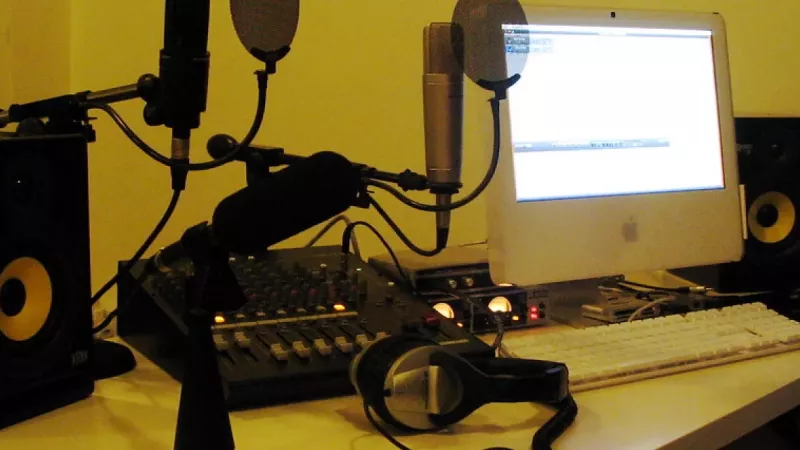
Ask ten audio engineers which microphone a new streamer should buy and you will hear ten variations of the same reply: the connector matters far less than the workflow behind it. USB and XLR microphones sometimes share identical capsules, yet they represent two fundamentally different philosophies of voice capture. One integrates the entire recording chain into a single sealed device; the other splits it into interchangeable components you can upgrade one at a time. Understanding that distinction is the quickest route to a purchase you will still be happy with two years from now.
What the interface actually changes
Every voice recording passes through three stages: a capsule converts sound pressure into a tiny electrical signal, a preamplifier raises that signal to a usable level, and an analogue-to-digital converter turns it into the stream your computer records. A USB microphone packs all three stages into one housing and presents itself to the operating system as a finished audio device. An XLR microphone contains only the capsule and its supporting electronics; amplification and conversion happen in an external audio interface or mixer that you select separately.
The practical consequence is simple to state. With USB, the manufacturer has already decided your gain range, converter resolution and monitoring options, and those decisions are permanent. With XLR, every link in the chain remains open: swap the microphone, upgrade the interface, insert a hardware processor, or run the same capsule into a broadcast console a decade later. Neither approach is universally superior — they optimise for different priorities.
The case for USB: controlled simplicity
Modern USB microphones are class-compliant, meaning Windows, macOS and even tablets recognise them without drivers. For a single presenter this removes an entire category of failure: no gain staging errors, no phantom power questions, no interface firmware updates minutes before going live. Many current models add onboard DSP — noise gates, limiters and presence EQ applied before the signal reaches the computer — plus a headphone jack for zero-latency monitoring of your own voice.
- Setup time: typically under five minutes from unboxing to a live OBS scene.
- Cost efficiency: one purchase covers capture, conversion and monitoring in a single device.
- Portability: a laptop and one cable make a complete travel recording rig.
- Predictability: fewer components means fewer points of failure during a broadcast.
Where USB reaches its limits
The weaknesses appear at the edges. Recording two USB microphones into one computer is technically possible but clumsy: each device runs on its own clock, drift accumulates over long sessions, and some applications only accept a single input device. The internal preamp cannot be improved, so a noisy gain stage stays noisy for the life of the product. And when your ambitions outgrow the microphone, you replace the entire unit rather than a single component — the second-hand market treats consumer USB models far less kindly than established XLR studio names.
The case for XLR: a modular signal chain
The three-pin XLR connector has served professional audio since the 1950s for good reasons. The connection is balanced, which cancels electrical interference and lets you run cable for tens of metres without degradation — useful the moment your microphone and computer no longer share a desk. Phantom power for condenser capsules travels down the same cable. Above all, XLR buys you a modular architecture: the microphone, preamplifier, converter and software each become independent upgrade decisions.
- Multi-channel recording: an interface with four inputs records four guests to four separate tracks, each editable in isolation.
- Component longevity: well-built XLR microphones routinely outlast several generations of computers.
- Headroom to grow: the same microphone works with an entry-level interface today and a broadcast console later.
- Hardware control: physical gain knobs and meters beat software sliders when troubleshooting mid-session.
The hidden line items
Honest budgeting is where XLR plans most often fail. The microphone price is only the opening figure: add an audio interface, a balanced cable, a boom arm or desk stand, a shock mount and a pop filter, and the true entry cost is commonly double the microphone alone. None of this is wasted money — every piece transfers to your next configuration — but it should be counted on day one, not discovered in week two.
Dynamic or condenser: the decision inside the decision
Connector choice tends to overshadow a variable with more audible impact: the capsule principle. Dynamic microphones are less sensitive, which sounds like a weakness until you record in an ordinary room — they capture the voice in front of them and largely ignore keyboard clatter, fan noise and wall reflections. Condenser microphones resolve more detail and airiness but reproduce the room just as faithfully as the speaker. The professional rule of thumb: in an untreated space, a modest dynamic microphone positioned close to the mouth outperforms an expensive condenser positioned at arm's length — and this holds for USB and XLR alike.
Three reference configurations
Solo streamer or single-host podcast
A USB dynamic microphone on a boom arm, positioned ten to fifteen centimetres from the mouth, covers this scenario completely. Onboard monitoring handles latency, and the entire chain occupies one USB port. Spending the savings on acoustic improvement returns more audible quality than any electronics upgrade at this stage.
Two-host interview format
This is the natural crossover point to XLR. A two-input interface with a pair of dynamic microphones records both voices to separate tracks, so one host's cough can be edited out without touching the other's sentence. Loopback functionality on many interfaces also simplifies bringing remote guests from a call into the recording.
Roundtable shows and hybrid events
From three participants upward, XLR is effectively mandatory. Look for interfaces or rack mixers with at least four preamps, individual gain per channel and a headphone distribution path so every participant hears the same mix. At this scale, cable discipline and labelled channels save more session time than any single piece of equipment.
Planning beyond a single desk
Organisations that outfit multiple creators, studios or meeting rooms face a different calculus from an individual buyer: driver management across a device fleet, spare-part availability and consistent audio branding across shows all favour standardising on a small set of proven models. Distributors such as DistriNode maintain both USB and XLR ecosystems precisely because most deployments end up mixed — USB for mobile and single-seat use, XLR for fixed studios. A structured overview of current options is available in our audio and headphones category, which groups microphones alongside the monitoring headphones every recording position needs.
Whichever direction you choose, buy the accessories in the correct order: boom arm and shock mount first, acoustic treatment second, electronics upgrades last. The full audio range covers each of those stages without forcing a platform change halfway through.
Frequently asked questions
Does XLR automatically sound better than USB?
No. At equal capsule quality, a current USB converter is audibly transparent for voice work. XLR wins on flexibility, multi-channel capability and upgrade paths — not on inherent fidelity at the entry level.
What are hybrid USB/XLR microphones, and are they a safe compromise?
They expose both connectors on one body: USB for immediate use, XLR for a future interface. For buyers genuinely unsure of their trajectory they are a sensible hedge, with the caveat that the USB electronics become redundant weight once you move to an interface permanently.
Do I need 96 kHz recording for a podcast?
48 kHz at 24-bit is the delivery standard for spoken word on every major platform. Higher sample rates enlarge files and CPU load without an audible benefit for voice; spend the attention on microphone placement instead.
Does a dynamic XLR microphone need phantom power?
Classic dynamics do not require it and are unharmed if it is enabled. Note that some popular broadcast dynamics are low-output designs that benefit from an inline booster or an interface with generous, clean gain — check the gain specification before pairing.
Audio interface or mixer — which should a beginner choose?
An interface, in almost every case. It is smaller, simpler and records cleaner multitrack audio. A mixer earns its place when you need live level control across many sources — panel discussions, live event feeds — rather than routine recording.
How close should I speak to the microphone?
Ten to fifteen centimetres for dynamics, twenty to thirty for condensers, always with a pop filter in between. Distance consistency matters more than the exact figure; anchor your position to the boom arm, not to memory.
Leave a comment