

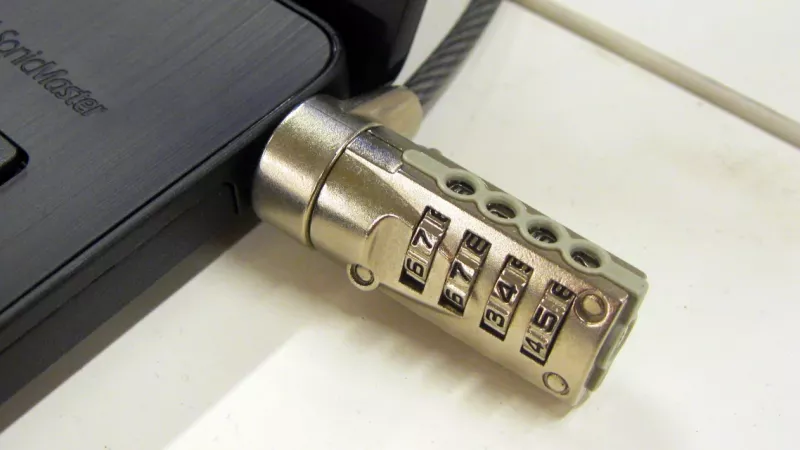
A USB port blocker is one of the cheapest security controls you can buy, and one of the most misunderstood. It is a small plastic or metal insert that fills an unused port and can only be removed with a matching key. It will not stop a skilled attacker with tools and time. What it does stop is the far more common problem: a staff member, visitor, cleaner or contractor plugging an unknown device into a computer, switch or point-of-sale terminal that nobody is watching.
This guide explains how port blockers and port locks work for USB, RJ45, HDMI, DisplayPort and card slots, which threats they really address, where they fall short, and how to combine them with Windows policy and BIOS settings. It also shows how physical port control supports POPIA, PCI DSS and ISO/IEC 27001 obligations for South African organisations.
Why physical port security still matters in 2026
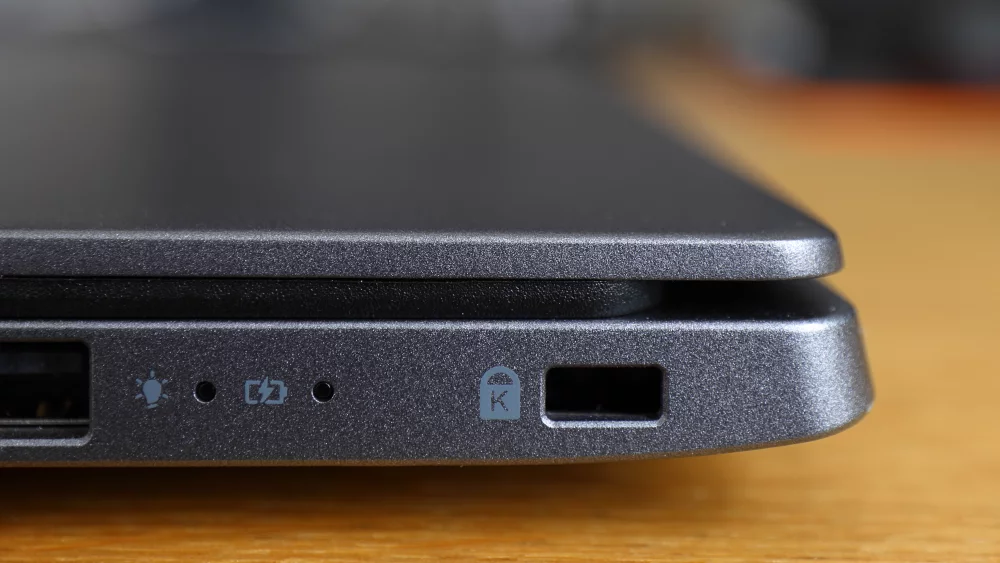
Most security budgets go to firewalls, endpoint protection and cloud identity. Yet every desktop, laptop dock, printer, network switch and wall plate still exposes physical ports, and a port is an open door for anyone standing next to it. Software controls are powerful, but they depend on the operating system being up, managed and correctly configured. A port that is physically filled does not depend on anything.
People really do plug in unknown devices
The best-known evidence comes from a study presented at the IEEE Symposium on Security and Privacy in 2016. Researchers dropped 297 USB flash drives on a large university campus. They estimated the attack success rate at 45–98%, and the first drive was connected in less than six minutes. Most people were not reckless. They wanted to find the owner. Good intentions are exactly what a social-engineering attack relies on.
Rule of thumb: if a port is reachable by someone who is not the device owner, and nobody needs that port this month, it should be blocked, disabled, or both.
A USB device is not always a storage device
Blocking removable storage in software does not cover every case. In 2014, researchers at SRLabs showed with BadUSB that the firmware of ordinary USB devices can be reprogrammed so that a flash drive presents itself as a keyboard. Commercial keystroke-injection tools do the same thing on purpose: they look like a flash drive, register as a keyboard and type a prepared script in seconds. A policy that blocks storage volumes does not stop a device that the computer believes is a keyboard.
Regulators expect reasonable physical measures
Section 19 of the Protection of Personal Information Act requires a responsible party to take “appropriate, reasonable technical and organisational measures” against loss of and unlawful access to personal information, to identify foreseeable risks and to verify that safeguards work. An unattended reception PC with six open USB ports is a foreseeable risk. A documented decision to block those ports is an inexpensive, auditable safeguard.
How USB port blockers and port locks work
All products in this category follow the same principle: a body that occupies the connector cavity, a latch that grips the inside of the port, and a key that releases the latch. The differences lie in the connector type, in whether the product blocks an empty port or locks a connected cable in place, and in how keys are managed.
Port blockers for empty ports
A blocker is pushed into the unused port until it clicks. Spring-loaded teeth or a sliding latch hold it against the inner walls of the connector. The visible face is flush or nearly flush, so there is nothing to grip with fingers or pliers. Removal requires the vendor’s key, which retracts the latch. Several manufacturers colour-code their key patterns, so a blue key opens only blue blockers. That lets you separate departments or sites, and it limits the damage when a key goes missing.
Cable locks and link locks for ports in use
Blocking empty ports is only half the job. An attacker can unplug the keyboard and use that port instead. A link lock (also sold as a cable trap or secure cable lock) clamps around a connected plug and latches into the port, so the authorised keyboard, mouse, scanner or patch cable cannot be removed without the key. On network equipment, RJ45 link locks keep a patch cable in its assigned switch port, which prevents both accidental disconnection and quiet device swaps.
Connector types you can secure
The table summarises the main product types and where each one is normally used.
| Product type | Ports covered | What it prevents | Typical use |
|---|---|---|---|
| USB-A port blocker | USB 2.0 and 3.x Type-A | Flash drives, keystroke injectors, phones, keyloggers | Desktops, thin clients, POS terminals, printers, kiosks |
| USB-C port blocker | USB-C, Thunderbolt, USB4 | Storage, docks, DMA-capable devices, charging of personal phones | Laptops, tablets, modern monitors |
| RJ45 port lock | Empty network ports and wall outlets | Rogue laptops, unauthorised access points, network taps | Switches, patch panels, meeting rooms, public areas |
| RJ45 link lock | Connected patch cables | Unplugging or swapping an authorised device | IP cameras, access points, payment terminals, servers |
| Video port blocker | HDMI, DisplayPort, Mini DisplayPort, DVI, VGA | Screen capture devices, unauthorised displays and splitters | Control rooms, signage players, trading desks |
| Card slot blocker | SD, microSD, CFexpress | Copying data to memory cards | Laptops, cameras, recorders |
| Legacy port blocker | Serial, parallel, RJ11 | Access to industrial, modem and telephony interfaces | Industrial PCs, PABX rooms, laboratory equipment |
If a connector exists on your equipment, a blocker for it probably exists too. The practical question is which ports are reachable by people who should not use them.
A port blocker is a tamper-evident control, not a tamper-proof one. Forcing it out usually damages the port, and a damaged port is a visible, reportable event. That is the point.
The threats a port blocker actually stops
Be precise about the threat model before you buy anything. Port blockers are strong against opportunistic and low-skill actions, and weak against a prepared attacker who has privacy, tools and time.
Malware introduced on removable media
CISA’s guidance on USB drives is blunt: “Do not plug an unknown USB drive into your computer.” It also recommends disabling Autorun. Staff awareness helps, but awareness fails on a busy day. On machines that never need removable media, such as reception PCs, shared workstations and production-line terminals, removing the opportunity is more reliable than relying on judgement.
Data leaving on a flash drive or phone
Customer lists, payroll exports and design files usually leave an organisation quietly. A blocked port does not stop email or cloud uploads, but it closes the channel that leaves the fewest logs. For call centres and shared-service centres that handle card or health data, that matters in every client audit.
Keystroke injectors and hardware keyloggers
A keystroke injector needs only a few seconds in any free USB port. A hardware keylogger needs the opposite: the attacker unplugs the keyboard, inserts a small adapter and plugs the keyboard back in. Blockers stop the first attack; link locks stop the second. You need both on exposed machines.
Rogue devices on the network
An open RJ45 outlet in a meeting room, corridor or warehouse is an invitation to connect a personal laptop or a cheap wireless access point. Network access control (802.1X) is the correct long-term answer. RJ45 port locks are the control you can deploy this afternoon, and they remain useful afterwards as a visible second layer.
Count the ports, not the computers. A typical office desktop with a monitor hub and a dock exposes 10–14 USB ports. The keyboard and mouse use two of them.
Who needs port blockers, and who does not
Port blockers pay off where devices are shared, unattended or physically reachable by outsiders. The value drops where every user already has administrative rights and legitimate reasons to connect hardware all day.
Public-facing and shared computers
Reception desks, school and library computers, hotel business centres, clinic consultation rooms and kiosk PCs are the classic cases. Users change constantly and supervision is limited. Block every spare USB and video port, lock the keyboard and mouse cables, and lock the network cable at both ends where you can reach it.
Retail, hospitality and payment environments
Point-of-sale terminals and back-office PCs sit within arm’s reach of customers and temporary staff. PCI DSS Requirement 9 is about restricting physical access to systems in the cardholder data environment, and assessors look for evidence that devices are protected against tampering. The PCI Security Standards Council publishes the current standard in its document library. Link locks on the cables between terminals, scanners and receipt printers make tampering far harder to hide.
Call centres, finance teams and regulated offices
Business process outsourcing is a major employer in South Africa, and client contracts commonly demand clean-desk floors with no removable media. Physical blockers make that rule visible. Supervisors can check a row of workstations at a glance, which no software dashboard can match on the floor.
Industrial and infrastructure sites
HMI panels, engineering workstations and network cabinets at plants, farms, depots and substations are often unattended for hours. Many of these systems cannot run modern endpoint agents at all. A physical control is sometimes the only control available.
Where a port blocker is the wrong tool
Do not try to lock down developer workstations, media production suites or IT benches where people connect different devices every day. Use software device control with allow-lists there. Port blockers are also not a substitute for disk encryption on laptops. If a laptop is stolen, a blocked port changes nothing. Finally, do not use blockers on ports that must remain available for emergency recovery unless the key is genuinely on site.
Port blockers vs software controls: a comparison
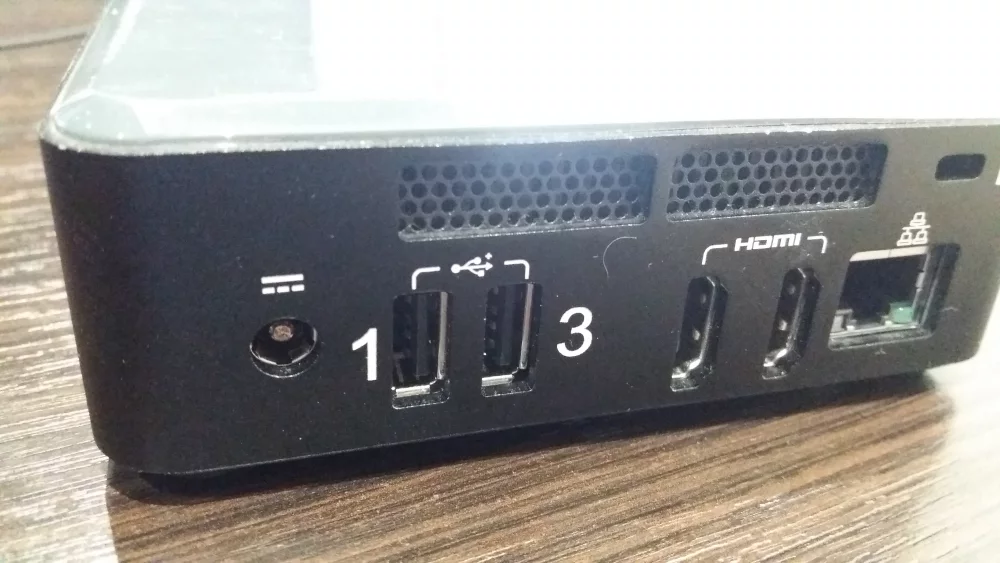
Physical and logical controls solve different parts of the same problem. NIST describes both in control MP-7 of SP 800-53: organisations may restrict media use with technical controls, or by “using physical cages on workstations to prohibit access to certain external ports”, or by disabling the ability to insert, read or write to such devices.
Windows policy and endpoint device control
Windows can deny all removable storage classes through Group Policy or Intune. Device control in Microsoft Defender for Endpoint goes further and allows rules per device, user group and operation (read, write or execute). Microsoft also documents how to restrict device installation with Group Policy by device ID or class. These tools are ideal for managed Windows fleets. They do not help with an unmanaged switch, a printer, a Linux-based kiosk or a PC booted from other media.
BIOS and UEFI port settings
Business desktops and laptops from the major vendors let you disable individual USB ports, card readers and boot-from-USB in firmware, protected by a setup password. This control works before the operating system loads. It is invisible, though: a user cannot see that a port is dead, and an auditor walking the floor cannot either.
Side-by-side comparison
| Criterion | Physical port blocker | BIOS or UEFI disable | OS policy or device control |
|---|---|---|---|
| Works on unmanaged devices | Yes: switches, printers, POS, kiosks | Only where firmware offers it | No |
| Stops keyboard-emulating devices | Yes | Yes, on disabled ports | Only with strict device allow-lists |
| Granularity | Per port | Per port or controller | Per device, user and operation |
| Visible to staff and auditors | Yes, at a glance | No | Only in reports |
| Logging and alerts | None; tamper evidence only | None | Full event logs |
| Remote changes | No, a key holder must attend | Limited, vendor tools | Yes, within minutes |
| Typical cost | Low, once-off per port | Staff time only | Licence and administration time |
The strongest setups use all three: policy for managed endpoints, firmware settings for laptops that travel, and physical blockers for everything that is shared, exposed or unmanaged.
Software tells you what happened. A port blocker makes sure that, in most cases, nothing happens. You want both, in that order of cost.
How to choose and deploy port locks across a fleet
A port-security rollout is a small project. It fails when blockers are bought first and planned later. The steps below keep it short.
Step 1: inventory ports by exposure
Walk the floor with a list of device types. For each one, count USB-A, USB-C, RJ45, video and card ports, including ports on monitors, docks and keyboards. Classify every location as public, shared or private office. Start with public and shared locations. They usually account for fewer than a third of devices and most of the risk.
Step 2: decide what stays open
Each device needs its working peripherals and nothing else. Record which ports the keyboard, mouse, scanner, card reader or headset use, secure those with link locks, and block the rest. Where staff need to charge phones, provide a separate powered USB hub or wall charger that is not connected to any computer.
Step 3: choose a key scheme
One colour per site or department. A lost key then affects one area, not the whole company.
Two key holders per site. Typically the IT technician and a security or facilities manager, so one absence never blocks a repair.
Keys in a safe, not a drawer. Log every key issue and return, exactly as you would for server-room keys.
Spare blockers in stock. Keep roughly 10% extra, because ports get damaged and equipment gets replaced.
Step 4: install, label and record
Install blockers with the device powered on, then confirm that the working peripherals still function. Add a small asset label near blocked ports with the helpdesk number, so a user with a legitimate need knows whom to call. Record the device, port count, key colour and date in the asset register. That register is your evidence for POPIA, ISO/IEC 27001 and client audits.
Step 5: inspect on a schedule
Section 19 of POPIA requires you to verify regularly that safeguards are effectively implemented. Add a monthly visual check of public and shared devices to an existing routine, such as fire-equipment or first-aid checks. A missing blocker or a scratched port is an incident to log, even when nothing else seems wrong.
Budget guide: port blockers typically cost roughly R25–R120 per port, depending on connector type and pack size (approximate). Securing a 40-seat shared floor often costs less than one replacement laptop.
What else to buy: cable locks, safes and supporting hardware
Port security works best as part of a small physical-security kit for each site.
Port blockers and link locks. Start with mixed packs for USB-A and RJ45, then add USB-C and video blockers as needed. Browse the port blockers range by connector type and key colour.
Cable locks for the devices themselves. A blocked port does not help if the laptop or mini PC is carried out. Cable locks anchor laptops, docks, monitors and projectors to the desk.
A key safe or small safe. Blocker keys, BIOS password records and spare access cards belong in safes and cash boxes, not in the top drawer of the IT desk.
Managed switches. Physical RJ45 locks pair well with managed network switches that support port shutdown, MAC limits and 802.1X.
Docking stations with few exposed ports. When you refresh hot desks, choose docking stations that offer the ports users need and no more. Every extra port is one more to block.
For a wider framework, the CIS Critical Security Controls cover removable media in their malware-defence safeguards, including disabling autorun and scanning removable media automatically. ISO/IEC 27001:2022 addresses storage media and user endpoint devices in its Annex A controls, and the standard expects physical and technical measures to support each other.

Verdict: a small control that closes a real gap
Port blockers do not replace endpoint security, encryption or network access control. They close a gap those tools leave open: the unattended, shared or unmanaged device that anyone can touch. For that gap they are fast to deploy, cheap per port, independent of software and obvious to everyone who walks past.
When to buy now
Buy now if you run public-facing PCs, POS terminals, shared workstations, open network outlets or industrial panels, or if a client or auditor has asked how you control removable media. Start with a mixed pack, one key colour and the ten most exposed devices. Expand after the first monthly inspection.
When to invest elsewhere first
If your laptops are not encrypted, your users are local administrators or your switches accept any device on any port, fix those first. Port blockers reduce risk at the edges. They do not repair the core.
The best-run sites treat blocker keys like server-room keys: two named holders, a safe, a log and a monthly check. The hardware is simple. The discipline is what auditors reward.
Frequently asked questions
Can a USB port blocker be removed without the key?
With force and tools, yes, but usually not without visibly damaging the blocker or the port. That is why blockers are described as tamper-evident. Combine them with regular inspections, so that damage is noticed and reported quickly.
Do port blockers damage the port?
Correct insertion and removal with the proper key do not damage a healthy port. Damage happens when someone forces a blocker out, or when a blocker made for one connector is pushed into another. Match the blocker to the exact port type, and keep USB-A and USB-C blockers clearly separated in storage.
What is the difference between a port blocker and a USB data blocker?
A port blocker fills a port so that nothing can be connected. A USB data blocker is a small adapter for charging: it passes power but has no data lines, so a phone can charge from an unknown USB socket without exchanging data. Blockers protect your equipment. Data blockers protect your staff’s phones when they travel.
Are port blockers enough for POPIA compliance?
No single product makes an organisation compliant. POPIA asks for appropriate, reasonable technical and organisational measures based on identified risks. Port blockers are one inexpensive measure for one specific risk. Document why you chose them, where they are installed and how you check them. The Information Regulator publishes guidance and the text of the Act.
Should we block ports on laptops too?
Only in special cases, such as loan laptops, exam laptops or devices used in public areas. For staff laptops, use full-disk encryption, firmware passwords and software device control instead. People who travel need their ports, and the key holder will not be in the same city.
Planning a rollout for an office, school, shop floor or call centre? DistriNode supplies port blockers, link locks, cable locks and the network hardware that goes with them, with delivery across South Africa. Start with the port blockers category, or visit distrinode.co.za and send us your port counts for a consolidated quote.
Leave a comment