

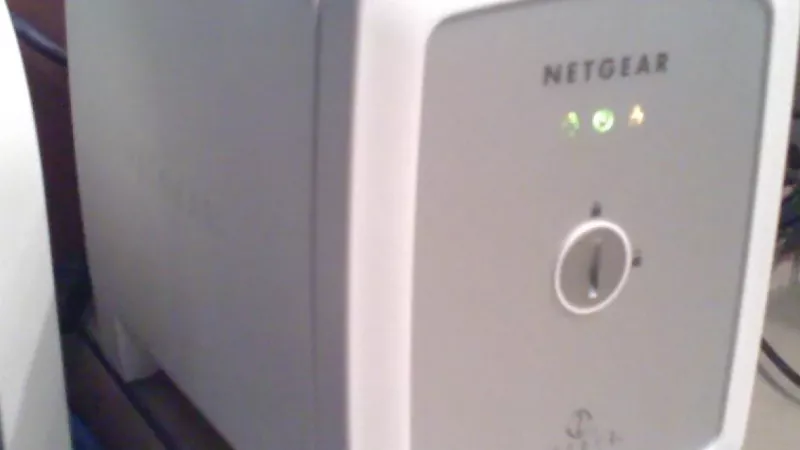
A desktop hard drive can store files, but a NAS hard drive is built for a different job: shared storage that may run all day, every day. If you’re building office storage, backups, CCTV storage or a small file server, the drive class genuinely matters — it’s not just a marketing label.
The right choice depends on workload, how many drive bays you’re filling, warranty expectations and how important the data is to the business.
Key Takeaway: Use NAS drives in any always-on, multi-bay or multi-user box — they’re built for 24/7 workloads, vibration and RAID. And remember: RAID is not a backup. Always keep a separate copy of data that matters.
NAS Drive vs Desktop Drive at a Glance
| Factor | NAS Drive | Desktop Drive |
|---|---|---|
| Designed for | Always-on, multi-drive systems | Single-drive PCs, occasional use |
| Workload rating | Higher, sustained | Lighter, bursty |
| Vibration handling | Built for multi-bay vibration | Not optimised for it |
| RAID-friendly firmware | Yes | Not tuned for RAID |
| Best use | NAS, backups, file server, CCTV* | Ordinary PC storage |
*For dedicated CCTV/NVR recording, a surveillance-class drive is purpose-built for continuous video.

What Makes a NAS Drive Different?
NAS drives are designed for always-on systems and multi-drive enclosures. They focus on reliability, vibration tolerance, a higher workload rating and firmware behaviour tuned for RAID and shared storage. In a box where several drives spin together around the clock, those qualities are exactly what keep the array healthy.
Where Desktop Drives Still Make Sense
Desktop drives are fine for ordinary PC storage, occasional file copies and low-cost external backup rotation. They’re not automatically the wrong choice — they’re just not the first pick for a busy, shared, always-on storage box. For a single-drive home PC, a desktop drive is perfectly sensible.

Choose a NAS Drive When…
- The device runs 24/7: office shares and backup targets are usually always on.
- There are multiple bays: vibration and RAID behaviour matter more.
- Several users connect: shared files mean more frequent read/write activity.
- The data matters: use proper NAS drives plus a separate backup — not RAID alone.
Don’t Forget the Backup Strategy
RAID improves availability, but it is not a backup. A practical setup still needs another copy — ideally off the NAS — so accidental deletion, corruption, theft or a power event can’t take the only copy with it. Treat RAID as uptime insurance, and a separate backup as your real safety net.
Which Drive Should You Buy?
| Your Setup | Best Pick |
|---|---|
| Office NAS / file server | NAS drives in every bay |
| Always-on backup target | NAS drive + separate off-box backup |
| Single-drive home PC | Desktop drive is fine |
| CCTV / NVR recording | Surveillance-class drive |
Key Takeaway: Match the drive class to the box: NAS drives for always-on shared storage, surveillance drives for CCTV, desktop drives for a single PC. The cost difference is small next to the value of the data you’re protecting.
How to Buy Your Storage Drives in South Africa
DistriNode stocks NAS, desktop and surveillance hard drives plus NAS enclosures and backup drives — matched to your workload, with local stock and fast delivery. Browse NAS hard drives, hard drives, NAS devices, backup drives and surveillance hard drives.
Frequently Asked Questions
Can I use a desktop drive in a NAS?
You can, but it’s not recommended for an always-on, multi-bay system. Desktop drives aren’t tuned for sustained workloads, multi-drive vibration or RAID firmware behaviour, so NAS drives are the safer, more reliable choice in a NAS.
Is RAID a backup?
No. RAID protects against a drive failing and keeps the system available, but it doesn’t protect against deletion, corruption, theft or power events. Always keep a separate backup — ideally off the NAS — in addition to RAID.
What size NAS drives should I buy?
Size to your data plus realistic growth, and check your NAS’s maximum supported capacity per bay. Using matched drives across bays keeps a RAID array predictable, so buy with a little headroom rather than filling to the brim immediately.
Do I need surveillance drives instead of NAS drives for CCTV?
For a dedicated CCTV/NVR system, yes — surveillance drives are built for continuous video writing. NAS drives suit shared file storage and backups; surveillance drives are tuned specifically for always-on multi-camera recording.
Sources
- Seagate — IronWolf NAS drives
- SNIA — what is NAS