

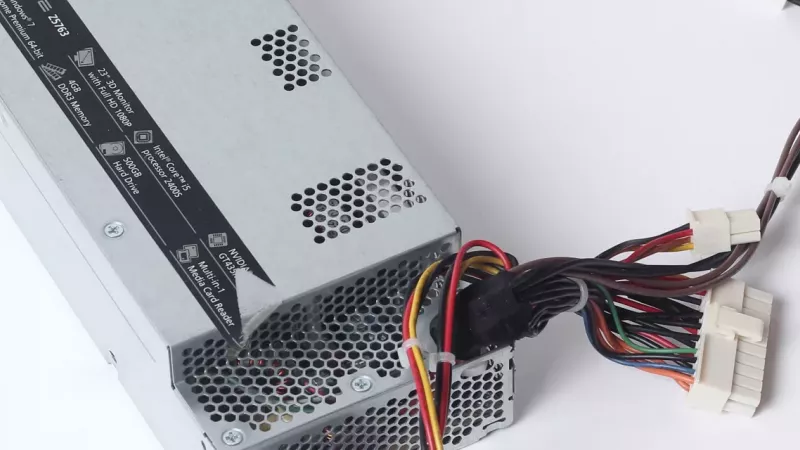
It is the most overlooked part in almost every PC build — and the one component that can take the rest of your machine down with it when it fails. The power supply unit (PSU) feeds clean, stable power to your CPU, graphics card, drives and motherboard. Skimp on it, and you put thousands of rands of components at risk; choose well, and it quietly does its job for a decade.
This guide shows you exactly how to choose the right PSU for your PC in South Africa. We will cover:
- How many watts you actually need — with a simple formula
- 80 PLUS efficiency ratings — and which one is worth paying for
- Modular vs non-modular — what the cables really mean for your build
- Connectors and protections — ATX 3.x, 12VHPWR, and the safety features that matter
- Load-shedding and power quality — the South African angle most guides ignore
Key Takeaway: The PSU is not where you save money. A good unit protects every other component in your build — a cheap one can destroy them. Buy quality once, and it outlasts two or three upgrades of everything else.
What Does a Power Supply Actually Do?
A PSU converts the high-voltage AC power from your wall socket into the low-voltage DC power your PC components need, while protecting them from spikes, sags and surges. Every watt your graphics card and processor draw passes through it first.
That means two things for you as a buyer. First, it has to supply enough power for everything in your system, with headroom to spare. Second, it has to deliver that power cleanly and safely — because dirty or unstable power shortens the life of everything it touches, and a catastrophic failure can fry your motherboard, GPU and drives in an instant.
Key Takeaway: Think of the PSU as the foundation of the build. You do not notice it when it is good, but a weak one undermines everything sitting on top of it.
Understanding the Local Market: Power Quality and a Growing PC Scene
South Africa’s PC market is growing fast, and our power grid makes a quality PSU more important here than almost anywhere else. The South African gaming PC market is projected to reach roughly USD 750 million by 2030, growing at about 15.8% a year (Grand View Research) — more people are building and upgrading serious machines than ever.
But there is a local catch: load-shedding. Repeated power cuts, and the surges that often come when the grid switches back on, are exactly the kind of electrical stress that kills cheap power supplies and the components behind them. A PSU with proper protection circuitry — paired with a UPS or surge protector — is your first line of defence. (See our guide on how to choose a UPS for load shedding for the other half of that equation.)
Key Takeaway: In South Africa, a quality PSU is not just about efficiency — it is insurance against an unstable grid. Pair it with a UPS and you protect your build from both blackouts and the surges that follow them.
The PSU Features That Actually Matter
How Many Watts Do You Need?
Add up the power draw of your CPU and graphics card, add about 150W for everything else, then add 25% headroom — that is your target wattage. The graphics card is almost always the biggest single draw. Headroom matters because a PSU runs most efficiently and lasts longest when it is not maxed out, and it leaves room for a future upgrade. When in doubt, going one tier higher in wattage is cheap insurance.
What Do 80 PLUS Ratings Mean?
The 80 PLUS rating tells you how efficiently the PSU converts wall power into usable power — higher tiers waste less energy as heat. A 90%-efficient unit pulling 1,000W from the wall delivers about 900W to your PC; the rest is lost. For any new build in 2026, 80 PLUS Gold is the practical sweet spot — the efficiency gains of Platinum and Titanium mostly pay off only on systems running 24/7.
Modular, Semi-Modular or Non-Modular?
Modularity is about which cables detach from the PSU — it affects cable management and airflow, not performance. Non-modular units have all cables permanently attached (cheapest, more clutter). Semi-modular is the best value for most builds: the essential cables are fixed, the rest detach. Fully modular is worth the small premium for compact cases or clean, show-piece builds.
Connectors and Safety Protections
Modern graphics cards may need the newer 12VHPWR / 12V-2x6 connector found on ATX 3.0 and 3.1 power supplies — check what your GPU requires. Just as important are the built-in protections: look for OVP, UVP, OCP, OPP, SCP and OTP (over-voltage, under-voltage, over-current, over-power, short-circuit and over-temperature protection). These are the features that shut the PSU down safely instead of letting a fault damage your components — and they matter twice as much on an unstable grid.

How Much Power Does Your Build Need?
Use this as a quick starting point, then confirm against your specific GPU and CPU. Wattages are sensible targets with headroom built in.
| Build Type | Typical Components | Recommended PSU | Efficiency |
|---|---|---|---|
| Office / Home PC | Integrated or entry graphics | 450 – 550W | Bronze or Gold |
| Mid-range Gaming | RTX 4060/4070, Ryzen 5/7 | 650 – 750W | Gold |
| High-end Gaming | RTX 4080, Core i7/i9 | 850 – 1000W | Gold or Platinum |
| Enthusiast / 4K | RTX 4090-tier, top CPU | 1000 – 1200W | Gold, Platinum or ATX 3.x |
80 PLUS Efficiency Tiers at a Glance
| Rating | Efficiency (50% load) | Best For |
|---|---|---|
| 80 PLUS Bronze | ~85% | Budget and office builds |
| 80 PLUS Gold | ~90% | The sweet spot — most builds |
| 80 PLUS Platinum | ~92% | High-power or 24/7 systems |
| 80 PLUS Titanium | ~94% | Premium, efficiency-focused builds |

Three Real-World Build Scenarios
Scenario 1: The Everyday Office or Home PC
Need: Reliable power for web, documents and light use, with protection against load-shedding surges.
Recommended: A 500–550W 80 PLUS Bronze or Gold unit, non-modular or semi-modular.
Why it works: Plenty of power for an integrated-graphics or entry-GPU system, with solid protections and headroom — without overspending.
Scenario 2: The 1440p Gaming Build
Need: Stable power for a mid-range graphics card and room for a future upgrade.
Recommended: A 750W 80 PLUS Gold semi-modular unit.
Why it works: Comfortable headroom for an RTX 4070-class card, efficient running, and tidy cabling for good airflow.
Scenario 3: The High-End 4K and Streaming Rig
Need: Clean, abundant power for a top-tier GPU and CPU running hard for hours.
Recommended: A 1000W 80 PLUS Gold or Platinum, fully modular, ATX 3.x unit with a 12VHPWR connector.
Why it works: Handles the biggest cards with headroom to spare, runs cool and efficient, and ships with the modern GPU power connector built in.
How to Buy Your Power Supply in South Africa
A PSU is a multi-year purchase that protects everything around it, so buy on quality and support, not just price. Look for a reputable brand with a long warranty (many quality units carry 7–10 years), the right wattage with headroom, an 80 PLUS Gold rating or better, and the connectors your graphics card needs.
DistriNode stocks genuine, locally warrantied power supplies from trusted brands — matched to your build and backed by real expertise and fast South African delivery. Whether you are finishing a budget office PC or powering a high-end gaming rig, we will help you pick the right wattage, efficiency and connectors. Explore our range of power supplies and PC components on the DistriNode website, or get in touch and we will spec it with you. For the full build, see our buying guides on choosing a motherboard, GPU, CPU and case.
Frequently Asked Questions
How many watts does my PC power supply need?
Add your CPU and GPU power draw, add roughly 150W for the rest of the system, then add about 25% headroom. As a quick guide: office PCs need 450–550W, mid-range gaming PCs 650–750W, and high-end builds 850–1000W or more.
Is 80 PLUS Gold worth it?
Yes — for almost every build in 2026, 80 PLUS Gold is the sweet spot. It runs cooler and wastes less power than Bronze, while Platinum and Titanium mainly pay off on systems that run 24/7.
Do I need a modular power supply?
Not strictly. Semi-modular units offer the best value for most builds. Fully modular is worth the small extra cost in compact cases or builds where you want the cleanest possible cabling and airflow.
Can load-shedding damage my PC through the power supply?
It can. Power cuts and the surges that follow when the grid returns put stress on the PSU and the components behind it. A quality power supply with proper protection circuitry, ideally paired with a UPS or surge protector, is the best defence.
What is the 12VHPWR connector and do I need it?
It is the newer 16-pin connector (also called 12V-2x6) on ATX 3.0 and 3.1 power supplies, used by modern high-end graphics cards. If your GPU calls for it, choose an ATX 3.x PSU that includes the cable so you avoid adapters.
Leave a comment