

Displays have quietly split into two camps. On one side sit the familiar flat panels that have defined desktop computing for two decades; on the other, a fast-growing family of curved screens that promise deeper immersion and less eye strain. Marketing materials tend to present the curve as an upgrade for everyone, which is precisely where buyers should become sceptical. Curvature is a tool with a specific purpose, and like any tool it rewards some users handsomely while offering others nothing but a higher invoice.
This article maps the decision by workload instead of by slogan. We will look at what the curvature rating really describes, what the ergonomics argument actually rests on, which professional and entertainment scenarios gain a genuine advantage from a curved panel, and where a flat display remains the more rational specification.
Decoding the R rating
Every curved screen is described by a number such as 1000R, 1500R or 1800R. The figure is the radius, in millimetres, of the imaginary circle the panel would complete if it were extended all the way around. A 1000R monitor therefore bends sharply enough to close a circle only one metre in radius, while an 1800R model curves far more gently. Smaller number, stronger curve — a detail that many first-time buyers get backwards.
The rating matters because it should approximate your actual viewing distance. When the radius matches how far your eyes sit from the panel, every point of the screen surface remains at a near-constant distance from you. Desk setups typically place users 60 to 100 centimetres away, which explains why mainstream products cluster between 1000R and 1800R. A television viewed from three metres would need an absurdly gentle curve to achieve the same effect, which is one reason curved TVs largely disappeared while curved desktop monitors flourished.
The optical argument
Human vision is built around a curved retina, and the eye continuously refocuses as attention moves across a large flat surface positioned at close range. The corners of a 34-inch flat panel sit noticeably further from the eye than its centre, forcing thousands of tiny accommodation adjustments over a working day. A properly matched curve reduces that variance. Users who report less fatigue on curved screens are usually describing this effect rather than imagining a benefit.
Size decides whether the curve is even noticeable
Below 27 inches, curvature borders on irrelevant: the edges of a small panel are simply not far enough from the centre for geometry to matter. The format begins earning its keep at 27 inches, becomes clearly perceptible at 32, and turns genuinely transformative on 34-inch and wider ultrawide formats. At 49 inches — the super-ultrawide class that replaces two full monitors — a flat panel would be practically unusable at desk distance, and curvature stops being an option and becomes a requirement.
Panel technology follows the same logic as in flat displays: VA panels dominate the curved market thanks to flexible substrates and strong contrast, while curved IPS and OLED options exist at higher price points for users who need wider viewing angles or faster response.
Profiles that gain the most from a curved screen
Simulation and racing setups
No category benefits more visibly. In driving, flight and space simulators, peripheral vision carries real gameplay information — apex points, runway edges, threat indicators. A 1000R or 1500R ultrawide fills that peripheral zone the way a cockpit window would, producing a sense of speed and spatial presence that a flat 16:9 screen cannot replicate at any refresh rate. For sim enthusiasts, the curve is arguably the single most impactful upgrade after the wheel or stick itself.
Single-screen productivity power users
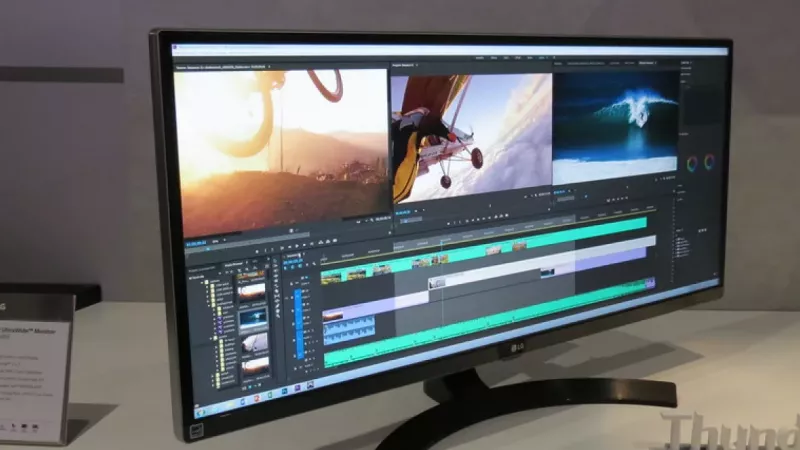
Analysts, developers, video editors and anyone who juggles three or more application windows benefits from the ultrawide working area, and the curve is what keeps that area comfortable. On a flat 34-inch panel, text at the far edges is viewed at an oblique angle and appears subtly distorted; the curved equivalent presents windows at the periphery almost face-on. Timeline-based work — audio, video, project planning — gains an unbroken horizontal canvas that two separate displays would interrupt with a bezel seam.
If this matches your workload, prioritise a 34-inch 1500R model with a height-adjustable stand from a current computer monitor range, and confirm the panel offers at least 300 nits of brightness for daytime office lighting.
Monitoring, trading and control-room roles
Positions that require a wall of persistent information — market feeds, network dashboards, surveillance grids — traditionally rely on arrays of flat panels. A single 49-inch curved display now replaces a dual-monitor setup with one cable, one power draw and no central bezel, while the curve keeps both extremes of the screen legible without chair rotation. For operations desks refreshed on three-to-five-year cycles, consolidation also simplifies mounting and cable management.
Profiles that should specify a flat panel
Colour-critical design and print production
Curvature bends reflected light unevenly and can introduce subtle geometric distortion at the edges — trivial for a spreadsheet, unacceptable when judging whether a line is straight or a gradient is uniform. Professional photo retouchers, prepress operators and CAD drafters overwhelmingly standardise on flat, factory-calibrated panels, and hardware calibration tools are likewise designed around flat surfaces.
Multi-monitor grids
Stacking or tiling several curved panels creates a wavy composite surface with inconsistent viewing geometry. Organisations building two-by-two video walls or vertical coding stacks will find flat panels align cleanly, mount predictably on standard VESA arms and cost less per unit.
Shared and collaborative screens
A curve is optimised for one viewer seated at its focal centre. The moment two or three colleagues gather around a desk to review work, off-axis viewers see brightness shift and geometry warp. Meeting-room displays, reception screens and any panel regularly viewed from the side belong firmly in the flat category.
Competitive esports players
Counterintuitively, the most demanding gamers often reject the curve. Tournament play standardises on compact 24.5-inch flat panels at very high refresh rates, because competitive titles render in 16:9, sightlines must match tournament conditions, and nothing in the peripheral zone may distract from the crosshair. The curve serves immersion; esports rewards consistency.
Specification checklist before committing
Whichever geometry wins, evaluate the same fundamentals:
- Match the curvature radius to real seating distance — 1000R to 1500R for under one metre.
- Choose 27 inches or larger for a curved model; below that the benefit disappears.
- Verify desk depth: curved ultrawides need stands with a deeper footprint.
- Check VESA compatibility and arm load ratings, as wide curved panels are heavier.
- Confirm panel type against workload: VA for contrast, IPS for colour teamwork, OLED for response.
- For office fleets, weigh warranty terms and dead-pixel policies as heavily as panel specifications.
Rule of thumb: if one person faces the screen for long sessions and the content is wide — games, timelines, dashboards — curve it. If the screen is shared, colour-critical or part of a grid, keep it flat.
Frequently asked questions
Does a curved monitor really reduce eye strain?
It can, when the curvature radius roughly matches the viewing distance, because the eye refocuses less as it scans across the panel. The effect is most credible on 32-inch and wider screens; on small panels the difference is negligible. No curve compensates for poor brightness settings or skipped breaks.
Is a curved screen worth it for ordinary office work?
For a standard 24 to 27-inch single-monitor workstation running documents and email, no measurable productivity gain justifies the price premium. The calculation changes if the role involves wide spreadsheets, dashboards or multitasking that would otherwise demand a second display.
Can I mount a curved monitor on a standard arm?
Most curved models use standard VESA 100x100 mounts, but they are heavier and deeper than flat panels of equivalent diagonal. Check the arm load rating and clamp depth before purchase, particularly for 49-inch super-ultrawides that can exceed 12 kilograms.
Do curved monitors distort straight lines?
Physically the panel is curved, so absolute geometric accuracy is impossible; in practice the brain compensates within days of continuous use for general work. Design tasks in which verifying straightness is part of the job are the exception, and they belong on flat displays.
Why did curved TVs fail while curved monitors succeeded?
The benefit depends on the viewer sitting near the focal centre at a short distance. A desk guarantees exactly that; a living-room sofa arrangement guarantees the opposite, with multiple viewers off-axis at three metres or more. The same physics produced opposite market outcomes.
Which curvature should a first-time buyer choose?
1500R is the safest general-purpose rating for typical desk distances — noticeably immersive without the fishbowl feel some users report on 1000R panels. Aggressive 1000R curves are best reserved for dedicated gaming and simulation seats.
The bottom line
The curved-versus-flat debate has no universal winner because it was never a single question. Curved panels reward the solitary, immersed, wide-format user; flat panels reward precision, collaboration and multi-screen scale. Audit the workload first, then browse the full monitor selection with the geometry decision already made — at DistriNode we consistently see that buyers who start from the use case rather than the specification sheet report the highest long-term satisfaction with either format.
Leave a comment