

Prices for cost of 2tb hard disk in SA: Guide & Comparisons
If you're in the market for a 2TB hard drive in South Africa, you'll find that prices can vary quite a bit. A basic internal 2TB HDD (the traditional spinning kind) will set you back around R1,200. But if you're after speed, you'll be looking at a Solid-State Drive (SSD), which can cost anywhere from R2,500 to well over R4,000.
Your At-a-Glance Guide to 2TB Drive Prices
Figuring out the price of a 2TB drive isn't about finding one magic number. It's about matching the right drive to your needs and your budget. The storage world has a few key players, and each comes with its own price tag and purpose. From cheap-and-cheerful mechanical drives to lightning-fast NVMe SSDs, the best choice really comes down to what you'll be using it for.
Think of it this way: a classic 2TB HDD is your workhorse. It's perfect for stashing huge amounts of data like backups or your movie collection, where getting the most storage for your money is the main goal.
Step up to a 2TB SATA SSD, and you're giving an older PC a serious new lease on life. Your machine will boot up in seconds, and apps will feel snappy and responsive. For the pros—the gamers, video editors, and designers who can't afford to wait—a high-end NVMe SSD is the only way to go.
Average Cost of 2TB Storage Drives in South Africa
To help you get a clearer picture, here’s a quick breakdown of what you can expect to pay for different 2TB drives here in South Africa.
This table gives a good summary of the typical price ranges and what each drive type is generally used for.
| Drive Type | Average Price Range (ZAR) | Best For |
|---|---|---|
| 2TB Internal HDD | R1,200 – R1,800 | Mass file storage, backups, and archives. |
| 2TB External HDD | R1,400 – R2,200 | Portable backups and transferring large files. |
| 2TB SATA SSD | R2,500 – R3,500 | Upgrading system speed and general use. |
| 2TB NVMe SSD | R3,000 – R5,000+ | High-performance gaming and professional work. |
As you can see, there's a drive for every budget and task.
Right now, a standard 2TB hard drive in South Africa usually costs somewhere between R1,200 and R1,800, depending on where you shop and the brand you choose. For example, you might see a Seagate Barracuda 2TB HDD for around R1,389, while a portable Toshiba Canvio 2TB external drive could be R1,599.
The good news? Prices have been steadily dropping, falling by about 20-30% over the last eight years. You can see how these trends apply today by checking out the current prices on various 2TB drives.
Understanding Why 2TB Drive Prices Vary So Much
Ever found yourself staring at two 2TB drives, wondering why one costs a fraction of the other? It’s a lot like shopping for a car. A basic sedan and a high-performance sports car will both get you from A to B, but everything from the engine to the trim level creates a massive price gap. The same exact logic applies to the cost of a 2TB hard disk.
Capacity is just the starting point. Several other critical factors work together to determine that final price tag you see on the shelf. Getting a handle on these elements is the key to making a smart buying decision, ensuring you get the right value for your specific needs, whether that’s for personal backups or outfitting an entire office.
Brand Reputation and Build Quality
Let's start with the name on the box. Established brands like Seagate, Western Digital (WD), and Samsung have spent decades earning our trust, and for good reason. That trust isn't just clever marketing; it's built on years of research, rigorous testing, and a track record of reliable performance. A drive from a well-known manufacturer often comes with a higher price, but you're paying for better components and stricter quality control, which minimises the risk of it failing on you unexpectedly.
The need for dependable storage has certainly been felt here in South Africa. As more homes, small businesses, and schools digitise their operations, the demand for 2TB hard drives has shot up. A 2022 market analysis showed that sales of these drives jumped by 15% year-on-year, with over 50,000 units sold across the country. With that many people relying on them, choosing quality hardware has never been more important. You can dig deeper into these product trends on a popular local tech site.
Performance Speed and Endurance
This is probably the biggest price driver, especially when you compare traditional hard drives (HDDs) with solid-state drives (SSDs). Performance boils down to read/write speeds, which dictate how quickly you can open, save, and transfer your files.
Read/Write Speeds: A standard 2TB HDD might chug along at around 150-200 MB/s, which is perfectly fine for archiving files or system backups. On the other end of the spectrum, a high-end 2TB NVMe SSD can hit blistering speeds of over 7,000 MB/s, making it an absolute beast for intensive tasks like video editing or gaming.
Endurance (TBW): This one is crucial for SSDs. It stands for Terabytes Written and gives you an idea of how much data can be written to the drive over its lifetime before the memory cells start to wear out. A higher TBW rating means a longer lifespan under heavy use, and that added durability costs more.
Choosing a drive is always a balancing act between speed and budget. For everyday use, a mid-range SATA SSD offers a fantastic performance boost over an HDD without the hefty price tag of a top-tier NVMe model.
Form Factor and Warranty
Last but not least, the physical design and the manufacturer’s guarantee play a part in the price. Internal drives, which are designed to be installed inside a desktop PC or laptop, are usually cheaper than their external counterparts. That’s because an external drive includes a protective case, its own power logic, and the necessary cables. Portable external drives often command an even higher premium for their compact size and rugged builds.
A warranty is a pretty direct signal of the manufacturer’s confidence in its own product. A drive that comes with a five-year warranty is almost certainly built with more durable, higher-quality components than one with a standard one or two-year warranty. Naturally, that peace of mind is factored into the price.
Comparing the Different Types of 2TB Drives
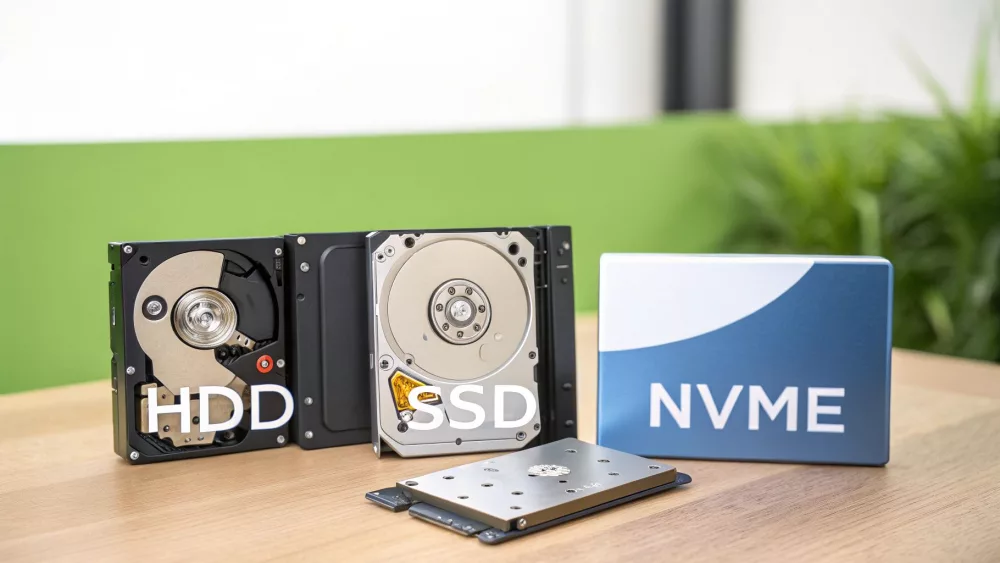
When you start looking into the cost of a 2TB hard disk, you’ll quickly realise not all drives are built the same. The market really boils down to three main types of storage, and each one strikes a different balance between price, performance, and its ideal use. Choosing the right one isn't just about capacity; it's about matching the technology to what you actually need to do.
Think of it like choosing a vehicle. You've got your reliable, high-capacity bakkie, a zippy hatchback for getting around town, and a high-performance sports car for the track. They all get you from A to B, but the journey—and the price tag—are worlds apart.
The Workhorse: 2TB HDD
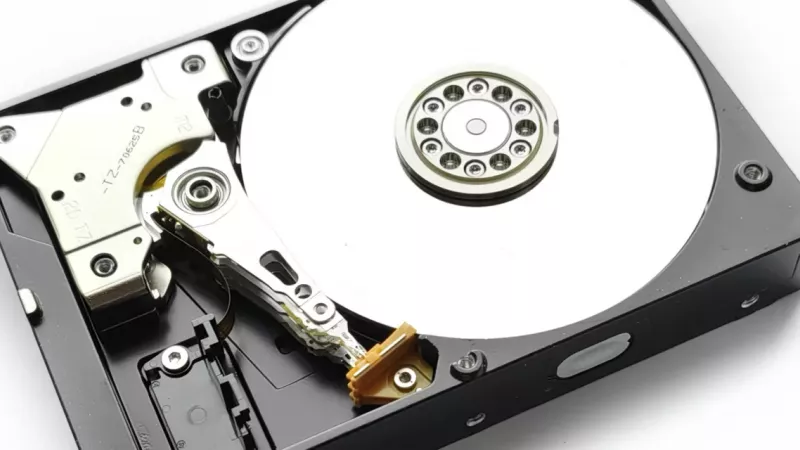
The classic Hard Disk Drive (HDD) has been the go-to for affordable mass storage for years. It's a mechanical device with spinning platters and a read/write head that moves back and forth to access your data. This design makes them slower than their modern counterparts but fantastic value when it comes to cost per gigabyte.
So, where does a 2TB HDD shine?
- Archiving vast amounts of data like photo libraries, video projects, and company backups.
- Building a media server for movies and music you don't need to access in a flash.
- Serving as a secondary drive in a PC, keeping your faster primary drive free for your operating system and key programs.
If your main goal is getting the maximum amount of storage space for your rand, the HDD is still king. It's a reliable, budget-friendly choice for data that doesn't need lightning-fast access.
The All-Rounder: 2TB SATA SSD
Stepping up a notch, we have the SATA Solid-State Drive (SSD). There’s a good reason this is the most common upgrade people make. Unlike an HDD, an SSD has no moving parts. It uses flash memory, which results in a massive jump in speed and system responsiveness.
Because a SATA SSD uses the same connector as an older HDD, it’s a straightforward, plug-and-play upgrade for most desktops and laptops. You’ll notice the difference immediately: your computer will boot in seconds, programs will open instantly, and everything just feels snappier. It’s the perfect middle-ground, giving you a huge performance boost without the premium price of the absolute fastest drives.
The Speed Demon: 2TB NVMe SSD
Sitting at the top of the performance pyramid is the NVMe (Non-Volatile Memory Express) SSD. This drive takes things to another level by plugging directly into the motherboard’s PCIe slot, completely bypassing the older, slower SATA connection. This direct line to the processor unlocks incredible speeds, often 10 times faster than a standard SATA SSD.
For gamers wanting to kill loading screens, video editors handling heavy 4K files, or professionals running data-intensive software, an NVMe SSD is a game-changer. The time it saves and the smoother workflow it provides can easily justify the cost.
While a 2TB NVMe SSD is definitely an enthusiast-grade component due to its price, the performance is simply unbeatable for any task where speed is critical.
2TB Drive Showdown: HDD vs SATA SSD vs NVMe SSD
To put it all into perspective, let's break down how these three drive types stack up against each other. This table gives a quick, at-a-glance comparison to help you see where each one fits.
| Feature | 2TB HDD | 2TB SATA SSD | 2TB NVMe SSD |
|---|---|---|---|
| Technology | Mechanical (Spinning Platters) | Solid-State (Flash Memory) | Solid-State (Flash Memory, PCIe Interface) |
| Speed | Slow (Around 150 MB/s) | Fast (Around 550 MB/s) | Extremely Fast (3,500 - 7,000+ MB/s) |
| Best For | Mass storage, archiving, backups | General use, OS drive, gaming, productivity | High-end gaming, 4K video editing, professional apps |
| Price | Most affordable | Mid-range | Premium |
| Durability | Susceptible to shock and drops | More durable, no moving parts | Most durable, no moving parts |
| Connection | SATA | SATA | PCIe (M.2 Slot) |
As you can see, the choice isn't about which drive is "best" overall, but which one is best for your specific needs and budget. The trusty HDD offers unmatched capacity for the price, the SATA SSD provides a fantastic all-around performance boost, and the NVMe SSD delivers blistering speed for the most demanding users.
Why Do Hard Drive Prices Swing So Much? A Look at Global Events
Ever wondered why the price of a 2TB hard drive seems to change almost randomly? The price tag you see in a South African store isn't just about local costs; it's the end result of a long, complex global journey. Events happening thousands of kilometres away can cause prices to jump or dip right here at home.
Think of it like a long pipeline stretching from factories in Asia to our local shops. A problem anywhere along that line—a factory shutdown, a shipping container crisis, or even a shortage of a tiny component—can slow the flow of products down to a trickle. When that happens, scarcity kicks in and prices climb for everyone.
The Knock-On Effect of Global Shortages
We all saw a perfect example of this recently. During the pandemic, the world was hit by a massive semiconductor shortage, which are the tiny brains inside everything from your car to your PC. Hard drives and SSDs were caught right in the middle of it.
Factories were struggling to produce, and global shipping turned into a logistical headache. At the same time, everyone was setting up home offices and needed more storage, so demand shot through the roof. The result? Prices in South Africa went up. Back in 2021, a standard 2TB hard drive that was once stable suddenly jumped to around R1,700, a roughly 10% increase from the year before. That hike was a direct result of those global supply chain tangles. You can see how those waves still affect today's stock by browsing current 2TB drive prices.
It's a classic case of supply and demand. When the world wants more drives than factories can produce, prices have nowhere to go but up until things get back to normal.
How the Rand/Dollar Exchange Rate Plays Its Part
There's another huge piece of the puzzle: the exchange rate. Nearly all computer hardware is bought and sold internationally in US Dollars. This means that when the South African Rand weakens against the dollar, importers here have to pay more for the exact same stock.
That extra cost doesn't just disappear; it gets passed straight on to you, the customer. So, even if the manufacturer's price in dollars hasn't budged an inch, a dip in the ZAR's value can make that hard drive on the shelf noticeably more expensive. It's a constant moving target that adds a layer of unpredictability to local pricing.
Keeping an eye on these global factors gives you a real edge. It helps you understand why prices are changing, spot trends, and decide when it’s the best time to buy. A little bit of insight can make you a much smarter shopper.
Choosing the Right 2TB Drive for Your Needs
Alright, we've covered the specs, the prices, and the tech behind it all. Now comes the important part: picking the right drive for you. The key is to match your actual, day-to-day needs with the right technology. This ensures the cost of your 2TB hard disk is money well spent, not just a number on an invoice.
Think of it as a final gut check. Are you mostly hoarding family photos and old university projects, or are you a video editor who needs lightning-fast access to massive files? Answering that one question will steer you straight to the perfect solution.
Global events can also play a surprisingly large role in what you end up paying. A single factory shutdown or shipping crisis on the other side of the world can ripple through the supply chain, affecting local stock and prices.
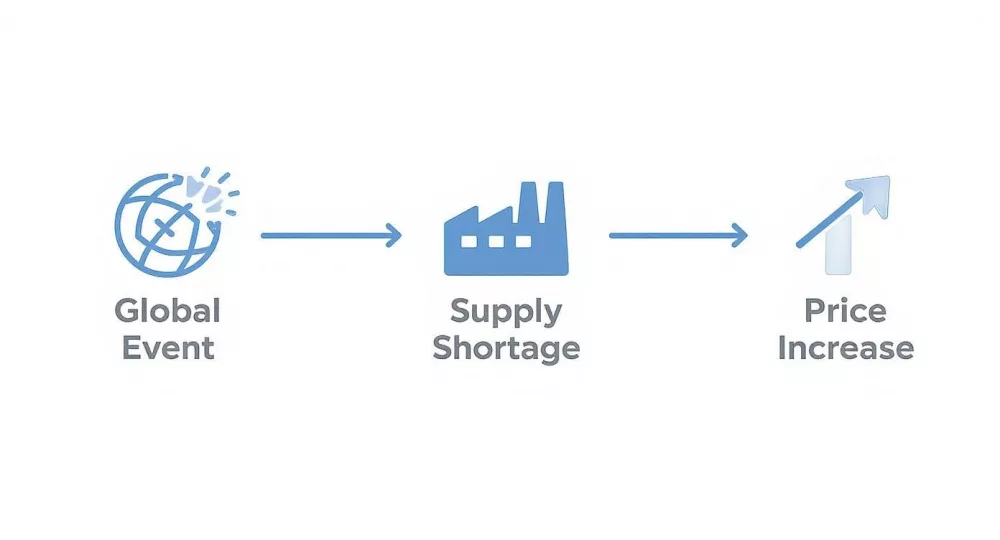
As you can see, a disruption at the source creates a domino effect that eventually hits the shelf price, impacting everyone from individual buyers to large businesses.
Finding Your Perfect Match
To make this dead simple, let's break it down into common scenarios. Find the one that sounds most like you, and you'll know exactly what to look for.
For the Digital Archivist or Media Collector: If your goal is to simply store a massive collection of movies, music, photos, or backups, a 2TB HDD is your champion. It gives you the most storage for your rand, making it the undisputed king of affordable bulk storage where blistering speed isn't a priority.
For the Everyday PC User: Is your laptop or desktop feeling a bit sluggish? A 2TB SATA SSD is the single best upgrade you can make. Your machine will boot up in seconds, apps will snap open, and the entire system will feel more responsive. It’s a fantastic all-rounder.
For the Power User and Gamer: If you edit 4K video, work with complex design files, or are a gamer who can't stand another loading screen, a 2TB NVMe SSD is non-negotiable. The raw speed makes a massive difference, cutting down wait times and letting you get on with your work or play.
At the end of the day, the best drive is the one that solves your problem without breaking the bank. There's no point paying a premium for speed you'll never notice, but you also don't want a slow drive holding back your workflow.
A Few Common Questions About 2TB Drives
When you're close to making a decision, a few last-minute questions often pop up. Getting these sorted is key to making sure the cost of your 2TB hard disk makes sense for what you’re getting and what you need it for. Let's run through a few of the most common ones we hear.
Is It Cheaper to Buy Two 1TB Drives Instead?
On paper, sometimes two 1TB drives can look like a bargain compared to a single 2TB drive. But this is one of those times when the sticker price doesn't tell the whole story.
First off, you’ll need two physical drive bays in your machine, which is a big ask for many modern, compact PC cases. Then there’s the hassle factor. You’re either constantly managing what file goes where, or you’re setting up a RAID configuration to merge them into a single volume, which instantly doubles your points of failure. For pure simplicity and long-term reliability, a single 2TB drive almost always wins.
Why Do External 2TB Drives Often Seem Cheaper?
It’s a strange thing to see, isn't it? A portable 2TB drive in a sleek enclosure costing less than the bare internal drive. The answer usually boils down to a mix of marketing and the parts inside.
Manufacturers can sometimes get away with using slightly slower or older-generation drives inside these enclosures. They also price them aggressively to capture the huge consumer market for backups and extra storage, often bundling in software to sweeten the deal. They're fantastic value for archiving or moving files around, but for the main drive running your operating system, a dedicated internal drive is built for better performance.
The Bottom Line: While a famous brand name is a good starting point, don't overlook the warranty. A long warranty is the manufacturer's way of telling you they're confident the drive is built to last.
Does the Brand Name Really Make a Difference for Reliability?
It does, but it's not the only thing that matters. Big names like Seagate and Western Digital have earned their stripes over decades, but even they have different product tiers. A budget drive is a budget drive, no matter who makes it.
Instead of just going by the logo on the box, look for these practical clues to a drive's quality:
- The Warranty: A 3 or 5-year warranty is a huge vote of confidence from the people who made it.
- Real-World Reviews: See what other people are saying. Are there common complaints or consistent praise for a particular model?
- Endurance Ratings (for SSDs): Look for the TBW (Terabytes Written) figure. A higher number means it's designed to handle more data over its lifespan.
Weighing these factors gives you a much more realistic idea of how reliable a drive will actually be.
Whether you're after high-capacity storage or mission-critical server hardware, you can find it all in the DistriNode catalogue. Get the right components for the job with competitive pricing and the benefit of local South African support. https://www.distrinode.co.za
Leave a comment