

If you are buying a serious gaming graphics card in South Africa in 2026, the shortlist almost always comes down to three NVIDIA cards: the GeForce RTX 5070, the RTX 5070 Ti and the RTX 5080. They share the same Blackwell generation and the same DLSS 4 feature set, yet they are aimed at very different screens, budgets and power supplies. Picking the wrong one usually means either paying for performance your monitor cannot show, or running out of video memory a year or two down the line.
This guide compares the three cards on the things that actually decide the purchase: VRAM, target resolution, power draw and PSU, case size, what DLSS 4 and Multi Frame Generation really do, and how to pair each card with a processor and a monitor. We also look at why “I will just wait for the next generation” is a weak plan this year, based on what has been reported about NVIDIA’s 2026 plans. Specifications below come from NVIDIA’s own product pages, and where we talk about performance we describe tiers rather than invent frame-rate numbers.
The short answer: which card for which buyer
Before diving into details, here is the quick version. The RTX 5070 is the sensible card for a high-refresh 1440p monitor and for buyers who want modern features without stretching the budget. The RTX 5070 Ti is the sweet spot for people who want 16 GB of video memory, play demanding titles at 1440p with every setting turned up, or want to start gaming at 4K with the help of DLSS. The RTX 5080 is for 4K gaming, high-end ray tracing and creators who want the fastest of the three and are willing to plan the whole PC around it.
Everything else in this article is about checking that this short answer actually fits your situation. A card is only as good as the screen it drives, the power supply feeding it and the case it lives in, so read the sections on PSU and case size before you add anything to the cart.
Rule of thumb: choose the card for the monitor you will use for the next three to four years, not for the monitor you happen to own today.
Key specifications side by side
NVIDIA publishes the core specifications for the RTX 5070 family and the RTX 5080 on its official pages. The table summarises the figures that matter most for a buying decision. Board partners such as ASUS, MSI, Gigabyte or Palit may ship factory-overclocked versions with slightly different power figures and very different sizes, so always check the exact model page as well.
| Specification | RTX 5070 | RTX 5070 Ti | RTX 5080 |
|---|---|---|---|
| Video memory | 12 GB GDDR7 | 16 GB GDDR7 | 16 GB GDDR7 |
| Memory interface | 192-bit | 256-bit | 256-bit |
| Total graphics power | 250 W | 300 W | 360 W |
| Required system power (NVIDIA) | 650 W | 750 W | 850 W |
| Power connection (NVIDIA spec) | 2x 8-pin via adapter or 300 W+ PCIe Gen 5 cable | 2x 8-pin via adapter or 300 W+ PCIe Gen 5 cable | 3x 8-pin via adapter or 450 W+ PCIe Gen 5 cable |
| Founders Edition size | 242 mm long, 2-slot | Varies by manufacturer | 304 mm long, 2-slot |
| US launch price (MSRP) | $549 | $749 | $999 |
The US launch prices come from NVIDIA’s CES 2025 announcement, which also listed the RTX 5080 for 30 January 2025 and the two RTX 5070 models for February 2025. Those dollar figures are useful only to show the relative gap between the cards. Local rand prices include import costs, VAT and the exchange rate of the day, so check the live prices in our graphics cards category instead of converting dollars in your head.
VRAM: why 12 GB versus 16 GB is the biggest decision
What video memory actually does
Video memory holds textures, geometry, ray-tracing data and the frames being prepared. When a game needs more than the card has, data has to be shuffled across the PCIe bus, and that typically shows up as stutter, texture pop-in or a game quietly lowering texture quality. Raw GPU speed cannot fully hide a memory shortage, which is why VRAM matters so much for a card you plan to keep for several years.
Is 12 GB enough on the RTX 5070?
For 1080p and most 1440p gaming, 12 GB of fast GDDR7 is workable today, especially with DLSS upscaling, which renders internally at a lower resolution. The risk is the future: the newest titles with high-resolution texture packs and heavy ray tracing are the ones that push memory hardest. If you are the type who keeps a card for four or five years and always uses the top texture setting, 12 GB is the point where you should think twice.
Why the RTX 5070 Ti and RTX 5080 both have 16 GB
Both upper cards use a 256-bit bus with 16 GB of GDDR7. In practice that means the RTX 5070 Ti does not give up any memory capacity compared with the RTX 5080; the difference between them is GPU horsepower, clock speed and power budget. For buyers who care most about longevity, that makes the RTX 5070 Ti an unusually strong value point in the line-up.
If you cannot decide between the RTX 5070 and RTX 5070 Ti, the extra 4 GB of VRAM is usually the tie-breaker for anyone who plans to keep the card for a long time.
Target resolution: 1080p, 1440p or 4K
1080p gaming
At 1080p, all three cards are more than capable, and in many games the processor becomes the limit long before the GPU does. Buying an RTX 5080 purely for a 1080p screen rarely makes sense unless you play competitive shooters on a very high refresh-rate monitor and already own a top-tier CPU. For most 1080p players the RTX 5070 is the logical ceiling.
1440p gaming
1440p is where the RTX 5070 and RTX 5070 Ti fight hardest. The RTX 5070 handles high-refresh 1440p well in the majority of games, while the RTX 5070 Ti gives more headroom for maximum settings, heavier ray tracing and future releases. Independent reviews such as the TechPowerUp RTX 5070 Founders Edition review are the right place to compare frame rates game by game for the titles you actually play.
4K gaming
For native 4K at high settings, the RTX 5080 is the most comfortable of the three, and the RTX 5070 Ti is a capable 4K card when you lean on DLSS Super Resolution. The RTX 5070 can run many games at 4K with DLSS, but it is not the card to buy if 4K is your main goal; its 12 GB of memory is the bigger constraint there than raw speed.
Power draw and choosing the right PSU
NVIDIA lists total graphics power of 250 W for the RTX 5070, 300 W for the RTX 5070 Ti and 360 W for the RTX 5080, with required system power of 650 W, 750 W and 850 W respectively. Those recommendations assume a typical gaming system; a high-end processor, many drives or an aggressive factory overclock can justify going one step higher. A good-quality unit from a known brand matters more than a big number on a cheap label.
Native connector or adapter
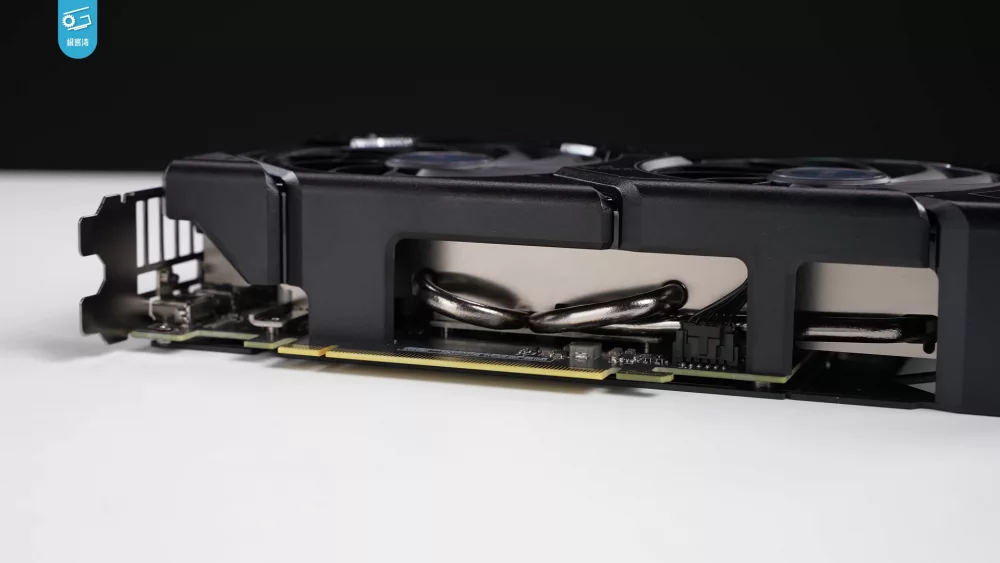
All three cards use the 16-pin 12V-2x6 power connector. According to Corsair’s explainer on RTX 50 power cables, existing 12VHPWR cables can be used because the differences between the two standards are not in the cable itself, and adapter cables from multiple 8-pin connectors also work. A newer power supply with a native cable is tidier and removes a bulky adapter from the case.
Power quality in South African homes
South African buyers often think about power stability as much as wattage. A gaming PC with a 300–360 W graphics card is a significant load on a small inverter or UPS, so if your PC runs from backup power, add up the whole system draw, including the monitor, before choosing the backup size. Sudden power cuts are not good for a PC in the middle of a write to the SSD, so a UPS that gives you time to shut down cleanly is a sensible companion purchase.
Case size and cooling
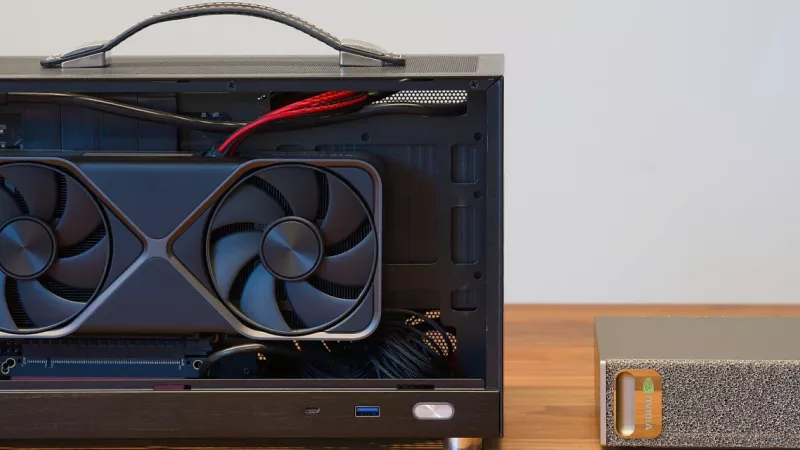
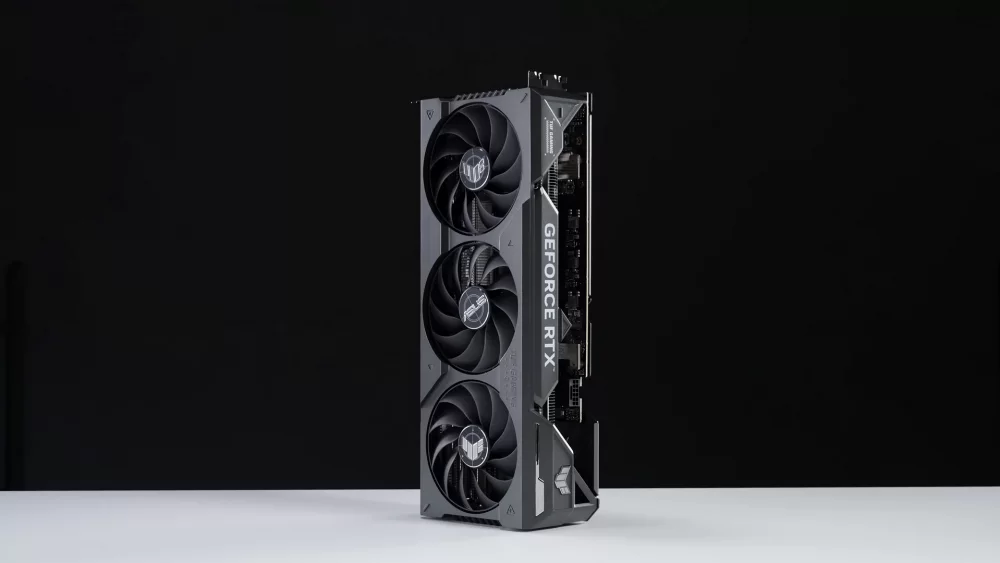
The Founders Edition RTX 5070 is 242 mm long and the RTX 5080 Founders Edition is 304 mm long, both in a 2-slot design. Partner cards with large triple-fan coolers are often longer and thicker than that, and many take up more than two expansion slots. Before you buy, compare the maximum GPU length in your case manual with the exact card length, and leave room for the power cable, which needs space to exit without being bent sharply against the side panel.
Airflow matters as much as length. A 300–360 W card dumps a lot of heat into the case, so front intake and rear or top exhaust fans should be working properly. Compact cases can host these cards, but the quietest results usually come from a mid-tower with a mesh front panel.
Measure twice: the card length, the slot thickness and the room for the power cable are three separate checks, and each one can stop an installation.
DLSS 4 and Multi Frame Generation explained
DLSS is NVIDIA’s AI-assisted rendering toolkit. According to the official DLSS page, Super Resolution, Ray Reconstruction and DLAA work on all GeForce RTX cards from the RTX 20 series onward, regular Frame Generation works on RTX 40 and RTX 50 cards, and Multi Frame Generation is exclusive to the RTX 50 series. That means all three cards in this comparison get exactly the same DLSS features; the faster card simply has a higher starting point.
From DLSS 4 to DLSS 4.5
At launch, NVIDIA said DLSS 4 Multi Frame Generation could generate up to three frames per rendered frame. In 2026 NVIDIA released DLSS 4.5 Dynamic Multi Frame Generation through the NVIDIA app on 31 March, with a 6X mode that generates five additional frames for every natively rendered frame on RTX 50 series cards. The dynamic mode adjusts the multiplier during play to hit your chosen frame-rate target or your display’s refresh rate.
What frame generation does and does not do
Generated frames make motion look smoother on a high-refresh monitor, and NVIDIA pairs them with Reflex to keep responsiveness in check. However, the game still reacts based on the frames the GPU actually renders, so frame generation works best when the base frame rate is already playable. It is a great way to fill a 240 Hz screen, not a magic fix for a card that is too weak for the settings you chose. That is also why marketing charts with frame generation switched on should never be your only comparison.
Which processor to pair with each card
A powerful GPU paired with an old processor wastes money, especially at 1080p and 1440p where the CPU sets the ceiling in many games. Browse our processors with these general guidelines in mind:
- RTX 5070: a current mid-range six- or eight-core desktop processor is a balanced match for 1440p gaming.
- RTX 5070 Ti: an eight-core gaming-oriented processor makes sense, particularly if you use a high-refresh 1440p monitor.
- RTX 5080: at 4K the GPU does most of the work, but a strong modern processor still helps keep frame pacing smooth, especially in simulation and strategy titles.
The platform matters too. All three cards use a PCIe 5.0 x16 interface and also work in PCIe 4.0 slots. If you are building from scratch, choose one of our motherboards with a reinforced top x16 slot and enough clearance below it for a thick cooler.
Matching the card to your monitor
The monitor decides how much GPU you can actually see. A rough match that works for most buyers:
| Monitor | Sensible card | Why |
|---|---|---|
| 1080p, 144–240 Hz | RTX 5070 | Plenty of performance; CPU often the limit |
| 1440p, 144–180 Hz | RTX 5070 or RTX 5070 Ti | 5070 Ti adds headroom and 16 GB for maximum settings |
| 1440p, 240 Hz or ultrawide | RTX 5070 Ti | More pixels or frames to feed; 16 GB VRAM |
| 4K, 120–160 Hz | RTX 5080 (or 5070 Ti with DLSS) | Highest raw performance of the three |
If you are upgrading the screen at the same time, our computer monitors category lets you filter by resolution and refresh rate. A G-SYNC Compatible or adaptive-sync display makes the frame-rate swings of modern games far less noticeable, which is especially useful with frame generation.
Who should buy the RTX 5070
The RTX 5070 suits gamers on a 1080p or 1440p monitor who want ray tracing, DLSS 4.5 and Multi Frame Generation without moving into the upper price class. It also fits buyers upgrading from older GTX or early RTX cards whose power supply is around 650 W, because its 250 W rating is the friendliest of the three.
Skip it if you play the newest heavy titles at maximum textures and plan to keep the card for many years; that is where 12 GB becomes the limiting factor. It is also not the right pick if a 4K monitor is your main screen.
Who should buy the RTX 5070 Ti
The RTX 5070 Ti is the most balanced card in this group for many buyers. It shares its 16 GB of GDDR7 and 256-bit bus with the RTX 5080, so it ages more gracefully than the RTX 5070, while its 300 W rating keeps PSU and cooling demands moderate. It is the natural choice for high-refresh 1440p, ultrawide monitors and entry into 4K with DLSS.
It is also a strong card for creative work such as video editing and 3D, where the extra memory helps with larger projects. If you are torn between the two RTX 5070 models, this is usually the one that people regret less.
Who should buy the RTX 5080
The RTX 5080 is the card for 4K gaming at high settings, demanding path-traced titles and creators who render or edit professionally. It needs the biggest power supply of the three, at 850 W according to NVIDIA, and more case space and airflow. The step up from the RTX 5070 Ti is real, but it is a step in GPU speed rather than memory, since both have 16 GB.
Buy it if you already own, or are buying, a fast 4K monitor and want the fewest compromises. Otherwise, the money saved by choosing the RTX 5070 Ti can often go towards a better monitor, more storage or a quieter cooler, which you will notice every day.
Why waiting is not a strategy in 2026
In earlier years, waiting six months often brought a new generation or a refresh. In 2026 the picture is different. TrendForce reported in February 2026, citing The Information and Reuters, that NVIDIA reportedly does not plan a new gaming graphics chip this year because a global memory shortage is pushing it to prioritise AI accelerators. NVIDIA did not confirm that plan; a spokesperson said the company continues to ship all GeForce products and is working with suppliers to maximise memory availability.
The rumoured RTX 50 SUPER refresh, expected to bring more VRAM, has also been reported as delayed. VideoCardz reported that SUPER cards had reached board partners but that the launch was on hold because of the price of 3 GB GDDR7 memory chips. These are reports, not official announcements, but together they point in one direction: there is no clear, near-term product to wait for, and memory-related supply pressure is not making graphics cards cheaper.
If the card you need is in stock at a price that fits your budget, buying now and enjoying it for the next few years is a more reliable plan than waiting for a refresh nobody has officially scheduled.
Prebuilt PC or upgrade your own
If your current PC is more than five or six years old, putting a modern RTX card into it often means changing the PSU, maybe the case, and sometimes the CPU and motherboard as well. At that point a complete system from our desktops and workstations category can be the simpler and better-balanced option, since the power supply, cooling and processor are chosen to match the card.
If your PC is recent, a GPU upgrade is one of the most effective ways to extend its life. Check the PSU wattage and connectors, measure the case, update the motherboard BIOS and download the latest driver from NVIDIA’s driver page after installation.
Common mistakes when choosing between these cards
- Buying the RTX 5080 for a 1080p monitor and an old processor, where much of its performance goes unused.
- Choosing the RTX 5070 for a 4K screen and then fighting its 12 GB memory limit.
- Ignoring NVIDIA’s required system power and reusing an old, low-quality power supply.
- Forgetting to measure card length, slot thickness and room for the power cable.
- Comparing cards only by frame-generation charts instead of base performance.
- Bending the 16-pin power cable sharply right at the connector or not pushing it fully home.
- Waiting indefinitely for a rumoured refresh while prices and stock remain unpredictable.
Quick buying checklist
- Decide your main monitor resolution and refresh rate for the next few years.
- Choose 12 GB (RTX 5070) or 16 GB (RTX 5070 Ti / RTX 5080) based on how long you will keep the card.
- Check your PSU: 650 W, 750 W or 850 W per NVIDIA, from a reputable brand.
- Confirm you have a 12V-2x6 or 12VHPWR cable, or enough 8-pin connectors for the adapter.
- Measure GPU clearance and slot space in your case.
- Make sure your processor will not hold the card back at your resolution.
- Consider backup power capacity if your PC runs from a UPS or inverter.
- Install the latest NVIDIA driver and enable DLSS options per game.
Frequently asked questions
Is the RTX 5070 Ti closer to the RTX 5070 or to the RTX 5080?
In memory it matches the RTX 5080, with 16 GB of GDDR7 on a 256-bit bus. In GPU power it sits between the two, with a 300 W rating compared with 250 W and 360 W. For many buyers that combination makes it the best balance of the three.
Do all three cards support DLSS 4.5 Multi Frame Generation?
Yes. According to NVIDIA, Multi Frame Generation, including the 6X and Dynamic modes released in 2026, is an RTX 50 series feature, so the RTX 5070, RTX 5070 Ti and RTX 5080 all support it. Individual games still need to support DLSS Frame Generation or be enabled through the NVIDIA app override.
Can I use my current power supply?
Possibly. Check its real wattage against NVIDIA’s required system power, its age and quality, and whether it has a 12V-2x6/12VHPWR cable or enough 8-pin PCIe connectors for the included adapter. If it is old or from an unknown brand, replacing it is cheap insurance for an expensive card.
Should I wait for an RTX 50 SUPER card?
Reports in 2026 describe the SUPER refresh as delayed and say NVIDIA reportedly has no new gaming GPU planned for this year, although NVIDIA has not confirmed this. With no official date, waiting is a gamble. If you need a card now, buy the one that fits your monitor and budget.
Is the RTX 5080 good for creative work?
Yes, it is the fastest of the three for rendering, video encoding and GPU-accelerated effects. However, the RTX 5070 Ti has the same 16 GB of memory, so for projects limited by VRAM rather than speed, the cheaper card can be the smarter buy.
Ready to choose? Compare live prices and stock for the RTX 5070, RTX 5070 Ti and RTX 5080 in the DistriNode graphics card range, or pick a complete gaming system that is already balanced around one of them. Visit distrinode.co.za.
Leave a comment