

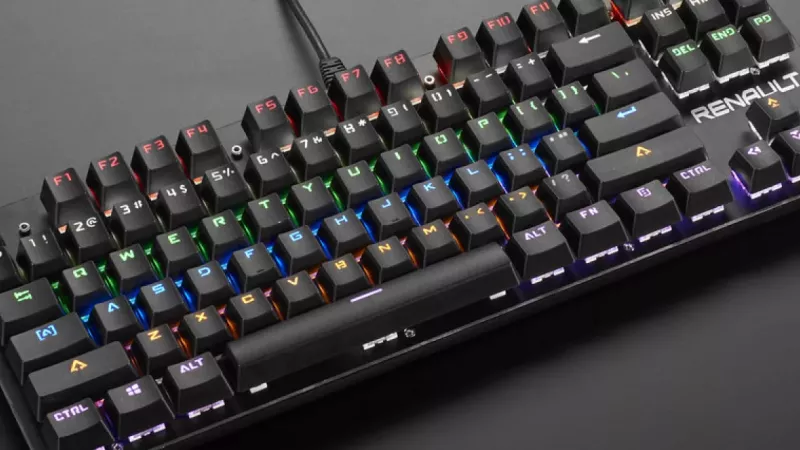
Every mechanical keyboard conversation eventually arrives at the same question: which switch type should you choose? Linear, tactile and clicky switches define how a keyboard feels, sounds and performs, yet the differences are often wrapped in vague marketing language rather than practical terms. This guide breaks down the mechanics, the measurable specifications and the real-world scenarios where each switch family earns its place.
Whether you are preparing a procurement list for an entire office, selecting hardware for a competitive gaming setup or simply replacing a worn membrane keyboard, understanding switch behaviour is the single most useful piece of knowledge you can bring to the decision.
Inside a Mechanical Switch
A mechanical switch is a self-contained module mounted under each keycap. It consists of a stem that moves vertically, a spring that provides resistance, a housing that guides the motion and two metal contact leaves that close the circuit when the stem travels far enough. The point at which the circuit closes is called the actuation point, typically located around 1.9 to 2.2 mm into a total travel of roughly 4 mm.
Because each key has its own independent module, mechanical keyboards register keystrokes with far greater consistency than membrane designs, support higher rollover counts and survive tens of millions of presses per key. The switch type determines what happens between the moment your finger touches the keycap and the moment the keystroke registers.
Linear Switches: One Smooth Motion
Linear switches offer resistance that increases evenly from top to bottom with no bump, no click and no interruption of any kind. The force curve is a straight, predictable line, which is exactly where the name comes from.
This uniformity has two practical consequences. First, rapid repeated presses are effortless because the stem never has to push through a tactile obstacle. Second, there is no physical signal telling you the keystroke has registered, so many users bottom out every press until muscle memory develops.
- Typical actuation force: 40 to 50 grams for standard variants, 60 grams and beyond for heavier springs
- Sound profile: the quietest of the three families, producing mainly the sound of the stem bottoming out
- Primary audience: fast-paced gaming, rapid double-tapping, noise-sensitive environments
Competitive players overwhelmingly prefer linears because the absence of a bump shortens the reset motion between presses. If you browse the range of gaming keyboards, you will notice that the majority ship with linear switches as the default configuration.
Tactile Switches: A Bump at the Right Moment
Tactile switches introduce a deliberate bump in the force curve positioned at or just before the actuation point. Your finger feels a brief rise in resistance, the switch actuates, and the resistance falls away. The result is physical confirmation of every keystroke without any added noise mechanism.
This feedback loop changes typing behaviour in a measurable way. Once users learn to release the key at the bump instead of driving it to the bottom, finger travel decreases, fatigue over long sessions drops and typing accuracy tends to improve. Tactile switches are frequently described as the balanced middle ground, and the description is accurate: they serve typists and gamers alike without excelling at either extreme.
- Typical actuation force: 45 to 62 grams depending on the model
- Sound profile: moderate; the bump itself is nearly silent, though bottoming out remains audible
- Primary audience: writers, programmers, mixed-use setups, first-time mechanical keyboard buyers
Clicky Switches: Feedback You Can Hear
Clicky switches combine a tactile bump with a dedicated sound mechanism, usually a click jacket or a click bar, that produces a sharp audible snap at the moment of actuation. Every keystroke is confirmed twice: once through the fingertip and once through the ear.
The appeal is immediate and the drawback is equally obvious. Users who love clicky switches describe the sound as satisfying and rhythm-building; colleagues sharing the same room tend to use different vocabulary. Clicky switches belong in private offices, home setups and anywhere the typist answers to nobody but themselves.
- Typical actuation force: 50 to 60 grams, generally the firmest of the three families
- Sound profile: loud and sharp by design
- Primary audience: heavy typists who value maximum feedback and work alone
Specification Comparison at a Glance
- Feedback: linear offers none, tactile offers a bump, clicky offers a bump plus an audible click
- Noise level: linear is lowest, tactile sits in the middle, clicky is highest
- Rapid key repetition: linear leads, tactile follows closely, clicky trails due to the click mechanism reset
- Typing feedback quality: clicky leads, tactile follows, linear relies on bottom-out feel
- Open office suitability: linear and dampened tactile variants only
Matching Switch Types to Deployment Scenarios
Office and Business Environments
For shared workspaces, silent linear or dampened tactile switches are the professional standard. Many manufacturers produce silent variants with rubber padding inside the stem that reduces bottom-out noise by a significant margin. A fleet of desktop keyboards equipped with silent switches keeps a busy room comfortable without sacrificing the durability advantages of mechanical construction.
Competitive and Casual Gaming
Speed-focused players benefit from light linear switches, sometimes with shortened actuation distances of 1.0 to 1.5 mm marketed as speed switches. Casual players who also type for work often land on tactiles as the sensible compromise between reaction time and everyday comfort.
Writing-Heavy Professions
Translators, editors, developers and support teams logging thousands of words per day generally report the highest satisfaction with tactile switches, which reduce the tendency to slam keys to the bottom of their travel and keep wrists fresher through long shifts.
Durability and Long-Term Value
Mechanical switches are rated between 50 and 100 million keystrokes depending on the manufacturer, compared with roughly 5 million for typical membrane domes. Over a multi-year horizon this difference translates directly into lower replacement frequency and fewer support tickets. Hot-swappable keyboards extend the calculation further by allowing individual switches to be replaced in seconds without soldering, which means a single worn switch no longer condemns the entire unit.
Frequently Asked Questions
Are linear switches always better for gaming?
They are the most common choice, but not a universal rule. Players who make frequent accidental presses sometimes prefer a light tactile bump as a safeguard. The best switch is the one that matches your error pattern and reaction style, not the one on a tournament sponsor list.
Do clicky switches wear out faster because of the click mechanism?
No. The click jacket or click bar is rated for the same lifecycle as the rest of the switch. What changes over time is the acoustics: the click can become slightly less crisp after tens of millions of presses, while electrical performance remains unaffected.
Can I mix switch types on one keyboard?
On hot-swappable models, yes. A popular configuration uses linears on the movement cluster and tactiles everywhere else, delivering gaming speed where it matters and typing feedback for everything else.
What does actuation force actually mean for daily use?
It is the weight required to press the key far enough to register. Lighter springs around 45 grams reduce fatigue for fast typists but increase accidental presses; heavier springs around 60 grams do the opposite. Most users are best served by the middle of that range.
Is there a meaningful difference between brands offering the same switch type?
Yes, particularly in smoothness, factory lubrication and sound signature. Two linear switches with identical paper specifications can feel noticeably different, which is why switch testers are worth trying before committing to a large purchase.
Choosing between linear, tactile and clicky switches is ultimately a question of feedback preference and environment. Define where the keyboard will live and what the hands on it will do all day, and the right switch family selects itself. As a distributor serving IT resellers across multiple markets, DistriNode consistently sees informed switch selection reduce return rates, which is perhaps the strongest endorsement of spending ten minutes learning the difference.
Leave a comment