


R10 000 is the most popular laptop budget in South Africa, and it is exactly where Black Friday marketing is loudest and specification sheets are most confusing. Black Friday falls on 27 November 2026, and between now and then you will see plenty of banners shouting “massive savings” on laptops that sit just under that magic five-figure mark. Some of them are genuinely good machines. Others are old processors, slow storage or awkward compromises wearing a red price tag.
This guide is meant to help you separate the two. We explain what a R10 000 laptop realistically gives you in 2026, when a refurbished business laptop is the smarter buy, how to read processor names without being fooled by big model numbers, and what load-shedding means for your choice. Then we walk through real examples from our own catalogue, grouped by use case, with honest notes about keyboard layouts, operating systems and memory that cannot be upgraded. All prices quoted below are prices at the time of writing (2 October 2026); they change daily with the exchange rate and supplier stock, so always check the live price on the product page, and do not assume Black Friday pricing will be lower or higher.
What R10 000 actually buys in 2026
At this budget you are in the entry-to-mid class. You will not get a gaming laptop with a dedicated graphics card, a premium aluminium ultrabook with an OLED panel, or 32 GB of memory in a new machine. What you can get is a perfectly capable everyday computer: a modern multi-core processor, a solid-state drive, a Full HD screen and, if you choose carefully, enough memory to stay comfortable for several years.
The trick is that the money gets split differently from model to model. One laptop spends it on a Windows 11 Pro licence and a business-grade chassis, another on a touchscreen with a taller WUXGA panel, another on a faster processor while saving on storage. None of these is wrong, but each suits a different buyer. Knowing which component matters most for you is the whole game.
The processor: class matters more than the number
Under R10 000 you will mostly see AMD Ryzen 3, 5 and 7 U-series chips and Intel Core i3 and i5 processors, plus Intel's low-power N-series. The “U” suffix on AMD and Intel chips marks processors designed for thin, efficient laptops. Higher numbers in the name do not automatically mean a newer or faster chip, which we explain in detail further down, because it is the single most common trap in Black Friday laptop listings.
Memory: 8 GB is the floor, 16 GB is the comfort zone
Microsoft lists 4 GB of RAM as the minimum for Windows 11 on its official Windows 11 specifications page, but minimum means “it will install”, not “it will be pleasant”. With a browser full of tabs, Teams or Zoom, and an office suite open at once, 8 GB is the practical floor in 2026 and 16 GB is where a laptop stops feeling cramped. Almost every new laptop in our under-R10 000 selection ships with 8 GB, while the refurbished business models typically offer 16 GB for the same money.
Storage: SSD always, 512 GB if you can
Every laptop worth considering at this price uses a solid-state drive. The question is size. 256 GB fills up quickly once Windows updates, a few applications and a photo library are on board, so 512 GB is the sensible target for most people. If a laptop you like only has 256 GB, an affordable external solid state drive for photos and archives is an easy fix, and many laptops can also take a larger internal drive from our solid state drives SSD range (check the product page or manual for the slot type first).
Screen: Full HD is standard, WUXGA is a bonus
A 15.6-inch Full HD (1920 x 1080) panel is the default at this budget. Some models offer WUXGA (1920 x 1200), which is a little taller and gives you extra vertical space for documents and spreadsheets. IPS panels generally have better viewing angles than basic panels, so where the title mentions IPS, that is a plus. A touchscreen is nice for students who annotate, but it is not essential.
| Component | Avoid | Acceptable | Ideal at this budget |
|---|---|---|---|
| Memory (RAM) | 4 GB | 8 GB | 16 GB |
| Storage | eMMC, 32–64 GB | 256 GB SSD | 512 GB SSD |
| Screen | HD (1366 x 768) on a 15-inch panel | Full HD | Full HD or WUXGA IPS |
| Processor | Very low-power chips for general office use | Recent Ryzen 3/5, Core i3/i5 | Six or more cores, recent generation |
| Operating system | Unclear from the listing | Linux or FreeDOS, if you plan for it | Windows 11 preinstalled, if you need Windows |
New or refurbished: where your rand goes further
One of the best-kept secrets in the R10 000 bracket is the refurbished business laptop. Corporate fleets are replaced on a schedule, and the machines that come back are often premium models such as Lenovo ThinkPad, Dell Latitude and HP EliteBook that originally sold for far more than a consumer laptop. After refurbishment they land in the same price band as new entry-level models, very often with double the memory.
The trade-off is age. A refurbished laptop usually carries an older processor generation than a new machine at the same price, and the battery has been through previous charge cycles. In return you typically get a sturdier chassis, a better keyboard, more ports aimed at office use and, in our current selection, 16 GB instead of 8 GB of RAM.
When new makes more sense
Choose new if you want the newest processor generation, a fresh battery, a full manufacturer warranty and the simplest ownership experience. New also makes sense if you need a specific feature such as a touchscreen, Wi-Fi 6 or a particular screen size that the refurbished models in your budget do not offer.
When refurbished makes more sense
Choose refurbished if you multitask heavily, keep dozens of browser tabs open, work in large spreadsheets or run several office applications side by side. That is where 16 GB pays off every single day, and it is often worth more to you than a newer processor. Business-class laptops are also designed for travel and daily commuting, which suits small business owners and field staff.
What to check on a refurbished or used listing
Read the product page carefully. Look for the grade or condition description, the warranty period stated by the refurbisher, whether an operating system is included, and any mention of battery condition. Warranty terms differ between refurbishers, so take them from the product page, not from assumptions. Once the laptop arrives, Windows can generate a battery report: open a command prompt and run powercfg /batteryreport, then compare the design capacity with the full charge capacity in the report.
For heavy multitasking, a refurbished business laptop with 16 GB of RAM often feels faster day to day than a brand-new laptop with 8 GB, even if its processor is a few generations older.

How to read processor names without getting fooled
Laptop listings love big numbers, and processor names are full of them. Unfortunately, the number on the box is not a reliable measure of age or speed, and Black Friday is when this matters most, because older stock gets cleared alongside newer models.
AMD: a 7000 model is not always a newer design than a 5000 model
Here is a concrete example from our own shelves. AMD's official specification pages list the Ryzen 5 7520U and the Ryzen 3 7320U as Zen 2 architecture chips with 4 cores and 8 threads and Radeon 610M graphics, launched in September 2022. The Ryzen 7 5825U, despite its lower “5000” number, is listed by AMD as a Zen 3 chip with 8 cores and 16 threads, launched in January 2022. In other words, the Ryzen 7 5825U has twice the cores of the Ryzen 5 7520U, even though the 7520U carries the bigger number.
That does not make the 7520U a bad chip. It is efficient and perfectly adequate for browsing, streaming, office documents and online classes. But if you regularly run heavier workloads, such as larger spreadsheets, photo editing or many applications at once, the extra cores of the 5825U are a real advantage.
Intel: generation is in the digits, class is in the suffix
With Intel Core processors, the first digits after the hyphen usually indicate the generation: a Core i5-1235U is a 12th generation part, a Core i5-1135G7 is 11th generation, a Core i5-10210U is 10th generation and a Core i5-13420H is 13th generation. The “U” suffix marks an efficiency-focused laptop chip, while “H” marks a higher-performance laptop chip that typically draws more power. Intel's N-series chips, such as the Core i3-N355, are designed for low power and affordable devices; they are fine for everyday tasks but are not aimed at heavy workloads.
The practical rule
Do not compare two laptops by price and processor name alone. Look up each processor on the manufacturer's site, note the core count and generation, and only then decide whether a “deal” is actually a deal.
Our catalogue under R10 000: the full comparison
Below are the laptops under R10 000 that were in stock in our laptops & notebooks category when this article was written. Specifications come from the product titles; prices are at the time of writing (2 October 2026) and will change, so click through for the live price before you decide.
| Model | Processor | RAM | Storage | OS (per title) | Condition | Price |
|---|---|---|---|---|---|---|
| HP 250 G10, 15.6-inch Full HD | AMD Ryzen 3 7320U | 8 GB DDR4 | 512 GB SSD | Windows 11 Home | New | R9 902 |
| Dell Pro 15 Essential PV15255 | AMD Ryzen 5 7520U | 8 GB LPDDR5 | 512 GB SSD | Windows 11 Pro | New, Nordic keyboard | R9 739 |
| HP 15-fc0146ddx, 15.6-inch WUXGA touch IPS | AMD Ryzen 5 7520U | 8 GB | 512 GB SSD | Windows 11 | Repack (opened box) | R9 746 |
| Acer Swift Lite 16 SFL16-31P, 16-inch WUXGA | Intel Core i3-N355 | 8 GB | 512 GB SSD | Windows 11 | New | R9 829 |
| Acer Aspire Go 15 AG15-42P, Full HD IPS | AMD Ryzen 7 5825U | 8 GB | 512 GB SSD | Linux (eShell) | New | R9 394 |
| Lenovo V15 G4 ABP, Full HD | AMD Ryzen 7 5825U | 8 GB DDR4 | 256 GB SSD | Windows 11 Pro | New, German keyboard | R9 810 |
| Lenovo V15 G5 IRL 83GW00A4GE | Intel Core i5-13420H | 8 GB | 512 GB SSD | FreeDOS | New, keyboard may be German | R9 529 |
| Lenovo ThinkPad T14 Gen 1, 14-inch FHD IPS | AMD Ryzen 7 PRO 4750U | 16 GB | 512 GB SSD | Not stated in title | Refurbished | R9 721 |
| Dell Latitude 5530, 15-inch FHD | Intel Core i5-1235U | 16 GB | 512 GB SSD | Windows 11 Pro | Used | R9 478 |
| Lenovo ThinkPad X1 Carbon Gen 9, 14-inch | Intel Core i5-1135G7 | 16 GB LPDDR4x | 256 GB SSD | Windows 11 Pro | Refurbished | R9 720 |
| HP EliteBook 850 G7, 15.6-inch | Intel Core i5-10210U | 16 GB | 512 GB SSD | Not stated in title | Refurbished (TECXL) | R9 809 |
| Lenovo ThinkPad T14 Gen 1, 14-inch FHD | Intel Core i5-10210U | 16 GB | 256 GB SSD | Windows 11 Pro | Refurbished (TEQCYCLE), 2Y per title | R9 545 |
| Acer Chromebook Spin 511, 11.6-inch HD touch convertible | Intel N150 | 4 GB | 32 GB eMMC | ChromeOS | New | R9 920 |
Two things jump out of this table. First, every new laptop has 8 GB of RAM, while every refurbished or used business model has 16 GB. Second, the prices are tightly bunched between roughly R9 400 and R9 900, which means the differences are in what you get, not in what you pay. That is precisely why reading the specification line matters more than the price.
Best picks for students
Students need a laptop that handles online classes, research with many browser tabs, document writing and video calls, and that survives being carried around campus. Screen comfort matters, because long study sessions are spent staring at it.
Acer Swift Lite 16: the big-screen study machine
The Acer Swift Lite 16 SFL16-31P (R9 829 at the time of writing) combines a 16-inch WUXGA screen with 512 GB of storage and Windows 11. The taller 16:10 format is pleasant for reading and writing long documents. Its Intel Core i3-N355 is a low-power chip, so it is well suited to note-taking, browsing and office work, but it is not the pick for engineering or design students who run demanding software.
HP 15-fc0146ddx: touchscreen and WUXGA at a repack price
The HP 15-fc0146ddx (R9 746 at the time of writing) offers a 15.6-inch WUXGA IPS touchscreen, a Ryzen 5 7520U, 8 GB of RAM, a 512 GB SSD and Windows 11. It is a repack, meaning an opened-box unit, which is how a touchscreen fits into this budget. The title mentions a 2-year term; read the product page for the exact warranty conditions. A good choice for students who like to annotate notes and slides directly on screen.
HP 250 G10: the straightforward option
The HP 250 G10 (R9 902 at the time of writing) is a no-surprises package: a Ryzen 3 7320U, 15.6-inch Full HD screen, 8 GB DDR4, 512 GB SSD, Wi-Fi 6 and Windows 11 Home. It is not the most powerful machine here It comes with Windows 11 Home preinstalled per its title, so it is ready to use out of the box, which matters to first-time buyers.
Best picks for the home office
Working from home means long days in email, video calls, spreadsheets and browser-based business tools. You will probably connect an external screen, so ports and a solid keyboard count for more than thinness. If you do plan to work with a second display, our computer monitors category is worth a look, because a Full HD or larger monitor transforms a 15.6-inch laptop into a proper workstation.
Lenovo V15 G4 ABP: eight cores for heavier days
The Lenovo V15 G4 ABP (R9 810 at the time of writing) pairs the eight-core Ryzen 7 5825U with Windows 11 Pro, Wi-Fi 6 and 8 GB of DDR4. The compromises are clear and worth stating plainly: storage is 256 GB, and the keyboard has a German layout, which means some keys (Y and Z among them) sit in different positions. If you touch-type on a standard layout, factor that in, or plan to use an external keyboard.
Dell Pro 15 Essential: Windows 11 Pro in a business-style package
The Dell Pro 15 Essential PV15255 (R9 739 at the time of writing) offers a Ryzen 5 7520U, 512 GB SSD, Full HD screen and Windows 11 Pro. Two important caveats. The keyboard has a Nordic layout, and the 8 GB of RAM is LPDDR5, which is soldered to the motherboard and cannot be upgraded later. If you know you will outgrow 8 GB, this is not the model for you; if 8 GB suits your workload, it is a tidy business-style machine.
A non-standard keyboard layout is not a defect, but it is a daily reality. Check the layout in the product title before you buy, especially if you type quickly or share the laptop with family members.
Best picks for small businesses
For a small business, the ideal laptop is reliable, easy to manage and comfortable for a full working day. This is where refurbished business models shine, because they were built for exactly this job and offer 16 GB of RAM at this budget.
Dell Latitude 5530 (used): the newest processor among the 16 GB options
The Dell Latitude 5530 (R9 478 at the time of writing) is a used unit with a 12th generation Intel Core i5-1235U, 16 GB of RAM, a 512 GB SSD, a 15-inch Full HD screen and Windows 11 Pro. Of the 16 GB models in our selection, it has the most recent Intel processor generation and the lowest price. As with any used laptop, read the condition and warranty notes on the product page.
Lenovo ThinkPad T14 Gen 1 (TEQCYCLE): the travelling workhorse
The Lenovo ThinkPad T14 Gen 1 by TEQCYCLE (R9 545 at the time of writing) offers a 14-inch Full HD screen, an Intel Core i5-10210U, 16 GB of RAM, a 256 GB SSD and Windows 11 Pro, with a 2-year term stated in the title. The 14-inch size is easier to carry between clients than a 15.6-inch model. Storage is the compromise; an external SSD for archives solves it.
HP EliteBook 850 G7 (TECXL): big screen, plenty of storage
The HP EliteBook 850 G7 refurbished by TECXL (R9 809 at the time of writing) gives you a 15.6-inch screen, an Intel Core i5-10210U, 16 GB of RAM and a 512 GB SSD. The title does not state the operating system, so confirm this on the product page before ordering. It suits office staff who prefer a full-size screen and a roomy keyboard.
Lenovo ThinkPad X1 Carbon Gen 9: the premium business option
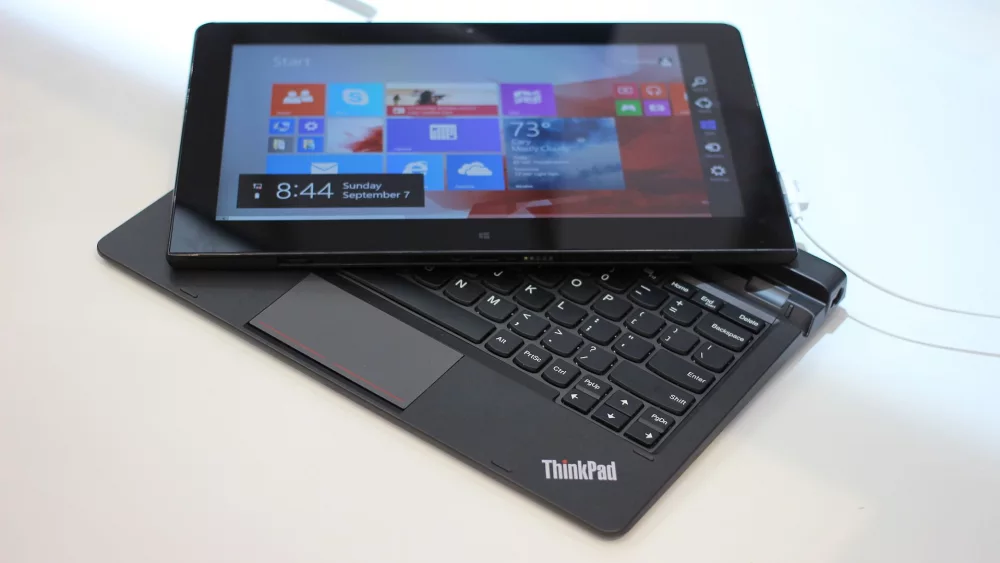
The refurbished ThinkPad X1 Carbon Gen 9 (R9 720 at the time of writing) is the closest thing to a premium ultrabook in this price band: a 14-inch screen, an 11th generation Intel Core i5-1135G7, 16 GB of LPDDR4x memory, a 256 GB SSD and Windows 11 Pro. The X1 Carbon line is Lenovo's light, top-tier business range, which makes it attractive for owners who travel a lot. Note that LPDDR4x memory is soldered, so 16 GB is what it will always have, which is fortunately a comfortable amount.
Best picks for light creative work and heavy multitasking
Light photo editing, simple video trimming, music production with modest projects or large data spreadsheets all reward more cores and more memory. Nothing under R10 000 is a creative workstation, but some options are clearly better than others.
Lenovo ThinkPad T14 Gen 1 with Ryzen 7 PRO 4750U
The refurbished ThinkPad T14 Gen 1 with an AMD Ryzen 7 PRO 4750U (R9 721 at the time of writing) combines a Ryzen 7 PRO processor with 16 GB of RAM, a 512 GB SSD and a 14-inch Full HD IPS screen. Plenty of memory and storage make it the most balanced option in our list for multitasking. The title does not mention an operating system, so check the product page.
Acer Aspire Go 15: eight cores without Windows
The Acer Aspire Go 15 AG15-42P (R9 394 at the time of writing) is the least expensive laptop in this guide and carries the eight-core Ryzen 7 5825U, a Full HD IPS screen and a 512 GB SSD. The catch: it ships with Linux (eShell), not Windows. That is an excellent fit if you are comfortable installing and using a full Linux distribution, and a real hurdle if you are not. The 8 GB of RAM is the other limit for multitasking; whether it can be expanded depends on the model's memory configuration, so check the product page or manufacturer documentation before relying on an upgrade.
Lenovo V15 G5 IRL with Core i5-13420H
The Lenovo V15 G5 IRL 83GW00A4GE (R9 529 at the time of writing) has a 13th generation Intel Core i5-13420H, a performance-class H-series chip, plus 8 GB of RAM and a 512 GB SSD. It comes with FreeDOS, which means there is no ready-to-use desktop operating system: you will need to install one yourself. The listing also warns that the keyboard layout may be German. For a technically confident buyer, this is a lot of processor for the money.
Laptops sold with FreeDOS or a minimal Linux are often cheaper because the operating system is left to you. That is a fair trade for experienced users, but not a hidden bonus for beginners.
Memory upgrades: when you can and when you cannot
Upgrading from 8 GB to 16 GB is one of the cheapest ways to extend a laptop's useful life, which makes a model with 8 GB and an upgrade path more interesting than it first appears. Whether it is possible depends on how the memory is fitted.
Soldered memory: LPDDR4x and LPDDR5
Memory labelled LPDDR (such as LPDDR4x or LPDDR5) is soldered directly to the motherboard. In our list that applies to the Dell Pro 15 Essential (8 GB LPDDR5) and the ThinkPad X1 Carbon Gen 9 (16 GB LPDDR4x). What you buy is what you keep, so choose the capacity you will need in three years, not just today.
Socketed memory: DDR4 and DDR5 modules
Laptops with standard DDR4 or DDR5 often have one or more SO-DIMM slots, but some models combine soldered memory with a single slot, and a few have none. Before ordering from our memory RAM range, check the laptop's service manual or specification sheet for the number of slots and the supported maximum, and match the memory type and speed. Note that the maximum memory listed on a processor page (for example, AMD lists up to 64 GB for the Ryzen 7 5825U) is what the chip supports, not necessarily what a specific laptop accepts.
How to judge a Black Friday “deal” on a laptop
Black Friday is a good time to buy, but only if you compare the right things. The National Consumer Commission publishes consumer alerts around festive-season sales, and the general message for any big promotion applies to laptops too: compare carefully and keep your records.
Compare specifications, not just price
As our table shows, laptops at almost identical prices can differ hugely: 4 GB versus 16 GB of RAM, 32 GB of eMMC versus 512 GB of SSD, four cores versus eight. A R1 000 discount on a laptop with weak specifications is still a weak laptop. Line up processor, RAM, storage, screen and operating system for each candidate before looking at the discount.
Watch the price trend before the big day
Start tracking the laptops you like now, in October and early November. Bookmark product pages or take dated screenshots of prices. When Black Friday arrives you will know whether the price you see is genuinely lower than in the weeks before, rather than relying on a “was” price you have no way of verifying. In South Africa, laptop prices also move with the rand exchange rate, so small changes in either direction are normal.
The processor generation matters
Older generations get cleared at Black Friday. That is not automatically bad, as our refurbished picks prove, but you should know what you are buying. Check the processor on the manufacturer's site and note the architecture and launch date, as we did with the AMD chips above.
Know your consumer rights
The Consumer Protection Act, administered by the National Consumer Commission, gives South African consumers the right to seek redress for faulty products and includes provisions on warranties, refunds and dispute resolution. Keep your invoice, read the warranty terms on each product page and report faults promptly. Manufacturer and refurbisher warranties apply according to their own terms.
Load-shedding, battery life and backup power
For many South African households, a laptop is attractive precisely because it keeps working when the power goes off. Even when there is no active load-shedding, it is sensible to plan for outages: Eskom publishes the current status and area schedules on its load-shedding portal, which is worth bookmarking.
Battery life: check the product page, test in real use
Manufacturers measure battery runtime under their own test conditions, and real-world results depend heavily on screen brightness, Wi-Fi use and workload. We do not quote battery figures in this guide because they vary too much to be meaningful as a single number. In general, low-power U-series and N-series chips are designed for efficiency, while H-series chips such as the Core i5-13420H trade some efficiency for performance.
Refurbished batteries
A refurbished laptop's battery has seen previous use. Read what the product page says about battery condition, and run a Windows battery report after delivery so you know where you stand. If battery runtime is critical for you, weigh this when choosing between a new and a refurbished model.
Keep your connection alive
Your laptop may run on battery, but your Wi-Fi router and fibre terminal will not. A small UPS or a dedicated router backup keeps you online during an outage. A power bank is handy for phones and accessories; some laptops can also charge from a USB-C power bank, but only if the laptop supports USB-C charging and the power bank delivers enough wattage, so check both specifications first.

What to avoid at this budget
Some specifications are simply poor value as a general-purpose laptop at around R10 000, no matter how attractive the banner.
4 GB of RAM and eMMC storage
Four gigabytes of memory meets Microsoft's minimum for Windows 11 but leaves no headroom for modern browsing and multitasking. eMMC storage is slower than an SSD and usually small; 32 or 64 GB fills up quickly with updates and applications.
Understanding the Chromebook example fairly
Our catalogue includes the Acer Chromebook Spin 511 (R9 920 at the time of writing), an 11.6-inch HD IPS touchscreen convertible with an Intel N150, 4 GB of RAM, 32 GB of eMMC and ChromeOS. To be fair to it: this is a rugged education convertible built for school environments, where compact size, a touchscreen, durability and ChromeOS management matter more than raw specifications, and ChromeOS is designed to run well on modest hardware. It is a sensible device for that purpose. But as a general-purpose laptop at this price, it is a textbook example of why you check specifications, not just the price tag: for similar money, the other laptops in this guide offer 8 or 16 GB of RAM and 256 or 512 GB of SSD storage. If you do consider any Chromebook, check its automatic update schedule using Google's Chromebook update guide.
Listings with vague specifications
If a listing does not state the processor model, the amount and type of RAM, the storage type and size, or the operating system, ask or move on. Every product in our table states these in the title, or we flag where it does not.
Common mistakes when buying a laptop under R10 000
- Choosing by price and brand alone, without comparing processor, RAM and storage side by side.
- Assuming a higher processor model number always means a newer or faster chip.
- Buying 8 GB of soldered LPDDR memory when you already know you will need 16 GB.
- Overlooking the keyboard layout (German, Nordic) in the product title.
- Not noticing that a laptop ships with FreeDOS or Linux instead of Windows.
- Dismissing refurbished business laptops that offer 16 GB of RAM for the same money.
- Trusting a Black Friday “was” price without having tracked the price beforehand.
- Buying a device designed for education, like a rugged Chromebook, expecting a general-purpose Windows laptop.
Your pre-purchase checklist
- Decide your main use: study, home office, small business or light creative work.
- Set a minimum of 8 GB RAM, ideally 16 GB if you multitask.
- Choose an SSD, preferably 512 GB, or budget for an external SSD.
- Look up the processor on the manufacturer's site and note cores, architecture and launch date.
- Check the operating system and keyboard layout in the product title.
- Check whether the RAM is soldered (LPDDR) or upgradeable.
- For refurbished or used laptops, read the condition, warranty terms and battery notes on the product page.
- Start tracking prices now so you can judge Black Friday prices on 27 November 2026.
- Plan for load-shedding: router backup, power bank and realistic battery expectations.
- Keep your invoice and read the warranty conditions for your specific product.
Frequently asked questions
Is 8 GB of RAM enough in 2026?
For browsing, office documents, online classes and streaming, yes. For heavy multitasking, many browser tabs plus video calls, or larger spreadsheets, 16 GB is noticeably more comfortable. If you buy 8 GB, check whether the memory can be upgraded later.
Is a refurbished laptop a risky buy?
Not inherently. Refurbished business laptops were built for daily corporate use and often offer more RAM for the money. The key is to read the condition, battery and warranty information on the product page and to keep your invoice.
Which laptop under R10 000 has the most powerful processor in your list?
In terms of core count, the AMD Ryzen 7 5825U models (Acer Aspire Go 15 and Lenovo V15 G4 ABP) have eight cores and sixteen threads per AMD's specifications. The Lenovo V15 G5 IRL with a Core i5-13420H is another strong performance option. Each comes with trade-offs in RAM, storage, operating system or keyboard layout, as described above.
Will these laptops be cheaper on Black Friday?
We cannot promise that. Prices change daily with the exchange rate and supplier stock. The prices in this article are at the time of writing (2 October 2026); check the product page for the current price and track it in the run-up to 27 November 2026.
Can I install Windows on a FreeDOS or Linux laptop?
A laptop that meets Microsoft's published Windows 11 system requirements can run it, but on these models the installation is up to you. Many users are equally happy with a full Linux distribution. If you want a laptop that works straight out of the box, choose one with Windows 11 listed in the title.
Whether you are buying for study, the home office or your business, the right laptop under R10 000 is the one whose specifications match how you actually work. Browse our full range of laptops and refurbished business models, compare the live prices with this guide, and pick with confidence well before the Black Friday rush at DistriNode – distrinode.co.za.
Leave a comment