

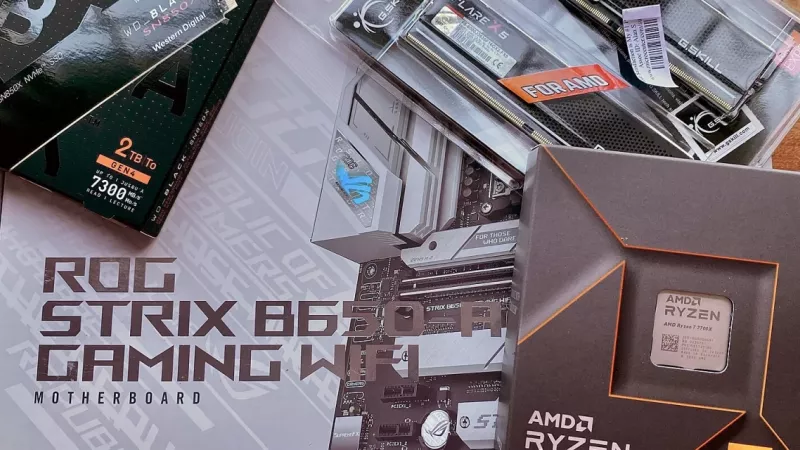
The AMD Ryzen 7 9800X3D is one of the most talked-about gaming processors of the AM5 era, but it is not the right chip for every South African PC builder. It is an eight-core processor with a very large L3 cache, and that cache is the whole reason it exists. If you play competitive shooters on a high-refresh monitor or simulation games that hammer the CPU, it can make a real difference. If you mostly render video on a tight budget, your rands may work harder elsewhere.
This guide explains what 3D V-Cache actually does, who should buy the 9800X3D and who should not, how it compares in concept with the regular Ryzen 9000 chips, and how to build a balanced AM5 system around it: motherboard chipset, DDR5 memory and AMD EXPO, cooling, power supply, BIOS updates and a sample build by component class. All specifications below come from AMD’s official pages, and every performance claim is attributed to a named source you can read yourself.
The Ryzen 7 9800X3D at a glance
AMD announced the Ryzen 7 9800X3D on 31 October 2024 and lists 7 November 2024 as its launch date. It is part of the Ryzen 9000 family and uses the “Zen 5” core architecture. The official AMD product page describes it as an enthusiast desktop processor for the AM5 socket. In the AMD launch press release the company gave a suggested price of US$479 at launch; local pricing in rand depends on the exchange rate and import costs, so check the live listings rather than relying on old numbers.
| Specification | Value (per AMD) |
|---|---|
| Architecture | Zen 5 |
| Cores / threads | 8 / 16 |
| Base / max boost clock | 4.7 GHz / up to 5.2 GHz |
| L1 / L2 / L3 cache | 640 KB / 8 MB / 96 MB (104 MB total) |
| Default TDP | 120 W |
| Socket | AM5 |
| Memory | DDR5, dual channel, up to 256 GB |
| PCI Express | PCIe 5.0, 24 usable lanes |
| Max operating temperature | 95 °C |
| Cooler in the box | Not included |
| Integrated graphics | AMD Radeon Graphics (2 cores) |
| Launch date | 7 November 2024 |
Two details on that list matter for buyers straight away. First, there is no cooler in the box, so budget for one. Second, the chip is unlocked and supports AMD EXPO, Precision Boost Overdrive and Curve Optimizer, which earlier X3D models did not fully offer. The integrated graphics are useful for troubleshooting and basic desktop use, but nobody buys this processor without a proper graphics card.
What 3D V-Cache is and why games love it
A processor works fastest when the data it needs is already sitting in its own cache rather than out in system RAM. Cache is tiny compared with RAM, but it is much closer to the cores and far quicker to reach. If you want the textbook background, the Wikipedia article on CPU cache explains the hierarchy of L1, L2 and L3 well.
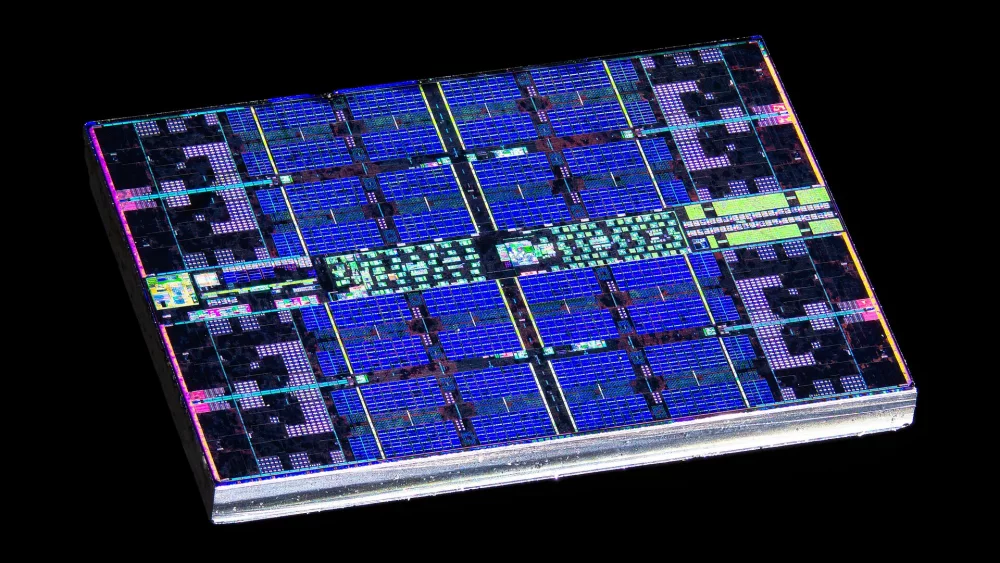
AMD’s 3D V-Cache stacks an extra slice of L3 cache directly onto the processor chiplet. On the 9800X3D that slice is 64 MB, which takes the total L3 from the 32 MB of a regular eight-core Ryzen 9000 chip to 96 MB. Games are a perfect fit for this because they constantly juggle the same sets of data: positions of objects, physics, AI state, draw calls. When more of that working set fits inside the cache, the CPU waits less, and frame times become more consistent.
What changed with second-generation 3D V-Cache
On older X3D chips the cache slice sat on top of the cores, which put an extra layer between the hot cores and the cooler. According to AMD’s press release, the 9800X3D moves the 64 MB cache below the core chiplet, putting the cores closer to the cooling solution. AMD says this helps the cores run cooler and at higher clocks, and it is the reason the 9800X3D is the first X3D processor that is fully unlocked for overclocking. AMD’s 3D V-Cache technology page describes the same idea: with the extra memory below the cores, the cores have direct access to the cooler.
Why average FPS is not the whole story
Cache helps most with the worst moments, not just the average. AMD itself highlighted 1% low frame rates in its launch material, which is the figure that tracks stutter. In practice, people who upgrade to an X3D chip often describe a smoother feel in busy scenes rather than a dramatic jump in the headline number.
3D V-Cache does not make a game render prettier pictures. It reduces the time the CPU spends waiting for data, which matters most when the CPU, not the graphics card, is the bottleneck.
What the reviews actually found
AMD’s own claim, based on its internal testing, was up to an average 8% gaming improvement over the previous-generation Ryzen 7 7800X3D and up to an average 20% over the competition’s flagship at the time. Manufacturer numbers are a starting point, so it is worth looking at independent testing too.
TechPowerUp’s review conclusion called it the fastest gaming CPU you could buy at launch. At 1080p it measured roughly an 11% lead over the Ryzen 7 9700X and about 3.4% over the 7800X3D. The same review also noted that at 4K, even with a top graphics card, the differences between high-end processors were minimal. Tom’s Hardware also rated it the fastest gaming chip on the market at the time and pointed out that productivity performance improved noticeably compared with earlier X3D models.
How to read those numbers
Reviewers test at lower resolutions with the fastest graphics card available precisely to make the CPU the bottleneck. Your own results depend on your graphics card, resolution and game settings. If you play at 4K with a mid-range card, the GPU will limit you long before the CPU does, and a cheaper processor may deliver nearly the same experience.
A newer sibling exists
Since January 2026 AMD also sells the Ryzen 7 9850X3D, another eight-core X3D chip with the same 96 MB L3 and 120 W TDP but a higher boost clock of up to 5.6 GHz. The 9800X3D remains a strong option, and everything in this guide about platform, memory and cooling applies to both.
Who should buy the Ryzen 7 9800X3D
The clearest case is a gamer who is genuinely CPU-limited. That usually means high frame rates rather than high resolutions.
High-refresh competitive gamers
If you play titles like Counter-Strike 2, Valorant or Apex Legends on a 165 Hz, 240 Hz or faster monitor, every extra frame and every smoother 1% low counts. This is exactly the scenario where reviewers see the biggest gaps between processors.
Simulation and strategy players
City builders, grand strategy games, flight and racing simulators and large multiplayer servers tend to lean heavily on the CPU and on memory access. Big caches often help these titles more than raw core count.
Builders planning several GPU upgrades
Many South African gamers keep a platform for years and upgrade the graphics card when budget allows. A strong gaming CPU gives you headroom so that a future, faster card is not held back.
Who should probably skip it
The 9800X3D is a premium part, and there are buyers for whom the money is better spent elsewhere.
Pure productivity on a budget
If your machine mainly encodes video, compiles code or renders 3D scenes, you pay for gaming cache you will not fully use. TechPowerUp found the 9800X3D about 12% behind the twelve-core Ryzen 9 9900X in applications, so a chip with more cores can be the smarter buy for creators.
4K gamers with a mid-range graphics card
At high resolutions the graphics card does most of the work. Spending less on the CPU and more on the GPU usually gives more visible frames per rand.
Office and home PCs
Browsing, spreadsheets, school work and streaming do not need a flagship gaming CPU. A modest processor and a good SSD will feel just as fast in daily use.
A simple test: if your graphics card is already at 95–99% usage in your favourite games, a faster CPU will not help much. If the GPU sits well below that while frame rates disappoint, the CPU is a likely bottleneck.
X3D versus regular Ryzen 9000: the concept
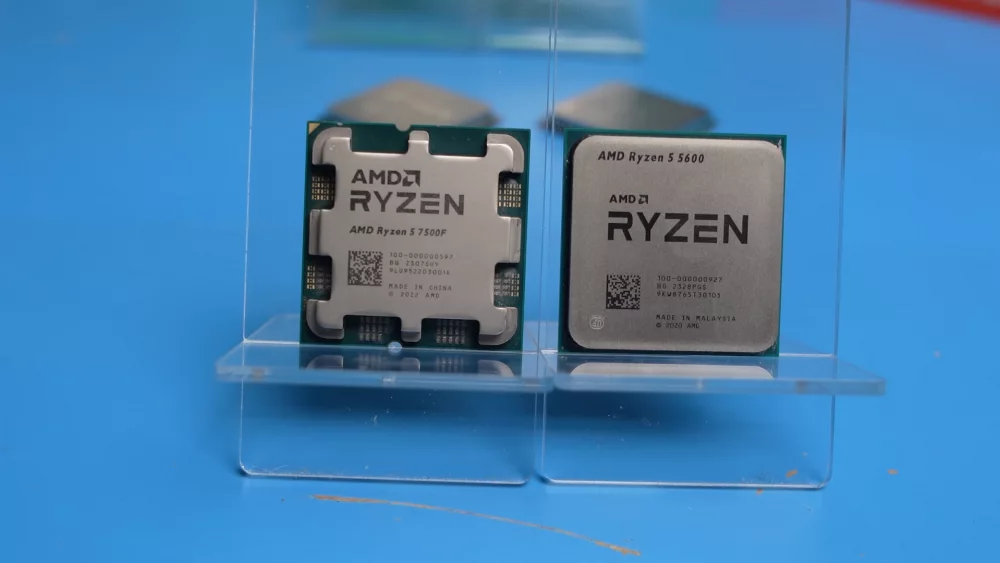
The easiest comparison is with the Ryzen 7 9700X, which is also an eight-core Zen 5 chip. According to the AMD 9700X product page, it has a 65 W default TDP and 32 MB of L3 cache. The 9800X3D has three times that L3 and a 120 W TDP.
| Feature | Ryzen 7 9700X | Ryzen 7 9800X3D |
|---|---|---|
| Cores / threads | 8 / 16 | 8 / 16 |
| Base clock | 3.8 GHz | 4.7 GHz |
| Max boost | up to 5.5 GHz | up to 5.2 GHz |
| L3 cache | 32 MB | 96 MB |
| Default TDP | 65 W | 120 W |
| Best suited to | Balanced home, work and gaming | CPU-heavy and high-refresh gaming |
In other words, the regular chip boosts slightly higher on a single core and uses less power, while the X3D chip trades a little single-core peak for a huge cache that games love. Higher-core-count Ryzen 9 models offer more threads for heavy work. Browse the processors (CPUs) category to compare current models side by side.
Platform basics: the AM5 socket
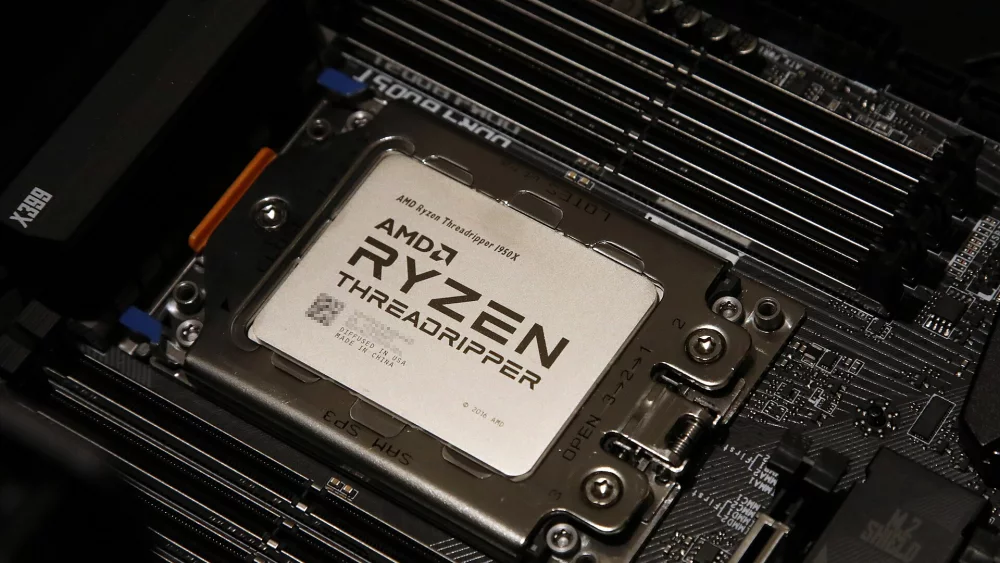
The 9800X3D uses AMD’s AM5 socket, which is a land grid array design: the pins are in the motherboard socket, not on the processor. That makes the CPU itself robust but means you must be careful with the socket pins when the board is unprotected. AM5 supports DDR5 only, so DDR4 from an older AM4 system cannot be reused.
AMD states on its AM5 chipset page that all AM5 boards with 600 and 800 series chipsets are compatible with all AM5 processors, with the caveat that a BIOS update may be required for Ryzen 9000 chips on 600 series boards. The official 9800X3D page lists A620, B650, B650E, X670, X670E, B840, B850, X870 and X870E as supporting chipsets.
Choosing a motherboard chipset
For a 9800X3D, the chipset decides features rather than gaming speed. TechPowerUp noted that the processor runs well on any AM5 board, even affordable ones. Here is how AMD’s own specification table separates the main options.
| Chipset | Graphics slot | NVMe from CPU | CPU overclocking | USB4 |
|---|---|---|---|---|
| X870E | PCIe 5.0 | PCIe 5.0 | Yes | Standard |
| X870 | PCIe 5.0 | PCIe 5.0 | Yes | Standard |
| B850 | PCIe 4.0 | PCIe 5.0 | Yes | Optional |
| B840 | PCIe 4.0 | PCIe 4.0 | No | Optional |
| A620 | PCIe 4.0 | PCIe 4.0 | No | Optional |
B850 or B650: the sensible middle
For most gamers a B850 board, or a B650 board that already runs a Ryzen 9000 compatible BIOS, is the sweet spot. You get CPU and memory overclocking support, PCIe 5.0 for an NVMe drive on B850, and enough connectivity for a typical gaming desk.
X870 and X870E: for features
Pick X870 or X870E if you specifically want USB4 as standard, PCIe 5.0 for the graphics card, or the extra lanes for several fast SSDs. They do not make games run faster by themselves.
Be careful with A620 and B840
These budget chipsets do not support CPU overclocking, which means features like Precision Boost Overdrive are not available. Entry boards can also have more modest power delivery and cooling on the voltage regulators. Pairing a premium CPU with the cheapest possible board rarely makes sense. Compare options in the motherboards category.
DDR5 memory: speed, kit size and EXPO
AMD’s official memory specification for the 9800X3D is DDR5-5600 with two modules (single or dual rank) and DDR5-3600 with four modules. That is the guaranteed baseline. Faster speeds are reached through AMD EXPO, a memory overclocking profile stored on the module that you enable in the BIOS. AMD’s EXPO technology page also links to its compatibility list of tested kits.
Which speed to aim for
AMD’s own launch testing of the 9800X3D used 2×16 GB DDR5-6000 kits. TechPowerUp recommended focusing on kits that run with a 1:1 memory divider at 6000, 6200 or 6400 MT/s rather than paying extra for extreme speeds, because gains beyond that were small. A DDR5-6000 EXPO kit with reasonably tight timings is the practical target for most builds.
How much RAM
For gaming, 32 GB in two modules (2×16 GB) is the comfortable standard today. If you also edit video, run virtual machines or keep a lot open while streaming, 64 GB in two modules (2×32 GB) is the step up. Prefer two modules over four: AMD’s own figures show the supported speed drops sharply with four sticks. Find kits in the memory (RAM) category.
Buy RAM in a single matched kit. Mixing two separate pairs of “identical” modules is the most common reason an EXPO profile refuses to run stable.
Cooling the 9800X3D
The 120 W TDP is higher than the 65 W of the regular eight-core Ryzen 9000 models, and the box contains no cooler. AMD’s product page states that a liquid cooler is recommended for optimal performance, and Tom’s Hardware reported AMD’s guidance as at least a 240–280 mm liquid cooler or equivalent. In its review, TechPowerUp found the chip relatively easy to cool and said even air cooling could keep it under 95 °C at full load.
Air or liquid?
A quality dual-tower air cooler is a reliable, low-maintenance choice that suits most gaming builds. A 240 mm or 280 mm all-in-one liquid cooler suits compact cases or builders who want lower peak temperatures during long CPU-heavy loads. In South Africa’s hot summer months, a case with good airflow matters as much as the cooler itself. Browse the CPU coolers category and always confirm AM5 mounting support.
Thermal paste
Many coolers ship with paste pre-applied. If not, a pea-sized dot or a thin line in the middle of the heat spreader is enough. Too much paste is messy but rarely harmful; too little or air gaps are worse.
Power supply and load-shedding realities
The CPU is not the biggest power consumer in a 9800X3D gaming PC; the graphics card is. Size the power supply according to the recommendation of your graphics card manufacturer, then add sensible headroom so the unit is not running near its limit. Choose a reputable brand with modern protections, and check that it has the right connectors for your card.
Protect the investment
Load-shedding and grid instability have been a South African reality for years. Abrupt power cuts during a BIOS update can corrupt the firmware, and surges when power returns are a risk for any electronics. A good surge protector is the minimum; a line-interactive UPS sized for your PC gives you time to save and shut down cleanly. Never run a BIOS update when a scheduled outage is close.
BIOS updates: do this before you install Windows
Because the 9800X3D is newer than the first wave of AM5 boards, an older B650 or X670 board from the shelf may ship with firmware that does not recognise it. AMD explicitly warns that a BIOS update may be required for Ryzen 9000 on 600 series boards.
Check the CPU support list
Every motherboard manufacturer publishes a CPU support list per model. Look up your board and note the minimum BIOS version for the 9800X3D.
Use BIOS flashback if available
Many AM5 boards have a USB BIOS flashback button that can update the firmware without a CPU installed. ASUS documents the process in its USB BIOS FlashBack guide; other brands have equivalent functions under different names. Use a correctly formatted USB stick and follow the exact file-naming rules.
Expect a slow first boot
The first start of a new DDR5 system can take noticeably longer than normal while the board trains the memory. Do not switch it off in panic; give it a few minutes before assuming something is wrong.
Pairing a graphics card
A 9800X3D paired with an entry-level graphics card is an unbalanced build. The CPU shines when the GPU is fast enough to push high frame rates, so plan for an upper mid-range or high-end card. If your budget cannot stretch to both, the better compromise is usually a cheaper CPU and a stronger GPU. See the graphics cards (GPUs) category for current options.
A sample balanced build by component class
The list below is a framework, not a shopping list. It shows how the parts should relate to each other so nothing holds the rest back.
- CPU: AMD Ryzen 7 9800X3D.
- Motherboard: B850 (or B650 with a Ryzen 9000 ready BIOS) with solid power delivery; X870 only if you need USB4 or PCIe 5.0 graphics.
- Memory: 32 GB (2×16 GB) DDR5-6000 EXPO kit; 64 GB (2×32 GB) for heavy multitasking.
- Cooler: quality dual-tower air cooler or 240–280 mm AIO with AM5 support.
- Graphics card: upper mid-range or high-end, matched to your monitor’s resolution and refresh rate.
- Storage: 1–2 TB NVMe SSD for the system and games.
- Power supply: reputable unit sized to the GPU maker’s recommendation, plus headroom.
- Case: good front airflow and room for your cooler and card.
- Power protection: surge protector or UPS.
The best build is not the one with the most expensive single part, but the one where no part is obviously waiting for another.
Common mistakes to avoid
- Buying the 9800X3D for a 4K setup with a mid-range graphics card and expecting big gains.
- Forgetting that there is no cooler in the box.
- Installing the CPU on an older 600 series board without checking the BIOS version first.
- Running four RAM modules and wondering why EXPO is unstable.
- Leaving the memory at default speed because EXPO was never enabled.
- Choosing the cheapest A620 board for a premium CPU.
- Updating the BIOS without power protection during an unstable grid period.
- Bending AM5 socket pins by removing the protective cover carelessly.
Pre-purchase checklist
- Confirm you play CPU-heavy games or at high refresh rates.
- Check your current GPU usage to see whether the CPU is really the bottleneck.
- Pick an AM5 board and verify its CPU support list and minimum BIOS version.
- Choose a 2-module DDR5 kit with an EXPO profile, ideally around DDR5-6000.
- Budget for a capable air or liquid cooler with AM5 mounting.
- Size the power supply to the graphics card manufacturer’s recommendation.
- Plan surge protection or a UPS.
- After assembly, update BIOS, enable EXPO and install the latest AMD chipset driver.
Frequently asked questions
Is the Ryzen 7 9800X3D good for streaming while gaming?
Yes, eight Zen 5 cores handle gaming plus a stream well, especially if the graphics card does the video encoding. For heavy CPU-based encoding at high quality, a chip with more cores has an advantage.
Can I use my old AM4 cooler?
Often yes, because AM5 was designed to keep compatibility with many AM4 cooler mounts. Still, confirm with the cooler manufacturer before buying, and make sure it has the capacity for a 120 W TDP chip.
Do I need a PCIe 5.0 motherboard?
Not for gaming performance. PCIe 5.0 matters mostly for the fastest NVMe drives and future graphics cards. A B850 board already provides PCIe 5.0 for NVMe according to AMD.
Should I overclock it?
It is unlocked, but TechPowerUp found that manual overclocking added little because the chip is already tuned close to its limits out of the box. Enabling EXPO for your RAM is the more useful tweak. Note that AMD states overclocking is not covered by its product warranty.
Is the integrated graphics enough for gaming?
No. The two-core Radeon graphics are meant for display output, troubleshooting and light desktop use, not for gaming.
Ready to build around the Ryzen 7 9800X3D or compare it with other AM5 options? Browse processors, motherboards, DDR5 memory, coolers and graphics cards with live prices and stock at distrinode.co.za.
Leave a comment