

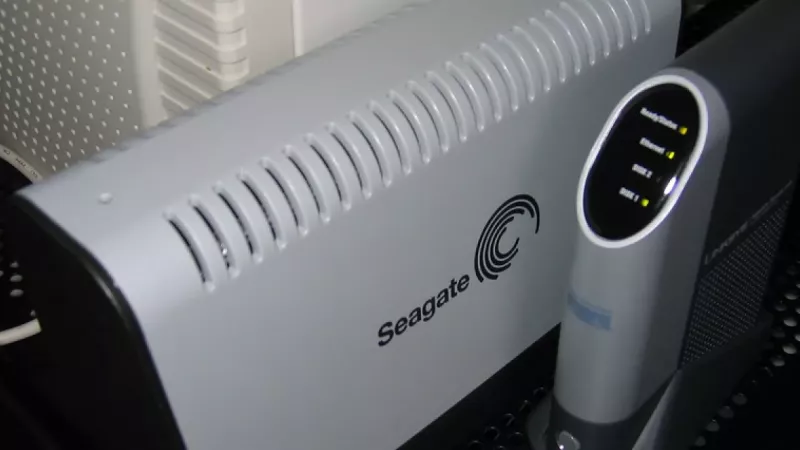
Every IT budget review eventually lands on the same line item: backup. The two dominant strategies — renting capacity from a cloud provider or owning a network attached storage appliance on premises — are usually presented as ideological rivals. In reality the decision is arithmetic rather than ideology. It comes down to how much data you protect, how quickly you must restore it, which regulations govern it and how much operational control your organisation is willing to delegate to a third party.
This guide dissects both models through the lens of total cost of ownership and data governance, then explains why the most resilient architectures rarely commit to a single side of the argument.
The subscription model: predictable invoices, unpredictable totals
Cloud backup pricing looks refreshingly simple at first: a monthly fee per terabyte or per protected workstation. The entry price is low because the provider amortises hardware, power and physical security across thousands of tenants. There is no capital expenditure, no failed drive to swap before the morning standup and no firmware maintenance window to schedule. For a distributed workforce, protecting laptops wherever they connect is a genuine structural advantage.
The totals become harder to forecast as the estate grows. Four cost drivers deserve scrutiny before anyone signs a multi-year agreement:
- Capacity creep. Business data typically grows 20-30 percent per year, so a fee that looks trivial at 2 TB becomes a serious line item at 20 TB.
- Egress and restore charges. Several providers bill for downloading your own archives. A full disaster recovery of 10 TB can generate an invoice that rivals an entire year of storage fees.
- Per-seat and workload surcharges. Protecting virtual machines, databases or SaaS platforms often sits in higher tiers than the advertised headline price.
- Retention multipliers. Keeping monthly snapshots for five or seven years to satisfy auditors multiplies the billable footprint far beyond the size of the live dataset.
The ownership model: capital outlay, then falling cost per terabyte
A local NAS inverts that curve. Most of the money is spent on day one — the enclosure, NAS-grade drives, ideally a cold spare and an uninterruptible power supply — after which the marginal cost of every additional backup approaches zero. Across a typical five-year service life, a mid-range two- or four-bay appliance usually undercuts an equivalent cloud subscription somewhere between month eighteen and month thirty, depending on capacity and the tier being replaced.
Honest accounting must include the quieter costs of ownership as well: electricity for a device running around the clock, an occasional drive replacement, and the administrator hours spent applying updates and reviewing logs. The current generation of appliances in the network attached storage category reduces that overhead noticeably, with wizard-driven snapshot schedules, disk health monitoring and automated integrity checks.
Control is a cost category too
Spreadsheet comparisons often omit the asset that matters most: authority over the data itself. With an on-premises appliance you decide where the hardware sits, who holds the encryption keys, when software changes and what happens to the disks at end of life. Nothing leaves the building unless you explicitly configure replication.
Cloud services transfer several of those decisions to the vendor. Jurisdiction follows the data-centre map, key management may be shared, and an account suspension — however unlikely — can separate a company from its archives at the worst possible moment. None of this makes the cloud unsafe; reputable providers run hardened facilities that few businesses could replicate internally. It does mean the contract, rather than the lock on your server room, becomes the primary control mechanism, and contracts deserve the same technical review as hardware.
A backup you cannot restore on your own terms is not an asset. It is a dependency with a monthly fee.
Restore speed defines your real recovery time
Backup economics are ultimately judged on the day something fails. Restoring from a local appliance over gigabit Ethernet moves roughly 400 GB per hour under realistic conditions, so a multi-terabyte recovery finishes within one working day. The same recovery pulled through a 100 Mbps internet line stretches across several days, and the business absorbs that downtime hour by hour in lost productivity and missed orders.
Cloud vendors mitigate the gap with granular file-level restores, which handle the everyday scenario — one deleted folder, one corrupted document — very well. The difference appears during full-server or full-site recoveries, which is precisely when commercial pressure peaks. Any serious evaluation should therefore include a timed test restore of a realistic dataset from both targets, not just a review of the price list.
The hybrid answer: 3-2-1 in practice
The industry-standard 3-2-1 rule — three copies of the data, on two different media types, with one copy stored off site — quietly resolves the whole debate by refusing to choose. A practical implementation looks like this:
- Primary data lives on the workstations and servers where it is produced.
- An on-site NAS receives frequent, versioned snapshots and delivers fast local restores for daily incidents.
- The appliance replicates encrypted, deduplicated archives to a cloud bucket or to a second unit at another location, covering fire, flood and theft.
In this architecture the cloud tier holds compact archive data rather than every version of every file, which keeps the subscription modest, while day-to-day operations rely on hardware you own outright. Most models in the NAS appliance range perform this replication natively and encrypt data client-side, so the off-site copy remains unreadable without keys that never leave your organisation. In practice, this pattern consistently produces the lowest five-year cost per protected terabyte.
A short decision framework
- Under 1 TB, laptops only, no regulatory constraints: a pure cloud plan wins on simplicity and requires zero maintenance.
- 2-50 TB, office-based teams, defined recovery deadlines: a local appliance with selective cloud replication of critical folders typically delivers the lowest total cost.
- Regulated data with residency requirements: on-premises primary storage plus a provider offering contractually guaranteed regional data centres.
- Multi-site organisations: cross-replicating appliances between offices can replace the commercial cloud tier entirely while still keeping an off-site copy.
Frequently asked questions
Is cloud backup always more expensive over five years?
No. For small datasets under roughly one terabyte, subscriptions frequently stay cheaper than hardware once electricity and drive replacements are counted. The crossover arrives as capacity grows: the larger the dataset and the longer the retention, the faster owned storage overtakes the recurring fee.
Does a NAS itself need a backup?
Absolutely. RAID protects against a drive failure, not against ransomware, accidental deletion, theft or fire. Treat the appliance as one tier in a 3-2-1 design and replicate its contents to a second device or an encrypted cloud target rather than treating it as the final destination.
What drive configuration suits a backup appliance?
Two mirrored NAS-grade drives are the sensible minimum for small deployments; four-bay units running RAID 5 or RAID 6 add capacity and fault tolerance. Always leave 15-20 percent free space for snapshot growth and enable scheduled disk health scans from day one.
How does ransomware change the comparison?
It rewards architectures with immutable or offline copies. Modern appliances support snapshot locking so encrypted files can be rolled back, while many cloud services offer object-lock retention. The strongest posture combines both, because attackers increasingly target backup repositories first.
Can we start in the cloud and migrate to hardware later?
Yes, and it is a common path: begin with a subscription while data volumes are small, then introduce an appliance once fees approach the monthly amortised cost of hardware. Keep the cloud account for off-site replication instead of cancelling it, and the migration becomes an upgrade rather than a switch.
Leave a comment