

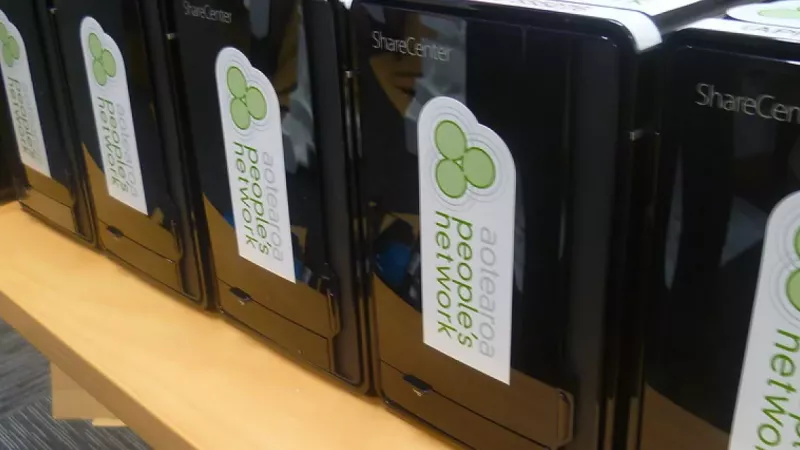
If your business still backs up to a single external drive or a shared cloud folder, you are one failed disk or one ransomware email away from losing the data your company runs on. A NAS (Network Attached Storage) device fixes that — it gives your whole team a fast, central, private place to store, share and automatically back up files, sitting on your own premises and under your own control.
This guide cuts through the spec sheets and shows you exactly how to choose the best NAS for a small business in South Africa. We will cover:
- What a NAS actually does — and why it beats cloud-only storage for many SA businesses
- The features that matter — bays, RAID, processor, RAM and software
- Synology vs QNAP — the two brands that dominate the small-business market
- Recommendations by budget — from a 2-bay starter to a serious 8-bay workhorse
- Three real-world scenarios — matched to common SA business types
- POPIA and data residency — the local angle that makes owning your storage smart
Key Takeaway: A NAS is not just “extra storage.” It is a small, always-on server that protects your business data, lets your team collaborate, and keeps a copy of everything inside your own building — which matters more in South Africa than most guides admit.
What Is a NAS, and Why Does Your Business Need One?
A NAS is a dedicated storage device that connects to your office network so multiple users can access the same files at the same time, with built-in protection against drive failure. Think of it as your own private cloud that lives in the server cupboard rather than in a data centre overseas.
For a small business, that translates into four concrete wins:
- Centralised files: Everyone works from one shared, organised location instead of emailing versions around.
- Automatic backups: PCs, laptops, even your accounting server can back up to the NAS on a schedule.
- Redundancy: With two or more drives in a RAID configuration, a single drive can die and you lose nothing.
- Remote access: Staff can reach files securely from home or on the road, without handing your data to a third party.
Why Not Just Use the Cloud?
Cloud storage is excellent for syncing and sharing, but it has real downsides for a growing SA business: monthly fees that scale forever with your data, dependence on your internet line, and your files living on someone else’s servers, often outside the country. A NAS is a once-off capital purchase that keeps working on your local network even when fibre goes down — and many businesses run both, using the NAS as the master copy and the cloud as an offsite backup.
Key Takeaway: The smartest setup for most SA small businesses is not cloud or NAS — it is a NAS as your fast local master copy, with an automated backup to the cloud or a second NAS offsite. That is the “3-2-1” rule the pros use.
Understanding the Local Market: Why On-Premises Storage Is Growing
Demand for serious local storage in South Africa is climbing fast, driven by data-protection law and a national shift toward keeping data on home soil. The South Africa data centre storage market was valued at roughly USD 514 million in 2025 and is forecast to grow to around USD 985 million by 2031, a compound annual growth rate of about 11.5% (Mordor Intelligence).
A big part of that growth is POPIA — the Protection of Personal Information Act. If your business holds customer data (and almost every business does), POPIA expects you to keep it secure and to know where it lives. Owning a NAS gives you a clear, auditable answer: your customers’ personal information sits encrypted, access-controlled, and on a device in your own office.
Key Takeaway: Between POPIA compliance and load-shedding-resilient local access, owning your storage is no longer just an IT preference in South Africa — it is increasingly a business necessity.

The NAS Features That Actually Matter
How Many Drive Bays Do You Need?
The number of bays sets both your maximum storage and your level of protection — buy more bays than you think you need today. A 2-bay unit lets you mirror two drives so one can fail safely. A 4-bay unit is the small-business sweet spot: it gives you room to grow and supports better RAID setups. As a rule, fill no more than half your bays on day one so you can expand later.
What Is RAID, and Which Should You Use?
RAID combines several drives so that your data survives a drive failure. For most small businesses, RAID 1 (two drives mirrored) or RAID 5/SHR (three or more drives, one can fail) is the right choice. Synology’s SHR is the easiest option. The golden rule: RAID is not a backup. It protects against hardware failure, not accidental deletion or ransomware.
How Much Processor and RAM?
For file storage and backups, an entry-level NAS is plenty; for running apps, virtual machines or many simultaneous users, pay for a stronger CPU and more RAM. If you just want shared folders and automated backups, a basic dual-core unit works beautifully. If you plan to run surveillance recording, a database, or business apps, choose a model with a faster processor and 8GB or more of upgradeable RAM.
Synology vs QNAP: Which Brand for Your Business?
Synology is the safest all-round choice for most small businesses thanks to its mature, beginner-friendly software; QNAP is the better pick if you want more hardware power for the money or plan to run demanding workloads. Both are excellent, widely available in South Africa.
| Consideration | Synology | QNAP |
|---|---|---|
| Best for | Reliability, ease of use, “set and forget” | Power users, VMs, heavy data workloads |
| Software | DSM — the most polished, easiest to learn | QTS/QuTS — powerful, steeper curve |
| Hardware value | Solid, software-led | Often more CPU/RAM per rand |
| Advanced storage | Btrfs with SHR flexibility | ZFS option (self-healing, dedup) |
Key Takeaway: If you want something your team can run without an IT department, choose Synology. If you have someone technical and want maximum performance per rand, look hard at QNAP.
The Best NAS for Small Business by Budget
Price ranges are indicative of the South African market for the diskless unit (drives sold separately) — confirm exact pricing against the live DistriNode catalogue.
| Tier | Example Models | Bays | Ideal For | Indicative Price |
|---|---|---|---|---|
| Starter | Synology DS224+ / QNAP TS-233 | 2 | Sole proprietors, simple backups | ~R6,000 – R10,000 |
| Mid-range | Synology DS423+ / QNAP TS-464 | 4 | Growing teams, mixed files | ~R12,000 – R20,000 |
| Performance | Synology DS923+ / QNAP TS-464 (8GB+) | 4 | Heavier workloads, VMs | ~R18,000 – R28,000 |
| Workhorse | Synology DS1522+ / DS1823xs+ | 5–8 | Larger teams, big datasets | ~R25,000+ |
Remember to budget for drives separately. Use NAS-rated drives (Synology, Seagate IronWolf, WD Red) built to run 24/7 — not cheap desktop drives.

Three Real-World South African Business Scenarios
Scenario 1: The Two-Person Accounting Practice
Need: Securely store client financials, keep POPIA-compliant records, and never lose a file.
Recommended: A 2-bay starter NAS (e.g. Synology DS224+) running two mirrored drives in RAID 1.
Why it works: Simple, affordable, and one drive can fail without data loss. Client data stays encrypted on-site.
Scenario 2: The 12-Person Creative / Marketing Agency
Need: A shared library of large design and video files, fast access for the team, and room to grow.
Recommended: A 4-bay mid-range NAS (e.g. Synology DS423+ or QNAP TS-464).
Why it works: Four bays in SHR/RAID 5 give plenty of protected, expandable space and enough speed for several people pulling large files at once.
Scenario 3: The Multi-Branch Retailer or Workshop
Need: Central file storage, plus on-site CCTV recording and remote access across branches.
Recommended: A performance 4-bay or 5-bay NAS with extra RAM (e.g. Synology DS923+ or DS1522+).
Why it works: The stronger CPU and memory let one device handle file sharing, surveillance recording, and secure remote access at once.
How to Buy Your NAS in South Africa
Buying a NAS is a multi-year business decision, so the supplier matters as much as the hardware. Look for genuine, locally warrantied stock; both the NAS and matched NAS-rated drives in one place; real product knowledge to size bays and RAID correctly; and fast nationwide delivery with proper after-sales support.
DistriNode connects you to genuine, locally supported NAS and storage hardware from the brands that matter — Synology, QNAP and the NAS-rated drives to fill them — backed by real expertise and fast South African delivery. Explore our full range of NAS and storage solutions on the DistriNode website, or get in touch and we will help you size the perfect setup for your business.
Frequently Asked Questions
What is the best NAS for a small business in South Africa?
For most small businesses, a 4-bay Synology DS423+ hits the sweet spot of capacity, protection and ease of use. Two-person operations can start with a 2-bay DS224+, while teams running virtual machines or heavy workloads should look at a QNAP TS-464 or a 5-bay Synology DS1522+.
Is a NAS POPIA compliant?
A NAS helps you meet POPIA obligations, but compliance depends on how you configure it. Because the device keeps personal data encrypted, access-controlled and physically on your premises, it gives you clear control and auditability. Pair it with strong passwords, user permissions and an offsite backup.
Do I need special hard drives for a NAS?
Yes — use NAS-rated drives (such as Synology, Seagate IronWolf or WD Red), not standard desktop drives. NAS drives are built to run 24/7 and handle the vibration of multiple drives in one chassis.
Is RAID the same as a backup?
No. RAID protects you against a drive failing — the device keeps running and you swap the dead disk. It does not protect against accidental deletion, theft, fire or ransomware. You still need a separate backup, ideally one copy offsite or in the cloud.
Can I access my NAS files when I am away from the office?
Yes — every modern Synology and QNAP NAS includes secure remote access apps for phone, tablet and laptop, through an encrypted connection, while the data stays on your own device.
Leave a comment