

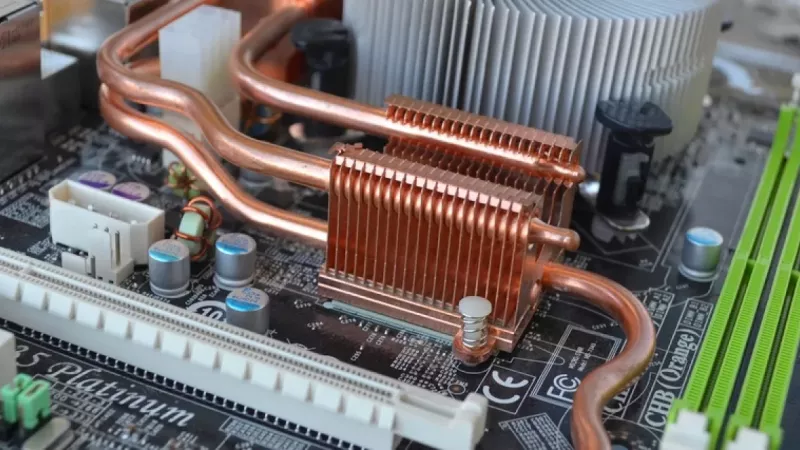
Finding the Best Motherboard for Gaming
Trying to pin down the single best motherboard for gaming is a bit of a fool's errand. The right board for you is completely tied to the processor you've chosen, how much you're willing to spend, and what you actually want your PC to do. It’s the central nervous system of your rig, connecting everything and setting the stage for future upgrades.
Choosing Your Gaming PC's Foundation
A solid gaming motherboard is the very bedrock of a stable, high-performance machine. It does more than just hold all your expensive parts; it manages how well they all talk to each other, from your CPU slinging instructions to your GPU rendering frames. Getting this choice right from the start means no frustrating bottlenecks down the line and gives your system room to grow.
This guide will cut through the jargon and focus on what really matters for your gaming experience. We’ll look at things like:
- Chipset Compatibility: Making sure your motherboard and CPU are a perfect match (Intel or AMD).
- Power Delivery (VRMs): Getting stable, clean power to your processor for top performance, especially if you plan to overclock.
- Form Factor: Picking the right size (ATX, Micro-ATX, Mini-ITX) to fit your case and build style.
- Connectivity: Ensuring you have all the ports and slots you'll actually use.
Understanding the Local Market
The gaming hardware scene here in South Africa is absolutely booming. In fact, our local market for PC gaming gear, including motherboards, is projected to hit around USD 790.54 million in revenue by 2025. That kind of growth shows just how many of us are building PCs, making it even more important to choose wisely. You can see the full breakdown on the South African gaming hardware market growth on Statista.com.
To make things easier, it helps to first understand the big picture—the main differences between the two teams, Intel and AMD. Both offer fantastic options, but they often cater to slightly different priorities and budgets.
Key Takeaway: The best motherboard for gaming isn't the one with the longest feature list. It's the one with the right features for your build, giving you rock-solid stability and performance exactly where you need it.
Let's break down the foundational choice you'll face when picking a platform.
| Feature | Intel Platform (e.g., Z790, B760) | AMD Platform (e.g., X670, B650) | Primary Consideration for Gamers |
|---|---|---|---|
| CPU Support | LGA1700 socket for 12th/13th/14th Gen | AM5 socket for Ryzen 7000 series and beyond | Your processor choice is the first domino to fall; it dictates everything else. |
| Memory | Supports both DDR4 and DDR5 memory | Exclusively supports newer, faster DDR5 memory | Intel gives you a budget-friendly out with DDR4, while AMD's AM5 platform forces you onto the modern DDR5 standard. |
| PCIe 5.0 | Offered on higher-end Z790/B760 boards | Widely available across most B650/X670 boards | AMD gives you easier access to next-gen speeds for future GPUs and SSDs across more of its lineup. |
Getting to Grips with Key Motherboard Features
Before you even think about which motherboard model to buy, you need to understand what makes them tick. Getting these core features right is the difference between a high-performance gaming rig and a bottlenecked mess. Think of this as your pre-flight checklist before pulling the trigger on a purchase.
First up, and most importantly, are the CPU socket and chipset. These two are a package deal—they dictate which processor your system will be built around. The socket is literally where your CPU clicks into place, and it has to be the right one. For a modern build, you’re looking at either the LGA1700 socket for Intel's 12th, 13th, or 14th Gen chips, or the AM5 socket for AMD's Ryzen 7000 series and beyond.
The chipset is the board's central nervous system, directing traffic between your CPU, RAM, GPU, and storage. It defines what the board can actually do—how many USB ports you get, how many drives you can connect, and what kind of expansion is possible. You can't mix and match, so choosing between Intel and AMD is a fundamental decision that locks you into one ecosystem.
Why a Good VRM is Your Best Friend for Gaming
Once you've picked your team—Intel or AMD—the next thing to scrutinise is the Voltage Regulator Module (VRM). This is the unsung hero of your motherboard, responsible for feeding your CPU clean, stable power. For gaming, a solid VRM isn't just nice to have; it's essential.
When you're deep in a demanding game or pushing an overclock, your CPU's power needs are all over the place. A cheap, flimsy VRM can't keep up, leading to voltage drops, performance throttling (where your CPU slows down to protect itself), or even system crashes. A quality VRM, with more power phases and better components, ensures your CPU gets the consistent juice it needs to hit and hold its top speeds.
Don't make the mistake of thinking a powerful VRM is only for hardcore overclockers. It's really an investment in stability. It guarantees your CPU isn't being starved for power during those critical moments in games like Cyberpunk 2077 or Alan Wake 2.
A weak VRM is like trying to run a V8 engine with a scooter's fuel pump—it's just going to choke when you put your foot down. A quick visual check can tell you a lot; look for chunky, substantial heatsinks covering the VRM area, as good cooling is vital to keep them running effectively under pressure.
Finding the Right Form Factor for Your Build
Motherboards come in a few standard sizes, called form factors. This choice impacts the size of your PC case, but it also determines how much stuff you can cram onto the board.
Here's the lowdown on the most common sizes you'll encounter:
- ATX (305mm x 244mm): This is the go-to standard for most gaming PCs. It gives you the most room for everything: plenty of PCIe slots for graphics cards and other add-ins, multiple M.2 slots for speedy storage, and four slots for RAM.
- Micro-ATX (244mm x 244mm): A great middle-ground option. It’s a bit shorter than a full ATX board, so it fits into more compact cases. The trade-off is usually fewer PCIe slots, but for a gamer with just one GPU, it’s often more than enough.
- Mini-ITX (170mm x 170mm): The smallest of the bunch, designed for those sleek, tiny builds. These boards are marvels of engineering but come with compromises. You typically get just one PCIe slot (for your GPU), two RAM slots, and fewer storage connections.
Ultimately, your decision here is about balancing size against expandability. ATX gives you maximum flexibility for future upgrades, while a Mini-ITX build is perfect for a compact gaming rig that doesn't dominate your desk or living room.
Untangling Memory and Storage Speeds
The last major pieces of the puzzle are memory and storage. With RAM, the big split right now is between DDR4 and DDR5. Intel's LGA1700 platform cleverly gives you a choice, with motherboards available for either type. This lets budget-focused builders stick with cheaper, yet still capable, DDR4 kits. AMD's AM5 platform, on the other hand, went all-in on DDR5, so you don't have a choice there.
For your graphics card and super-fast SSDs, the PCIe (Peripheral Component Interconnect Express) slot is what matters. The version—PCIe 4.0 or PCIe 5.0—sets the speed limit for data transfer. To get the most out of modern hardware, you'll want your main GPU slot and at least one M.2 slot to be PCIe 4.0 or newer. PCIe 5.0 is still on the horizon for most people, but having it on your board is a nice bit of future-proofing.
Finally, don't forget the little things that add up. A board with built-in Wi-Fi 6E and 2.5Gb Ethernet gives you a faster, more stable connection for online gaming right out of the box. Likewise, a good onboard audio codec like the Realtek ALC1220 or ALC4080 means you probably won't need to spend extra on a dedicated sound card. These integrated features provide real value and make your build cleaner and simpler.
Comparing the Best Gaming Motherboards by Budget
Let's be honest, choosing the right motherboard really boils down to balancing your budget against your gaming ambitions. A top-of-the-line board is a marvel of engineering, but for most gamers, its features are just overkill. On the flip side, a budget board can be an absolute steal, as long as you know what you're getting into.
This guide breaks down our top picks into three clear tiers: budget-friendly powerhouses, balanced mid-range champions, and the no-compromise high-end platforms. We'll dig into the real-world differences for both Intel and AMD systems to help you find the perfect foundation for your rig without burning a hole in your wallet.
The Budget-Friendly Tier: Excellent Value for Most Gamers
In this category, the mission is simple: get the most performance for your money without giving up the essentials. These motherboards are perfect if you're building a solid 1080p or 1440p machine and aren't planning on serious overclocking or needing a ton of expansion slots. You get everything you need for a brilliant gaming experience, and nothing you don't.
For Team Blue, the Intel B760 chipset motherboards are the undisputed kings of value. They give you rock-solid support for 12th, 13th, and 14th Gen processors and, crucially, come in both DDR4 and DDR5 versions. This flexibility is a game-changer, letting you save a good chunk of cash by reusing old DDR4 RAM or buying a new kit for less than DDR5.
Over on the AMD side, the B650 chipset is your ticket to the modern AM5 platform. While these boards are exclusively DDR5, their prices have dropped enough to be seriously competitive. A good B650 board is a stable home for powerhouse CPUs like the Ryzen 5 7600X or the Ryzen 7 7800X3D and even gives you PCIe 5.0 support for your main M.2 SSD slot—a nice touch for future-proofing.
A Practical Comparison: Budget Intel vs. AMD
- Intel B760 Advantage: The ability to use DDR4 memory is its biggest win for budget builders. This can easily free up hundreds of Rands in your build, money that's much better spent on a more powerful graphics card where you'll see a real jump in frame rates.
- AMD B650 Advantage: Although it needs DDR5, a B650 board is a more modern platform with a clear upgrade path. AMD has promised long-term support for the AM5 socket, so you'll likely be able to drop in a future Ryzen CPU without needing to buy a whole new motherboard.
This diagram shows the first three things you'll need to lock in: your CPU socket, the physical size (form factor), and the memory type.
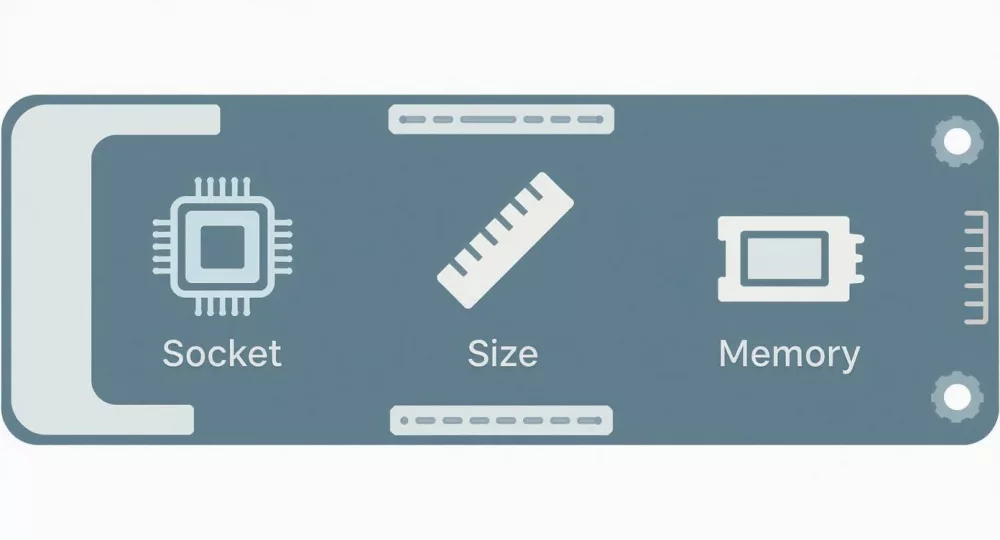
These three decisions—socket, size, and memory—form the foundation of your build and will guide all your other component choices.
The Mid-Range Tier: The Sweet Spot for Performance and Features
This is where most serious gamers should be looking. The mid-range is the perfect balance of price, performance, and features. You get stronger VRMs for some light overclocking, better cooling, more ports, and nicer aesthetics, all without the eye-watering price tag of enthusiast-level gear. These boards are built to handle powerful CPUs and high-end GPUs without breaking a sweat.
For Intel builders, this space is typically owned by high-spec B760 boards or entry-level Z790 models. A premium B760 can have VRMs and heatsinks that rival cheaper Z790s, making it a stable choice for a Core i5 or i7. Jumping up to a Z790 unlocks full CPU overclocking, letting you push your unlocked 'K'-series chip for that extra bit of performance.
With AMD, the mid-range sweet spot belongs to the B650E and entry-level X670 chipsets. That "E" in B650E stands for Extreme, and it guarantees you get a PCIe 5.0 slot for both your graphics card and an M.2 SSD. This makes it a fantastic, forward-thinking choice for gamers who want next-gen speeds without the full cost of a top-tier X670E board.
Key Differentiator: The main reason to step up to the mid-range is for better power delivery and cooling. A motherboard with a beefier VRM and chunky heatsinks lets a high-performance CPU, like an Intel Core i7-14700K or an AMD Ryzen 7 7800X3D, hold its max boost clocks for longer during intense gaming. The result? Smoother, more consistent gameplay.
This tier is all about making smart choices. You might skip some of the extreme connectivity of a high-end board, but you'll get a VRM that can comfortably power your processor—a far more practical investment for gaming.
The High-End Tier: For Enthusiasts and Overclockers
Welcome to the top. High-end motherboards are for people who want the absolute best and are happy to pay for it. These boards are packed with premium components, from incredibly robust VRMs for extreme overclocking to extensive I/O with tons of high-speed USB ports, multi-gigabit Ethernet, Wi-Fi 7, and massive cooling solutions.
The Intel Z790 chipset is the go-to for enthusiasts using unlocked Core i7 and Core i9 processors. These boards are engineered to pump out huge amounts of clean, stable power, giving overclockers the headroom they need to push their CPUs to the absolute limit. They also have the most connectivity options, often with multiple PCIe 5.0 M.2 slots for ridiculously fast storage setups.
For AMD, the X670E chipset is the pinnacle of the AM5 platform. Just like the Z790, these boards are built for extreme performance, with the best power delivery for Ryzen 9 processors and guaranteed PCIe 5.0 support for both the GPU and at least one M.2 slot. They’re for gamers and creators building a system with zero compromises.
While global trends lean towards premium options, our local market in South Africa often sees a savvy balance between performance and cost. Still, motherboards with Intel Z-series and AMD X-series chipsets get a lot of attention for the advanced features they offer. You can see more about motherboard chipset trends on PCGamer.com.
Is a High-End Motherboard Worth It for Gaming?
For most people? Honestly, no. The actual in-game performance difference between a quality mid-range board and a top-tier one is often tiny, if not zero. You're almost always better off saving that money and putting it towards a more powerful GPU.
However, a high-end board is the right call for a very specific type of user:
- Extreme Overclockers: If your hobby is pushing CPU frequencies to their limits with custom water cooling, the superior VRM on a high-end board isn't optional—it's essential.
- Content Creators & Power Users: Need to connect a mountain of high-speed drives and peripherals? Run multiple GPUs? These boards have the I/O and bandwidth to handle it all.
- Future-Proofing Maximalists: For those who want the absolute latest tech like Wi-Fi 7 and 5GbE LAN and plan to keep their PC for a very long time, the investment can be justified.
At the end of the day, the best motherboard is the one that fits your CPU, your build, and your budget perfectly. By understanding what each tier really offers, you can put your money where it counts and get the biggest impact on your gaming experience.
Gaming Motherboard Comparison by Price Tier
Here’s a quick-glance table comparing our top motherboard recommendations for Intel and AMD across different budget levels. We’ve focused on the features that matter most for gaming.
| Category | Intel Model Recommendation | AMD Model Recommendation | Ideal Processor Pairing | Key Features | Estimated Price Range (ZAR) |
|---|---|---|---|---|---|
| Budget | Gigabyte B760 Gaming X AX | MSI PRO B650M-A WIFI | Intel Core i5-13400F / AMD Ryzen 5 7600 | DDR4/DDR5 support (Intel), PCIe 5.0 M.2 (AMD), good VRM for the price | R3,000 – R4,500 |
| Mid-Range | ASRock Z790 PG Lightning | ASUS TUF GAMING B650-PLUS WIFI | Intel Core i7-14700K / AMD Ryzen 7 7800X3D | CPU overclocking (Intel), PCIe 5.0 for GPU & M.2 (AMD), enhanced VRM cooling | R5,000 – R8,000 |
| High-End | ASUS ROG STRIX Z790-E GAMING WIFI II | Gigabyte X670E AORUS MASTER | Intel Core i9-14900K / AMD Ryzen 9 7950X3D | Extreme overclocking support, robust power delivery, premium audio, extensive I/O | R10,000+ |
This table should give you a solid starting point for finding a board that aligns with your chosen processor and budget. Remember to check specific reviews for the exact model you're interested in, as features can vary even within the same chipset.
Putting It All Together: Three Real-World Gaming Builds
Theory and spec sheets are one thing, but seeing how these motherboards fit into a complete build is where the rubber meets the road. To really show how it all works, I’ve put together three distinct gaming PC builds. Each one is centred around a motherboard that perfectly suits its budget and performance target, showing how smart choices create a balanced, powerful system.
We'll start with a lean 1080p machine, move up to a well-rounded 1440p rig, and finish with a beast built for 4K gaming and streaming. This is where you'll see how the motherboard acts as the perfect foundation, tying the CPU, GPU, and RAM together to hit your performance goals without wasting a single Rand.
Scenario 1: The 1080p eSports Powerhouse
This build is all about hitting high, stable frame rates in competitive games like Valorant, Apex Legends, and Fortnite without breaking the bank. The goal here is simple: maximum performance-per-Rand. It’s the perfect starting point for anyone serious about competitive gaming.
At the heart of this system, you’ll find a budget-friendly board like an Intel B760, paired with a solid Core i5 processor. This combo is a smart move for a couple of key reasons. First, the B760 chipset gives you all the essentials for a modern gaming rig, including PCIe 4.0 support for a fast graphics card and NVMe SSD.
Second, many B760 boards still come in DDR4 versions. This is a huge win for a budget build, as it lets you put more money towards the one component that really pumps up your frame rates—the GPU. In the 1080p world, a better graphics card will always give you more of a performance jump than the slight edge from DDR5 memory.
Example Build Outline
- CPU: Intel Core i5-13400F
- Motherboard: Gigabyte B760M GAMING X AX (DDR4)
- GPU: NVIDIA GeForce RTX 4060
- RAM: 16GB DDR4-3200
- Storage: 1TB PCIe 4.0 NVMe SSD
This setup is balanced, potent, and efficient. The B760 board provides clean, stable power to the Core i5, and its features are a perfect match for the rest of the components. It’s proof that you don't need to overspend to get a genuinely competitive machine.
Scenario 2: The 1440p All-Rounder
For a lot of gamers right now, 1440p is the sweet spot. It's a massive visual leap from 1080p but doesn't demand the insane GPU horsepower (and cost) of 4K. This build is for gamers who want to crank up the settings in stunning single-player titles like Cyberpunk 2077 or Baldur's Gate 3 and just get lost in the world.
This is where a mid-range motherboard like an AMD B650 really shines. When you pair it with a CPU like the AMD Ryzen 5 7600X or the incredible Ryzen 7 7800X3D, you get a fantastic blend of modern features and future-proofing. The B650 chipset brings DDR5 support across the board and usually includes a PCIe 5.0 M.2 slot, setting you up nicely for next-gen storage.
The key here is to pick a B650 board with a solid VRM and decent heatsinks. This makes sure your powerful Ryzen CPU can hold its boost clocks during those long gaming sessions, giving you a smooth and consistent experience without having to shell out for a high-end X670 motherboard.
A well-chosen B650 motherboard delivers the stability and connectivity you need for a high-performance 1440p rig. It's the ideal foundation, supporting a powerful GPU and fast RAM without any of the expensive extras you probably won't use.
Example Build Outline
- CPU: AMD Ryzen 7 7800X3D
- Motherboard: ASUS TUF GAMING B650-PLUS WIFI
- GPU: NVIDIA GeForce RTX 4070 SUPER
- RAM: 32GB DDR5-6000
- Storage: 2TB PCIe 4.0 NVMe SSD
This combination just works. The motherboard has the power delivery to handle the best gaming CPU out there, while its feature set is more than enough for what most gamers need. It’s the peak of practical performance.
Scenario 3: The 4K Gaming and Streaming Beast
Alright, this is the no-compromise build. It's for the enthusiast who wants to play the latest AAA games at 4K with every setting maxed out—and maybe even stream it all live. This kind of rig demands the absolute best components across the board, and that journey starts with a high-end motherboard.
For this build, an Intel Z790 or AMD X670E motherboard isn't just a suggestion; it's a requirement. These platforms are built for extreme performance. They feature seriously robust VRM designs that can handle flagship CPUs like the Intel Core i9-14900K or AMD Ryzen 9 7950X3D, especially if you plan on overclocking.
But it’s about more than just raw power. These boards are loaded with connectivity options, including multiple PCIe 5.0 slots for both your GPU and several M.2 SSDs, alongside the latest Wi-Fi 7 and multi-gigabit Ethernet. When you're running a top-tier GPU like an RTX 4090 and a bunch of high-speed peripherals, you absolutely need that level of I/O.
Deciding between a Z790 and an X670E often comes down to your CPU preference and the specific features you need. Either way, you’re getting the ultimate foundation for a machine that won't feel slow for years to come. For a true enthusiast build, there's no other choice.
How to Buy Your Motherboard in South Africa
Picking out the perfect gaming motherboard is one thing, but actually getting your hands on it in South Africa can be a whole different game. Our local market has its own quirks, like import duties and stock levels that can swing wildly, all of which affect the final price and what’s even on the shelf. That sweet deal you spotted on an international site can quickly sour once you factor in shipping and taxes.
This is why it almost always pays to shop locally. The price tag might look a bit higher upfront, but it usually includes all the necessary duties and, more importantly, gives you access to local support. Trust me, a motherboard bought from overseas can turn into a massive headache if you ever need to make a warranty claim—think expensive international shipping and weeks, if not months, of waiting.
Navigating the Local Market
When you're comparing prices from different local shops, always double-check if VAT is included in the listed price. It’s also critical to keep an eye on stock availability. Finding a board that’s out of stock with no clear arrival date can bring your entire PC build to a grinding halt. This is where a dependable local supplier is worth its weight in gold.
You’ll want to find a retailer that offers:
- Transparent Pricing: What you see should be what you pay. No nasty surprises at checkout.
- Clear Stock Information: You need to know for certain if the part is in stock and ready to go.
- Local Warranty Support: Make sure they handle warranties right here in SA. It'll save you a world of time and money.
- Secure Payment Options: Look for trusted payment gateways and handy options like "Pay on Pickup."
Buying from a trusted local supplier like DistriNode means you’re getting authentic components backed by a no-fuss return policy and customer service you can actually talk to. That peace of mind is invaluable when you’re investing in high-end PC hardware.
Why Choose DistriNode for Your Build
Finding the motherboards we've talked about in this guide is easy. At DistriNode, our search tools and straightforward categories help you pinpoint the exact model you need, whether you’re building an Intel or AMD rig. We pull together inventory from over 100 trusted local distributors, giving you one of the biggest selections in the country.
Our entire platform is designed for South African buyers. All our prices are in ZAR, and our delivery system is built for local logistics, making the whole experience smooth and predictable. We get what PC builders need, from the enthusiast putting together a dream machine to a reseller kitting out their clients. When you source through us, you’re guaranteed genuine products and the support you need to build with total confidence.
Feel free to explore our massive catalogue of the best motherboards for gaming on the DistriNode website and find the perfect foundation for your next build.
Answering Your Top Motherboard Questions
Even after you've done your homework, a few questions can still nag at you when you're about to buy a new motherboard. Let's clear up some of the most common ones so you can pull the trigger on your choice with confidence.
Does the Motherboard Brand Really Matter?
Absolutely. While the chipset (like B650 or Z790) dictates the main features, the brand is a huge factor in the quality of the final product. Big names like ASUS, Gigabyte, and MSI tend to use better components for power delivery (VRMs), more effective heatsinks, and they generally have more polished BIOS software. A good BIOS alone can save you a lot of headaches during setup and overclocking.
That said, brand loyalty isn't always smart. Every manufacturer makes boards at different price points, and a top-tier board from a less popular brand could easily outperform an entry-level one from a "premium" brand. It's always better to compare specific models head-to-head.
Do I Need to Update My BIOS?
There’s a very good chance you will, especially if you're putting a brand-new CPU into a motherboard that's been on the market for a little while. For instance, a B650 board might need a BIOS update to work properly with a Ryzen CPU that was released months after the board first shipped. If you don't do the update, your PC might not even boot.
Pro Tip: Keep an eye out for motherboards with features like "BIOS FlashBack" or "Q-Flash Plus". This lets you update the BIOS with just a power supply and a USB stick—no CPU or RAM needed. It’s an absolute lifesaver.
Is My CPU Cooler Compatible with My Motherboard?
Cooler compatibility is mostly about the CPU socket, not the specific motherboard model. A cooler made for Intel's LGA1700 socket won't fit on an AMD AM5 socket unless it has the right mounting brackets. Thankfully, most modern coolers come with hardware for both.
The real snag is physical clearance. Massive air coolers and the hoses from AIOs can sometimes clash with tall VRM heatsinks or high-profile RAM sticks. Always double-check the dimensions of both the cooler and the motherboard layout to make sure there's enough room. Getting this right is a crucial step towards building the best motherboard for gaming system that stays cool and quiet.
Ready to find the perfect foundation for your build? DistriNode offers a massive selection of gaming motherboards from top brands, all with local South African support and transparent pricing. Explore our full range and start building your dream PC today.
Find Your Perfect Gaming Motherboard on DistriNode
Leave a comment