Account Contact
Your Cart
Pay the courier with no extra fees.
Need help? DistriNode AI can handle any task on our site.

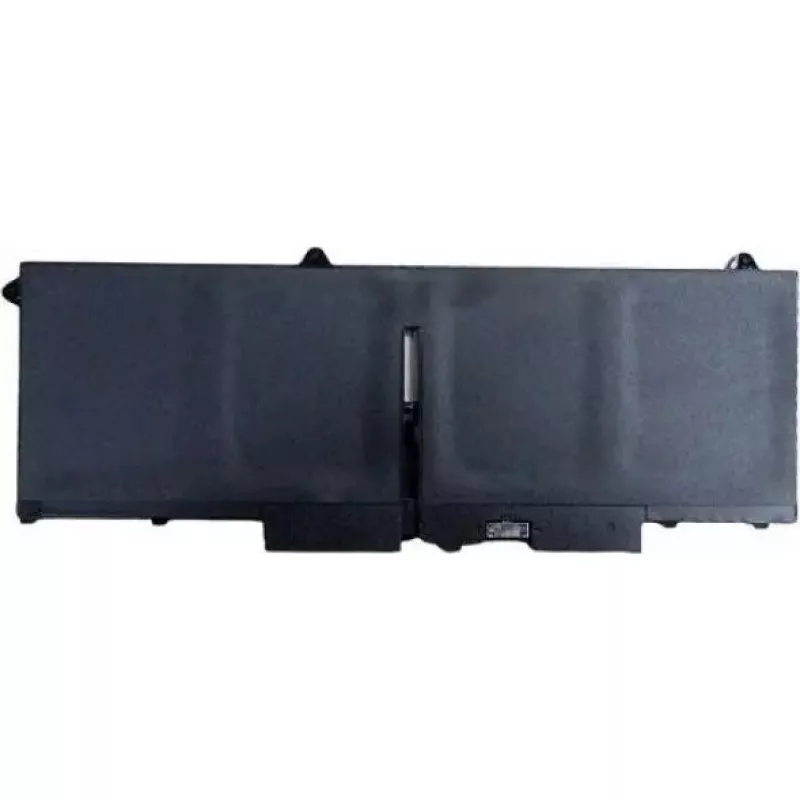
Battery Dell 3-cell 51 Wh 451-BCKC — 3-cell 51 Wh replacement for compatible Dell laptops

Battery Dell 3-cell 51 Wh 451-BCKC — 3-cell 51 Wh replacement for compatible Dell laptops
R2,657
The Dell 3-cell 51 Wh battery 451-BCKC is a lithium-ion replacement battery designed for compatible Dell notebook models. It provides a rated capacity of 51 Wh in a 3-cell configuration to restore or extend laptop runtime. The battery is intended as a factory-fit style spare or direct replacement to... Read More
Stock Out Of Stock Code 2574159 Brand DELL Model 451-BCKC Warranty 2 Years

Shipping & Returns

Estimated delivery Tuesday, October 6
You will be kept updated through our detailed tracking system
Payment options
EFTPayFastBank CardSnapScanZapperGoogle PayApple PayMobicredMoreTymePay on Arrival

The Dell 3-cell 51 Wh battery 451-BCKC is a lithium-ion replacement battery designed for compatible Dell notebook models. It provides a rated capacity of 51 Wh in a 3-cell configuration to restore or extend laptop runtime. The battery is intended as a factory-fit style spare or direct replacement to support mobile productivity, travel, and remote work when AC power is not available.

Advantages

This 3-cell 51 Wh battery delivers a balance of capacity and compact size suitable for slimmer laptop models. As a direct replacement it is intended to match the original form factor and electrical specifications of supported Dell notebooks, enabling straightforward installation and consistent power management. The lithium-ion chemistry provides stable output and rechargeability for regular daily use.

Suitable for

  • Replacing a worn or failing battery in compatible Dell laptops
  • Keeping a spare battery for travel or extended unplugged work
  • Maintaining productivity during remote work or field tasks where AC outlets are limited

Key specifications

  • Battery type: Lithium-ion (Li-ion)
  • Rated capacity: 51 Wh
  • Cell count: 3-cell configuration
  • Intended use: Notebook / laptop power source
  • Compatibility: Designed for compatible Dell notebook models (check device compatibility before purchase)

How to use

Turn off the laptop and disconnect it from the mains before replacing the battery. Remove any retaining screws or release latches according to the notebook manufacturer's instructions, then extract the old battery and insert the replacement so it seats securely in the battery bay. Reattach any screws or latches, reconnect AC power, and allow the battery to charge fully before first use to ensure accurate charge-level reporting. Use the operating system's battery and power management tools to monitor charge cycles and health.

Recommendations

Store and operate the battery within manufacturer-recommended temperature ranges, avoid exposure to high heat or moisture, and use only approved chargers and power adapters. For best long-term performance, avoid keeping the battery at full charge for prolonged periods when not in use and perform periodic charging cycles if the battery remains in storage.

Key Highlights
  • Replacing a worn or failing battery in compatible Dell laptops
  • Keeping a spare battery for travel or extended unplugged work
  • Maintaining productivity during remote work or field tasks where AC outlets are limited
  • Battery type: Lithium-ion (Li-ion)
  • Rated capacity: 51 Wh
  • Cell count: 3-cell configuration
  • Intended use: Notebook / laptop power source
  • Compatibility: Designed for compatible Dell notebook models (check device compatibility before purchase)
Price history over the last 6 months
Battery Dell 3-cell 51 Wh 451-BCKC — 3-cell 51 Wh replacement for compatible Dell laptops
Current
R2,657
Lowest
R2,614
Highest
R2,761
Change 24H
+R16   +1%
Week
+R37   +1%
Month
-R19   -1%

Popular products in this category

WhatsApp
Hi, I’m DistriNode’s AI assistant. I can help you find products, compare options, create quote PDFs, or open support requests.