Account Contact
Your Cart
Pay the courier with no extra fees.
Need help? DistriNode AI can handle any task on our site.

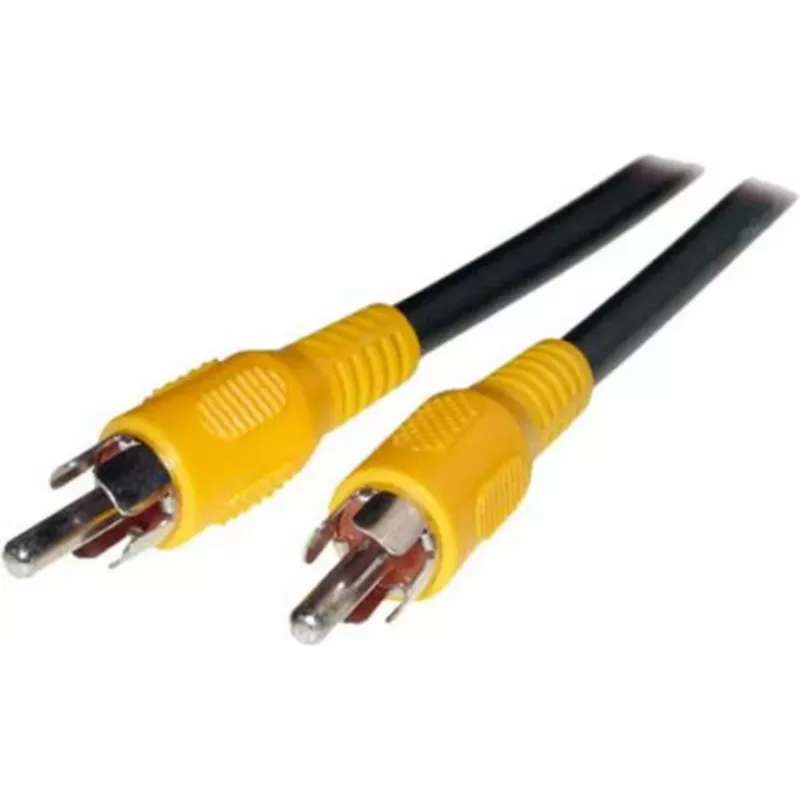
Analog RCA Audio/Video Cable ShiverPeaks 90022-15.0 — Cinch (RCA) to Cinch, 15.0 m

Analog RCA Audio/Video Cable ShiverPeaks 90022-15.0 — Cinch (RCA) to Cinch, 15.0 m
R368
ShiverPeaks 90022-15.0 is a 15.0 m analog Cinch (RCA) to Cinch audio/video cable designed to connect consumer AV components. It provides standard unbalanced RCA terminations for stereo audio or composite video, allowing signal transfer between devices such as DVD/Blu-ray players, set-top boxes, TVs,... Read More
Stock 85 Code 2350698 Brand SHIVERPEAKS Model 90022-15.0 Warranty 2 Years

Shipping & Returns

Estimated delivery Wednesday, October 7
You will be kept updated through our detailed tracking system
Payment options
EFTPayFastBank CardSnapScanZapperGoogle PayApple PayMobicredMoreTymePay on Arrival

ShiverPeaks 90022-15.0 is a 15.0 m analog Cinch (RCA) to Cinch audio/video cable designed to connect consumer AV components. It provides standard unbalanced RCA terminations for stereo audio or composite video, allowing signal transfer between devices such as DVD/Blu-ray players, set-top boxes, TVs, receivers and amplifiers. The extended 15.0 m length supports setups where components are positioned at a distance while maintaining a simple, single-wire connection for each channel.

Advantages

This RCA cable offers dependable analog connections with straightforward plug-and-play compatibility on equipment that uses Cinch/RCA jacks. Its length reduces the need for extra extension solutions and helps maintain organized routing in home AV installations. The cable is suitable for transmitting both stereo audio and standard-definition composite video signals without requiring any additional adapters or signal conversion.

Suitable for

  • Connecting DVD or Blu-ray players to TVs or receivers
  • Linking set-top boxes and legacy video equipment
  • Extending audio runs between amplifiers and source devices in home setups
  • Temporary connections for presentations and basic AV installations

Key specifications

  • Cable type: Analog Cinch (RCA) to Cinch (RCA)
  • Length: 15.0 m
  • Signal type: Unbalanced stereo audio and composite video
  • Connector gender: Male to male
  • Intended use: Consumer AV connections for home and legacy equipment

How to use

Connect the male RCA plugs to the corresponding color-coded RCA jacks on both source and destination devices (typically red/white for right/left audio and yellow for composite video). Ensure connectors are fully seated to avoid intermittent contact. For stereo audio, use a pair of cables (left and right channels). Route the cable to avoid tight bends and to minimize exposure to electromagnetic interference sources such as power transformers and fluorescent lighting.

Recommendations

For best performance keep cable runs as short as practical for your layout, and avoid parallel routing with mains power cables to reduce hum and interference. If you need longer distances or higher-definition signals, consider alternative cabling or signal conversion solutions appropriate to the source and display capabilities.

Key Highlights
  • Connecting DVD or Blu-ray players to TVs or receivers
  • Linking set-top boxes and legacy video equipment
  • Extending audio runs between amplifiers and source devices in home setups
  • Temporary connections for presentations and basic AV installations
  • Cable type: Analog Cinch (RCA) to Cinch (RCA)
  • Length: 15.0 m
  • Signal type: Unbalanced stereo audio and composite video
  • Connector gender: Male to male
  • Intended use: Consumer AV connections for home and legacy equipment
Price history over the last 6 months
Analog RCA Audio/Video Cable ShiverPeaks 90022-15.0 — Cinch (RCA) to Cinch, 15.0 m
Current
R368
Lowest
R357
Highest
R368
Change 24H
+R10   +3%
Week
—   
Month
—   

Popular products in this category

WhatsApp
Hi, I’m DistriNode’s AI assistant. I can help you find products, compare options, create quote PDFs, or open support requests.