

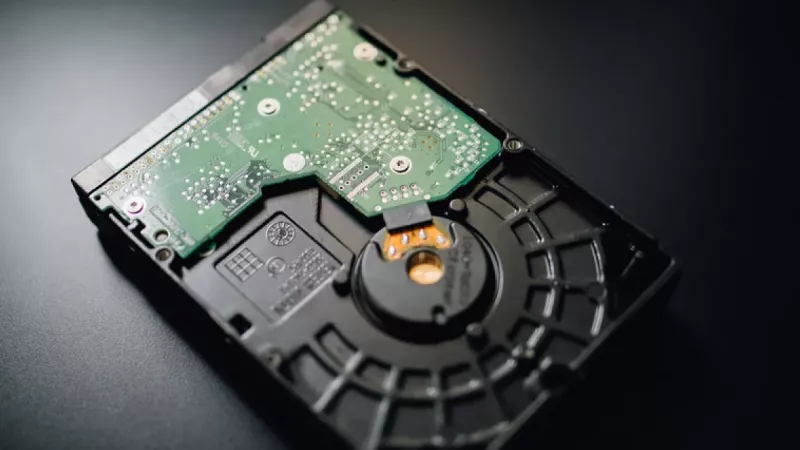
Surveillance hard drives are built for a job ordinary desktop storage isn’t: continuous video recording from CCTV cameras and NVR systems. A camera system that records all day isn’t doing occasional file storage — it’s writing video streams non-stop and overwriting old footage once retention limits are reached.
For South African homes, offices and warehouses, the practical decision comes down to capacity, camera count, retention days and whether the recorder is built for one drive or several.
Key Takeaway: Use a surveillance-class drive for any always-on CCTV/NVR system — it’s tuned for continuous, multi-stream video writing. Then size capacity to your camera count, resolution and how many days of footage you need to keep.
Surveillance Drive vs Desktop Drive at a Glance
| Factor | Surveillance Drive | Desktop Drive |
|---|---|---|
| Designed for | 24/7 multi-camera recording | Occasional PC storage |
| Write pattern | Continuous video streams | Bursty reads/writes |
| Simultaneous streams | Tuned for many at once | Not optimised |
| Best use | CCTV / NVR systems | Everyday desktop files |

Why a Surveillance Drive Matters
Surveillance drives are designed for always-on recording workloads and multi-camera video streams. They’re built for stable, continuous video capture rather than the short bursts of activity a desktop drive expects — which is exactly what a recorder demands when several cameras write at once, day and night.
What to Check Before Buying
- Number of cameras: more cameras means more simultaneous video streams.
- Resolution & frame rate: 4MP, 5MP and 4K cameras use far more storage than basic HD.
- Retention target: decide if you need days, weeks or longer before footage overwrites.
- NVR bay count: check the recorder’s drive-size limits and supported bays.
- Environment: warm cabinets and poor airflow shorten drive life.

Desktop Drive vs Surveillance Drive
A desktop drive can handle normal PC storage, but it’s not the right default for continuous recording. For a CCTV or NVR system, choose a drive class intended for surveillance workloads — then size it according to camera count and recording quality, with headroom for your retention target.
How Much Storage Do You Need?
| Your System | Storage Guidance |
|---|---|
| Few HD cameras, short retention | Smaller surveillance drive may suffice |
| Several 4MP/5MP cameras | Larger capacity, plan for growth |
| 4K cameras or long retention | High-capacity drive(s), check NVR limits |
| Multi-bay NVR | Match drives, confirm max supported size |
Key Takeaway: The most common mistake is buying too little storage and finding footage overwrites sooner than expected. The second is skipping the NVR’s compatibility and maximum-capacity limits. Plan retention first, then buy capacity with headroom.
How to Buy Your Surveillance Storage in South Africa
DistriNode stocks surveillance hard drives, NVRs, cameras and CCTV cabling — matched to your camera count and retention needs, with local stock and fast delivery. Browse surveillance hard drives, NVR recorders, security cameras, CCTV hard drives and PoE cameras.
Frequently Asked Questions
Can I use a normal desktop drive in my CCTV system?
It may work, but it’s not built for continuous recording. Surveillance drives are designed for 24/7 multi-stream video writing, so they’re more reliable in a CCTV/NVR system. A desktop drive can wear faster under constant recording load.
How much storage do I need for my cameras?
It depends on camera count, resolution, frame rate and how many days of footage you want to keep. Higher resolution and longer retention need more capacity, so size with headroom and confirm your NVR’s maximum supported drive size.
Why does my footage get overwritten so quickly?
Usually the drive is too small for the camera resolution and retention target. Higher-megapixel cameras consume storage fast, so footage overwrites sooner. Increasing capacity — within your NVR’s limits — extends how long recordings are kept.
Does cabinet temperature affect drive life?
Yes. Warm cabinets and poor airflow shorten hard drive life, especially under continuous recording. Keep the recorder ventilated and avoid sealed, hot enclosures to help your surveillance drives last their expected lifespan.
Sources
- Western Digital — surveillance storage
- Seagate — SkyHawk surveillance drives